Instruction Manual TR-Mark III 250V Version 1.10 Preliminary Page 39 of 57
8.5 Archive
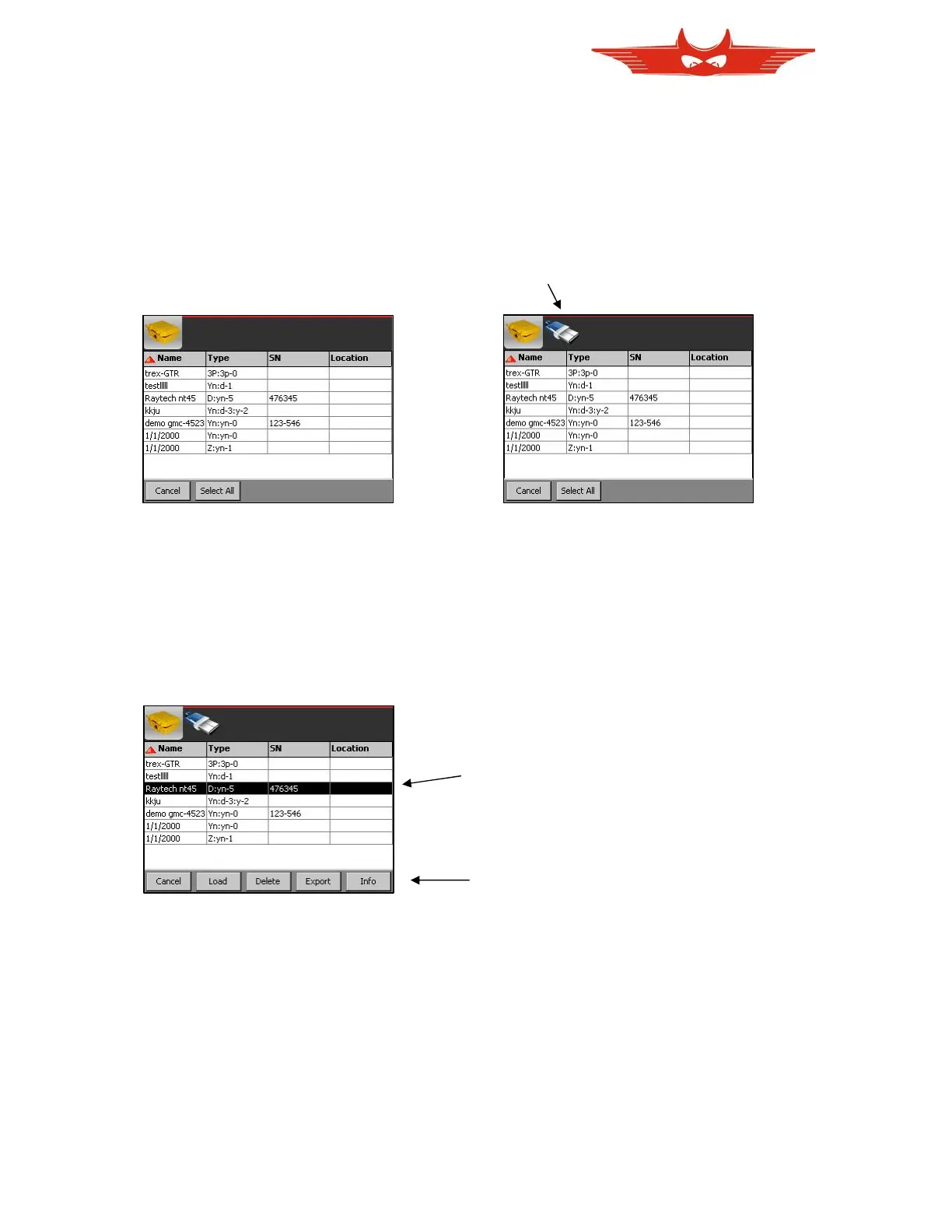
The ‘Archive’ menu is used to load, delete, import, or export as well as show information of
Data on TR-Mark III 250V. Of course, the import and export feature can only be used when a
memory stick is connected to USB port on the Mark III.
No memory stick connected. Memory stick connected.
Touch here to switch to memory stick.
Touch on the lines to select one or several transformers.
As soon as one transformer is selected, it will be highlighted and function buttons in the
bottom menu appear. If two or more lines are highlighted, ‘Load’ and ‘Info’ of course will
disappear again.



 To Next Page