Instruction Manual TR-Mark III 250V Version 1.10 Preliminary Page 24 of 57
8.1.4 Taps
As its forerunner, TR-Mark III 250V provides tap changer control.
The following Screens show a transformer with a fully filled info field. If you do not fill it out,
some shown information may not appear, but the screen keeps the same functionality.
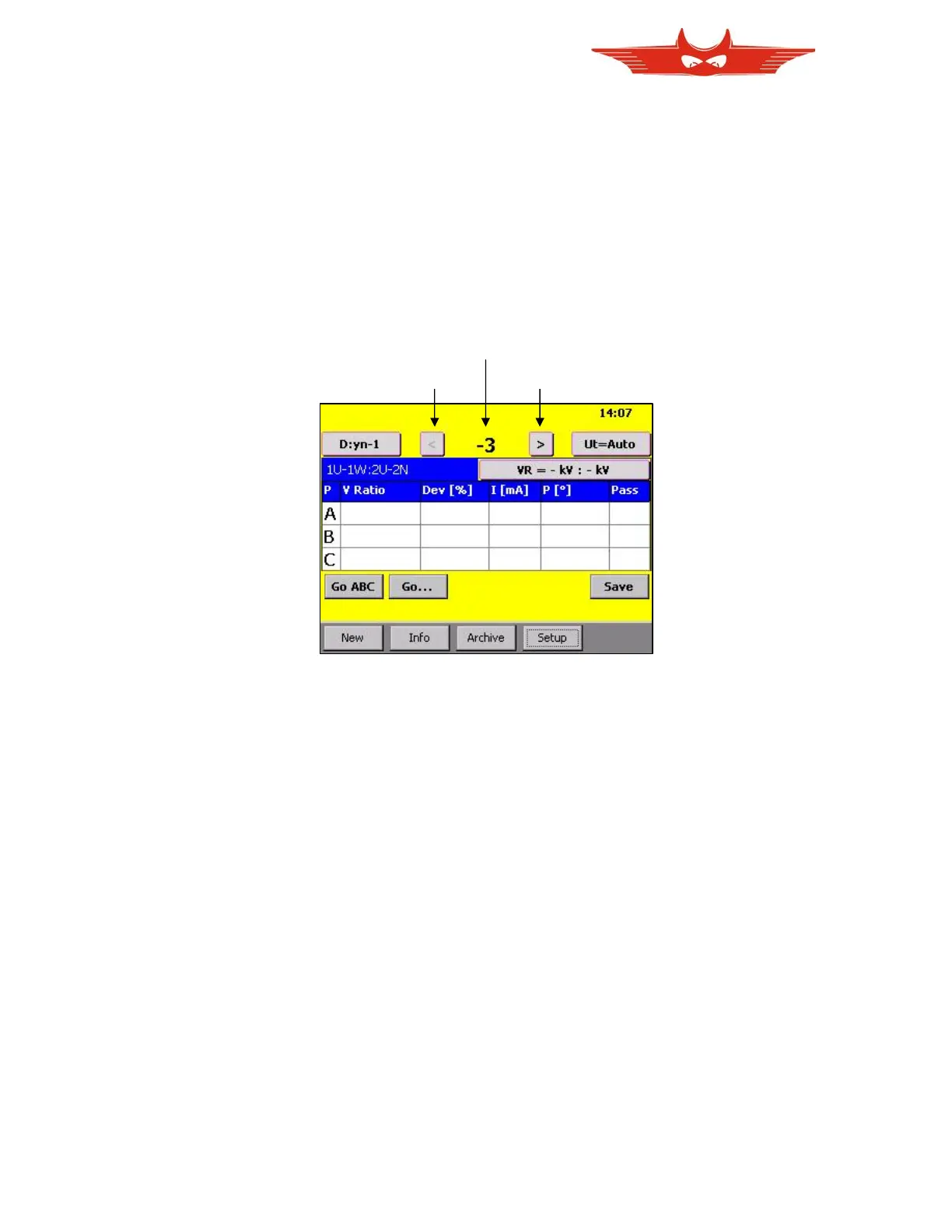
On the upper part of main screen, the actual tap step is displayed as a number. It is easy to
measure through several or all tap steps. Besides are buttons, to switch one step up or
down.
You may wish to know what for instance “tap 5” means in volts. Or you would like to switch to
the 22kV Tap. Both can be done easily by touching the ‘Actual Tap Step Number’ (-3).
In the following window tap number and corresponding voltage is displayed. To give you an
overview of all taps, a complete with corresponding voltages is also available.



 To Next Page