Installation
22 MarathonSeriesFA/FR
2. Installallelectronicswiringaccordingtotheapplicablesections5.4,5.7.x,and5.8!
3. Plug the RS485/RS232 interface converter into your computer’s serial port, or attach it to a
serialcableconnectedtothecomputer!Use9pinto25pinconverterifnecessary!
4. Ifthe9VDCpowersupplyisused,applypowertotheRS485/RS232converter!
5. Applypower
totheFA/FRsensor!
6. Turnonyourcomputer!
Youneed tomake sure anotherserial device(e.g.aninternalmodem)is notusingthe
identicalCOM‐portatthesametime!
Alwaysmakeallelectricalconnectionsbeforeapplyingpowerto theFA/FRsensor!Do
notchangeRS485orpowerconnectionsonthe RS485/RS232converterwhiletheFA/FR
sensorhaspowerapplied,asthismaycausedamagetotheInterfaceconverter!
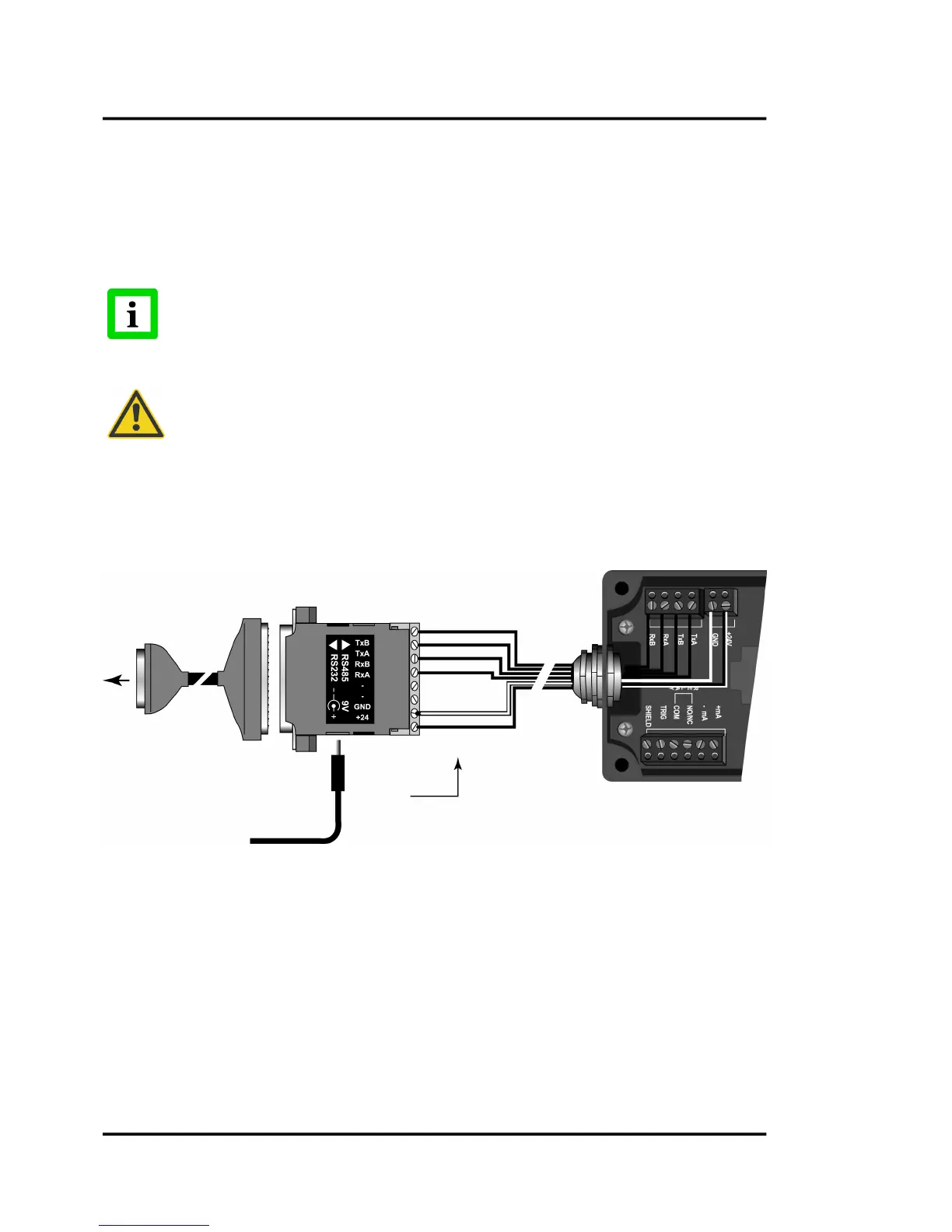
5.7.1MultidropInstallation(4‐Wire)
In4‐wiremultidropinstallationsthedatacanbetransferredinbothdirections,fromsensortoPCand
reverse.
Figure18:Wiringfor4‐WireSensorSetup
5.7.2MultidropInstallation(2‐Wire)
Usingthe2‐wireinstallationsaves2wiresincomparisontothe4‐wireinstallation.Thedisadvantage
is,thatthedatatransfercanbeonlyinonedirectionatthesametime.
To Computer
RS232 serial port











 To Next Page