Maintenance
50 MarathonSeriesFA/FR
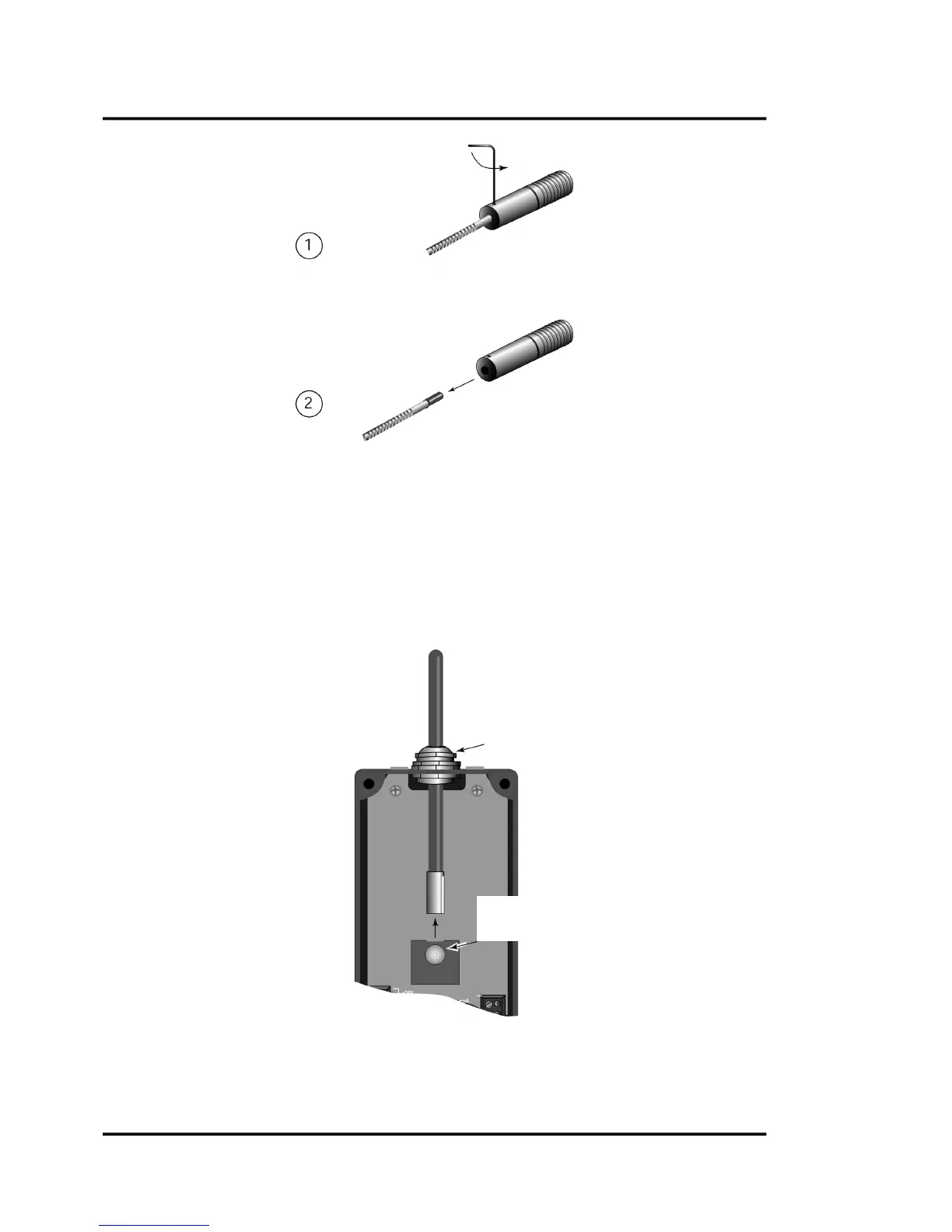
Figure36:RemovingtheFiberopticCablefromtheOpticalHead
10.4.1.2RemovingtheFiberOpticCablefromtheElectronicsHousing
Completethefollowingstepstodisconnectthefiberopticcablefromtheelectronicshousing:
1. Firstloosenthecableconnectingsleeve.
2. Loosenthecablereceptaclescrewtorelease
thecable.
3. Pullcablefromelectronicsenclosure,andimmediatelyplaceaprotectivecapovertheendof
thefiberopticcable.Donotuseadhesivetapeonthecableend.
Figure37:RemovingtheFiberopticCablefromtheElectronicsHousing
Turn 1.3 mm (0.050“) hex
wrench counter clockwise
until cable is loose
Put cable out
First loosen cable




 To Next Page