Installation
MarathonSeriesFA/FR 17
5Installation
5.1MountingtheSensor
Afterallpreparationsarecompleteaccordingtosection4SensorLocation,page13ff.,youcaninstall
thesensor.
Howandwhereyouanchortheopticalheadandelectronicsenclosuredependsonthetypeofsurface
andthetypeofbracketyouareusing.Youcanmounttheopticalheadthroughahole,onabracketof
yourowndesign,oronthe
availablebracketaccessory.
You may need to “snake” the fiber optic cable through and around any obstacles, such as beams,
walls,supportcolumns,etc.,or,ifyourinstallationrequires, throughconduit,beforeattachingtheend
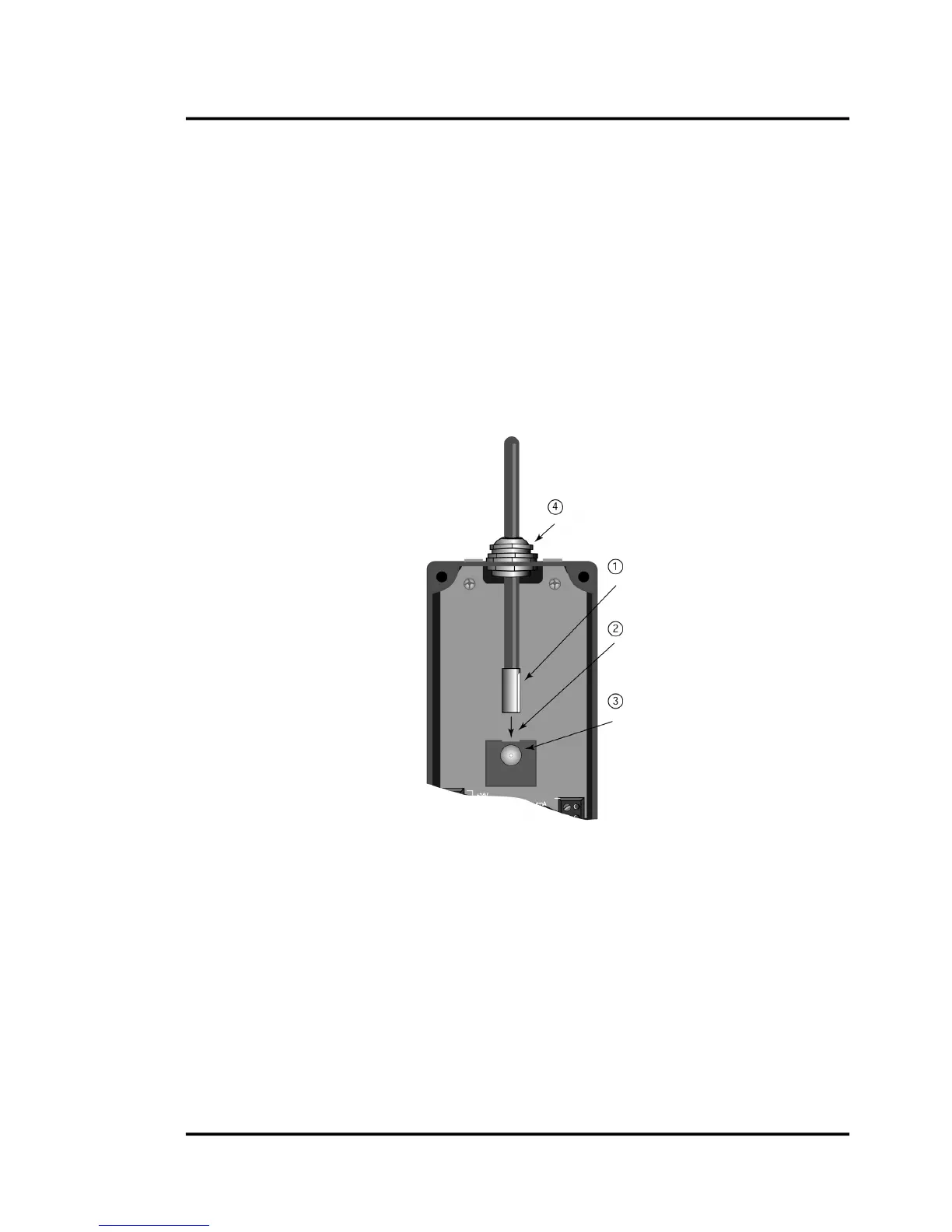
to the electronics enclosure. (Do not attach until you aim the optical head.) The cable
can be
disconnected from the electronics box for aiming or threading through conduit during installation.
Thecableiskeyedandcanonlybeinsertedonewayintotheelectronicsenclosure.
Figure13:ConnectingtheFiberOpticCable
Tighten only after securing connecting sleeve






 To Next Page