Sound Settings: Stereo and Tone
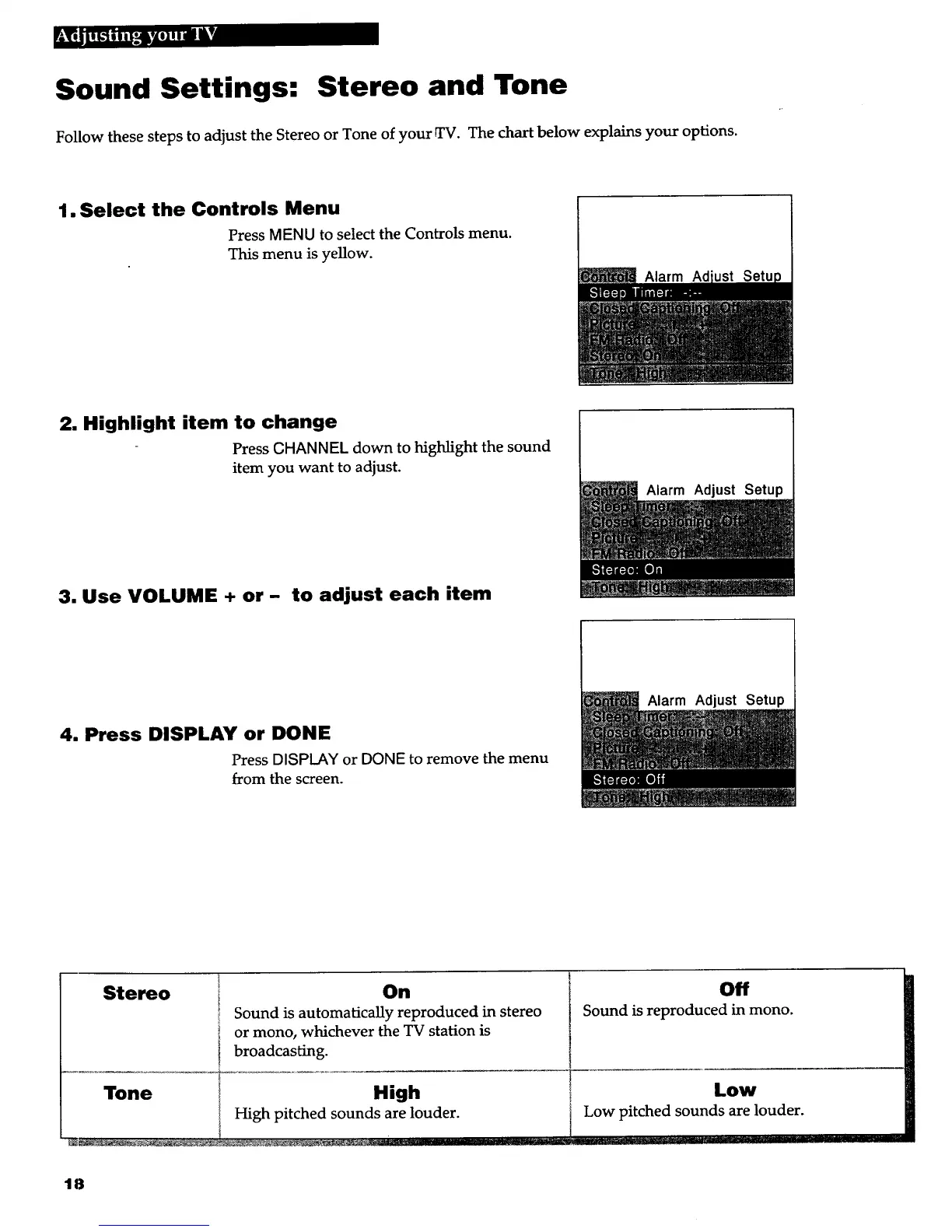
Follow these steps to adjust the Stereo or Tone of your _. The d_ below e_l_ your options.
1. Select the Controls Menu
Press MENU to select the Controls menu.
This menu is yellow.
Alarm Ad
2. Highlight item to change
Press CHANNEL down to highlight the sound
item you want to adjust.
3. Use VOLUME + or - to adjust each item
Alarm Adjust Setup
4. Press DISPLAY or DONE
Press DISPLAY or DONE to remove the menu
from the screen.
Alarm Setup
Stereo
Tone
On
Sound is automatically reproduced in stereo
or mono, whichever the TV station is
broadcasting.
High
High pitched sounds are louder.
Off
Sound is reproduced in mono.
Low
Low pitched sounds are louder.
18



 To Next Page