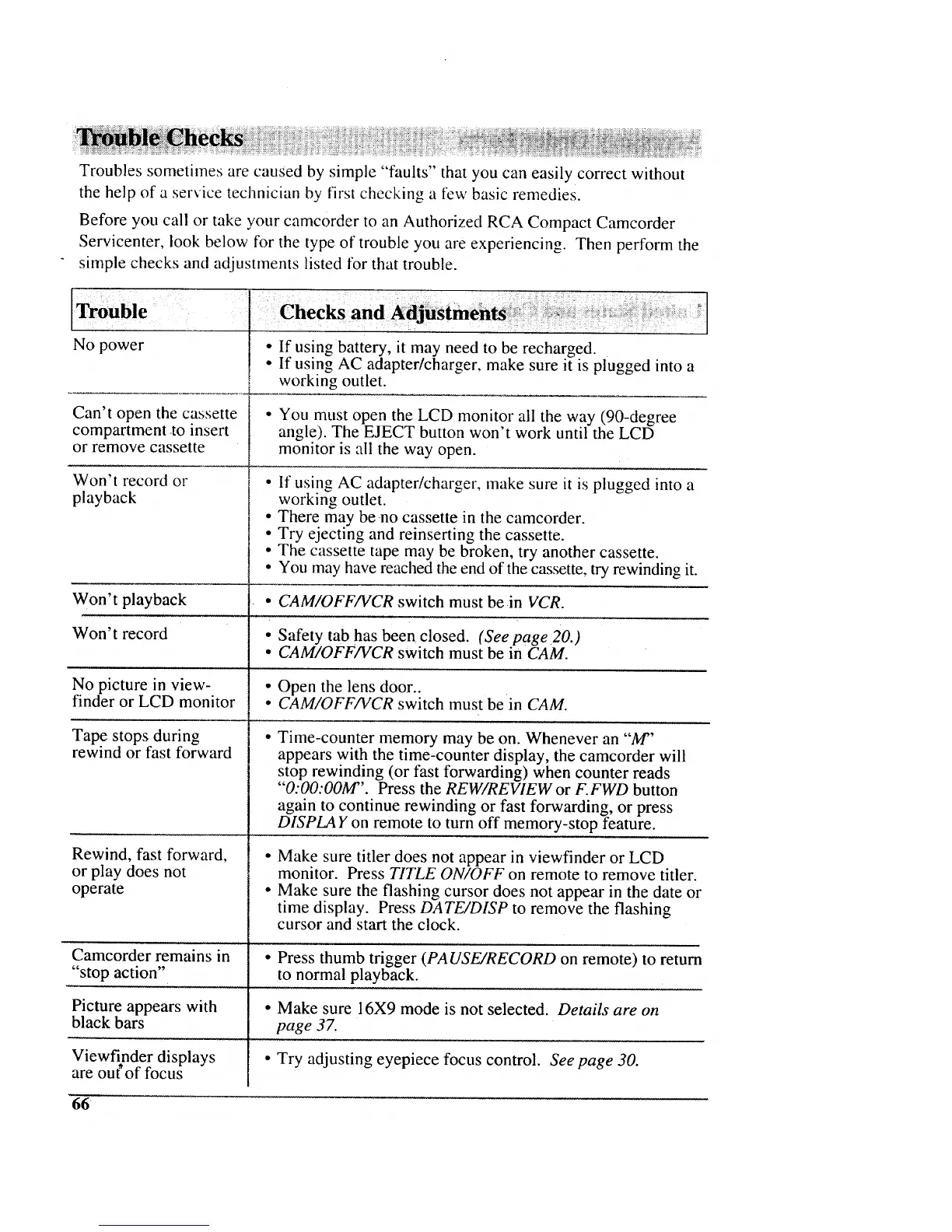
Troubles sometimes are caused by simple "faults" that you can easily correct without
the help of a service technician by first checking a few basic remedies.
Before you call or take your camcorder to an Authorized RCA Compact Camcorder
Servicenter, look below for the type of trouble you are experiencing. Then perform the
simple checks and adjustments listed for that trouble.
Trouble
No power
Can't open the cassette
compartment to insert
or remove cassette
Won't record or
playback
....... _ i ?'
• If using battery, it may need to be recharged.
• If using AC adapter/charger, make sure it is plugged into a
working outlet.
• You must open the LCD monitor all the way (90-degree
angle). The EJECT button won't work until the LCD
monitor is all the way open.
• If using AC adapter/charger, make sure it is plugged into a
working outlet.
• There may be no cassette in the camcorder.
• Try ejecting and reinserting the cassette.
• The cassette tape may be broken, try another cassette.
• You may have reached the end of the cassette, try rewinding it.
Won't playback • CAM/OFF/VCR switch must be in VCR.
Won't record • Safety tab has been closed. (See page 20.)
• CAM/OFF/VCR switch must be in CAM.
No picture in view- • Open the lens door..
finder or LCD monitor • CAM/OFF/VCR switch must be in CAM.
Tape stops during
rewind or fast forward
Rewind, fast forward,
or play does not
operate
Camcorder remains in
"stop action"
Picture appears with
black bars
Viewfinder displays
are out'of focus
Time-counter memory may be on. Whenever an "M"
appears with the time-counter display, the camcorder will
stop rewinding (or fast forwarding) when counter reads
"O:O0:OOM". Press the REW/REVIEW or F.FWD button
again to continue rewinding or fast forwarding, or press
DISPLA Y on remote to turn off memory-stop feature.
Make sure titler does not appear in viewfinder or LCD
monitor. Press TITLE ON/OFF on remote to remove titler.
Make sure the flashing cursor does not appear in the date or
time display. Press DATE/DISP to remove the flashing
cursor and start the clock.
• Press thumb trigger (PAUSE/RECORD on remote) to return
to normal playback.
° Make sure 16X9 mode is not selected. Details are on
page 37.
• Try adjusting eyepiece focus control. See page 30.
66 ¸



 To Next Page