NAVIGATION CONTROLS
This section describes basic controls for navigating the camera menus.
TOUCHSCREEN NAVIGATION
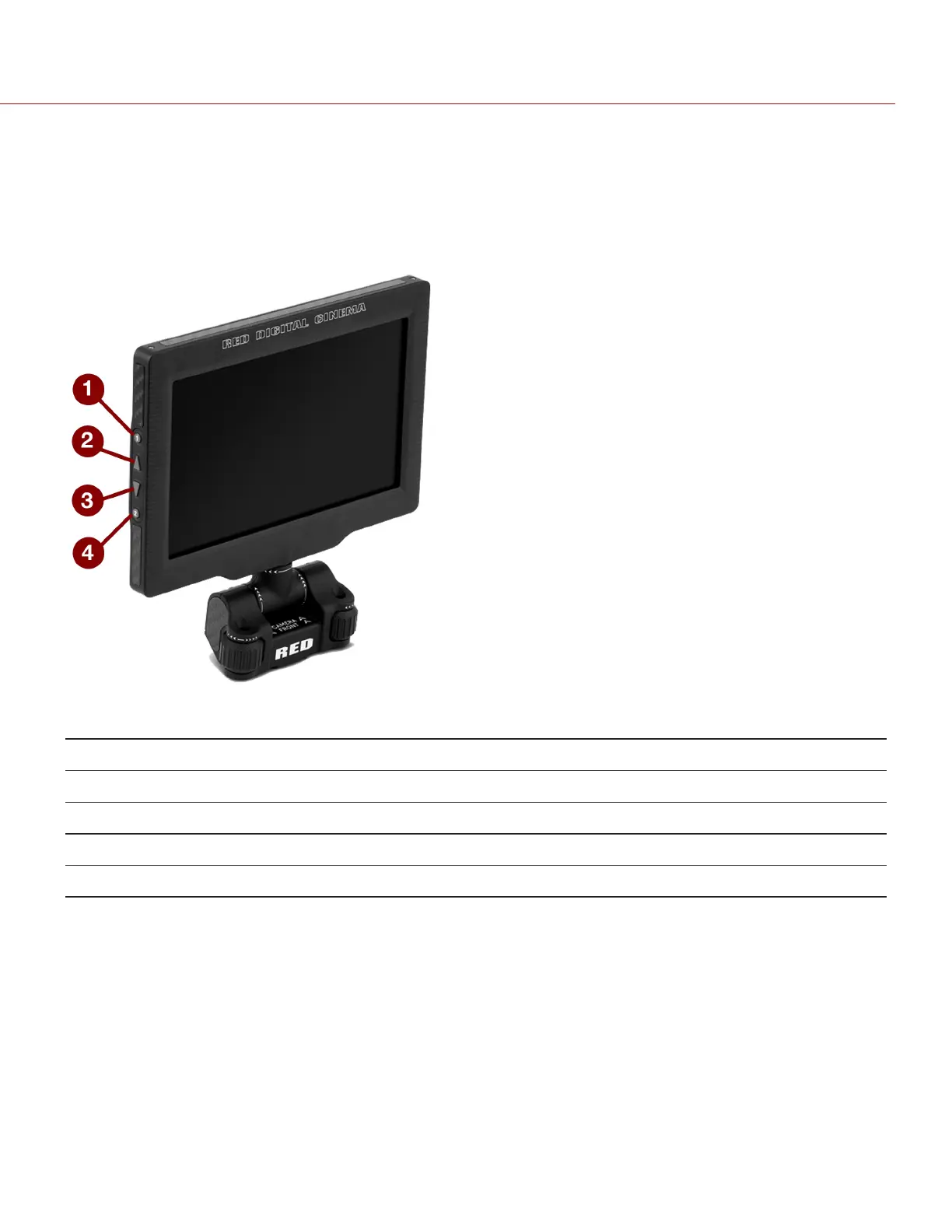
RED Touch displays offer intuitive menu control and four (4) programmable buttons.
Figure: DSMC2 RED Touch 7.0" LCD
# RED TOUCH BUTTON DESCRIPTION
1 User Key 1 Toggle 1:1 Magnify on/off
2 Up Button Increase display brightness
3 Down Button Decrease display brightness
4 User Key 2 Toggle Exposure Mode on/off
NOTE: RED Touch display keys are programmable. For more information, go to "Key Mapping" on page118.
C OPYRI GHT © 2017 R ED.C O M , I NC 955- 01 38 _V6.3, REV-D | 66
WEAPON/EPIC-W OPERATION GUIDE



 To Next Page