FOCUS MENU
The Focus menu includes: Mode and Rack.
MODE TAB
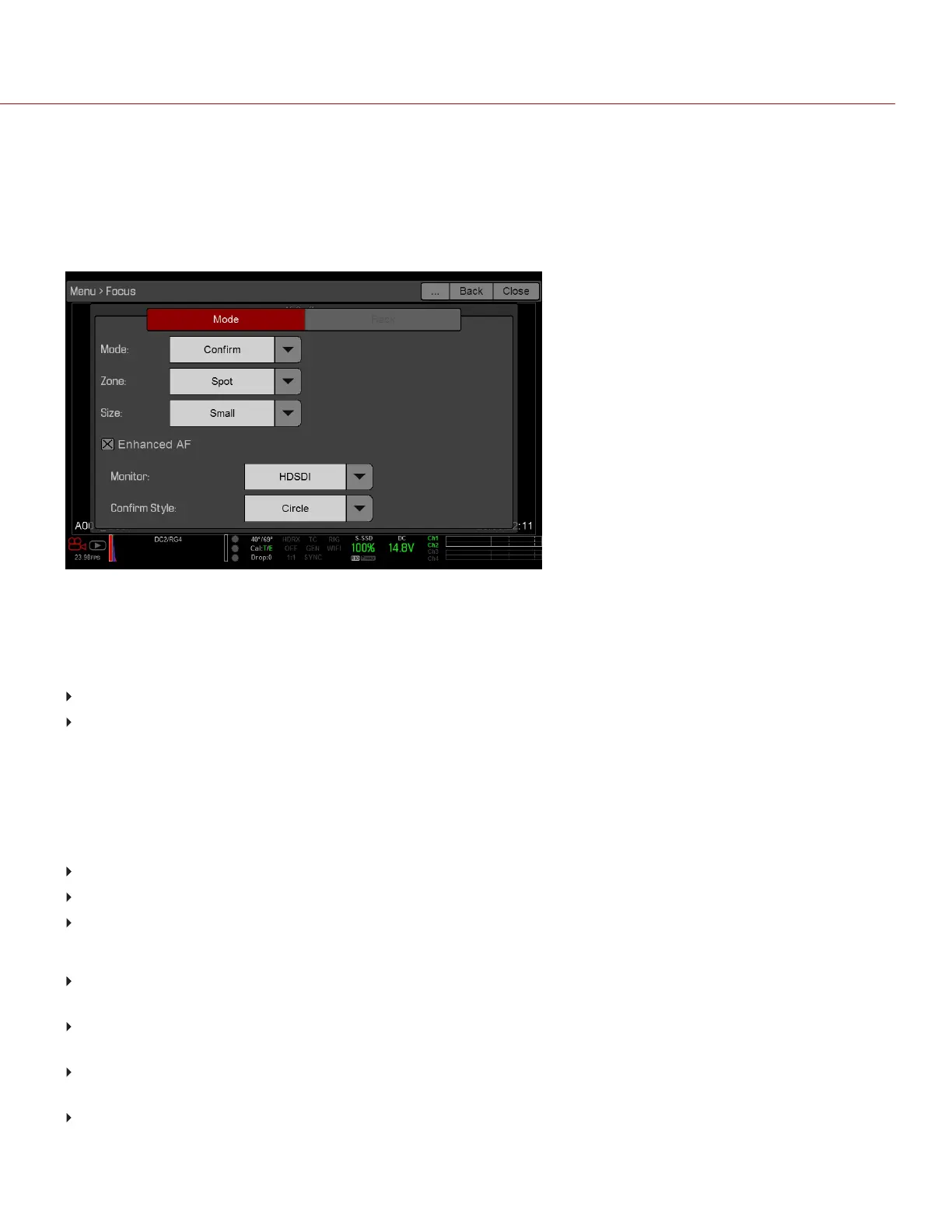
The Mode Tab is used to enable and select Focus parameters, including Mode, Zone, Size, and Enhanced A/F.
Figure: Mode Tab
MODE
Select one (1) of the following from the Mode drop-down menu:
Manual: When selected, all focus operations are manual.
Confirm: Enables the Center or Spot focus target. This mode provides additional focus assistance by using red,
yellow, and green color changes to the focus spot window. Inadequate subject illumination and/or contrast may
interfere using Confirm mode. For best results with Confirm mode, “rock” the focus ring: Focus through the point
of optimal focusing and back again in decreasing amplitude, as when “zeroing-in” for precision manual focus.
AUTOFOCUS MODES
When any of the following conditions are met, the Mode drop-down menu has additional options:
DSMC Nikon Mount and a supported lens is attached. The lens focus switch is set to “A” or “M/A”.
DSMC Canon Mount and a supported lens is attached. The lens focus switch is set to “AF”.
DSMC Canon MOTION MOUNT and a supported lens is attached. The lens focus switch is set to “AF”.
When any of the above conditions are met, the following options display in the Mode drop-down menu:
Single: When you press the key mapped to AF: Start, the camera performs single-shot AF. Optimized for rapid
focus even under low-contrast conditions. Works with both Center and Spot zones.
Continuous: When you press the key mapped to AF: Start, the camera attempts to keep objects in the target in
focus. Works best with good lighting and contrast. Works with both Center and Spot zones.
Touch Track: Dynamically updates a positionable AF point using the touchscreen. Only works with Spot zone.
Keep target on subject while moving across frame, as the lens continuously focuses on that target.
Rack: Enables rack focus. Only works with Spot zone. For more information, go to "Rack Focus" on page149.
C OPYRI GHT © 2017 R ED.C O M , I NC 955- 01 38 _V6.3, REV-D | 146
WEAPON/EPIC-W OPERATION GUIDE



 To Next Page