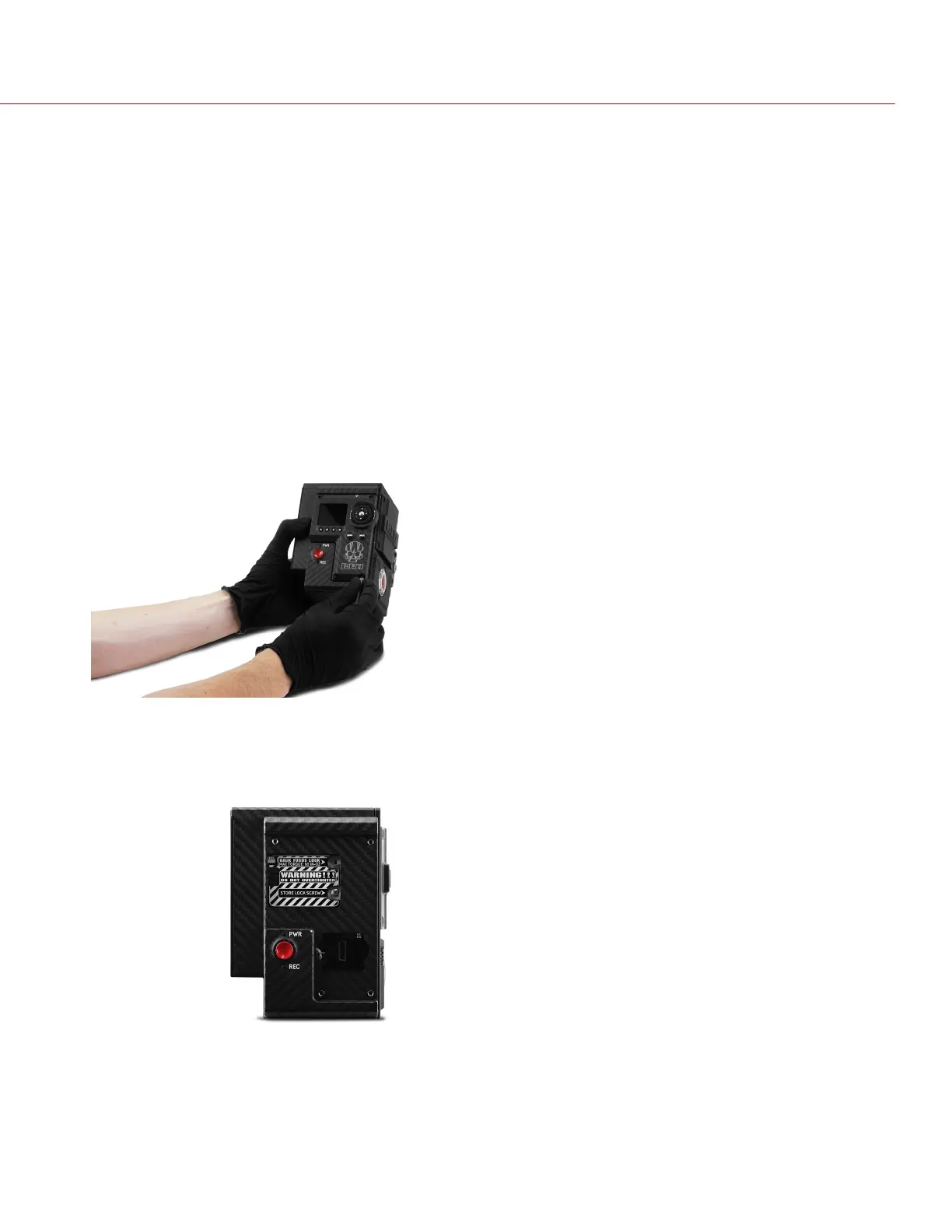
BACK FOCUS LOCK
SYMPTOM
If you would like to lock the sensor in place to prevent it from moving, follow the instructions in the next section.
POTENTIAL RESOLUTIONS
Lock the sensor in a fixed position by following the instructions below.
WARNING: DO NOT adjust back focus when the sensor is locked in place by the Back Focus Lock, since that can
damage the Sensor Positioning System. Damage to the camera system caused by adjusting the back focus while the
sensor is locked is not covered under warranty.
REQUIRED TOOLS: T10 TORX driver, Phillips #0 screwdriver
1. Turn off the camera.
2. Remove the DSMC2 Sidekick (or side panel, if a DSMC2 Sidekick is not attached). For more information, go to
"Remove the DSMC2 Sidekick" on page42.
Figure: Remove DSMC2 Sidekick
3. Ensure that the back focus is not locked: ensure that the back focus screw is NOT installed in the Back Focus
Lock position.
Figure: Do NOT Lock Back Focus When Adjusting Back Focus
4. Adjust the back focus (if needed) using the back focus screw on the front of the camera.
5. Use a Phillips #0 screwdriver to remove the screw from the Store Lock Screw position.
C OPYRI GHT © 2017 R ED.C O M , I NC 955- 01 38 _V6.3, REV-D | 197
WEAPON/EPIC-W OPERATION GUIDE



 To Next Page