RACK FOCUS
Use the Rack tab to configure up to four (4) focus points and execute rack focus between them.
SET UP RACK FOCUS
1. Ensure that a DSMC Nikon Mount, DSMC Canon Mount, or DSMC Canon MOTION MOUNT is installed and that
a supported lens is attached to the camera.
2.
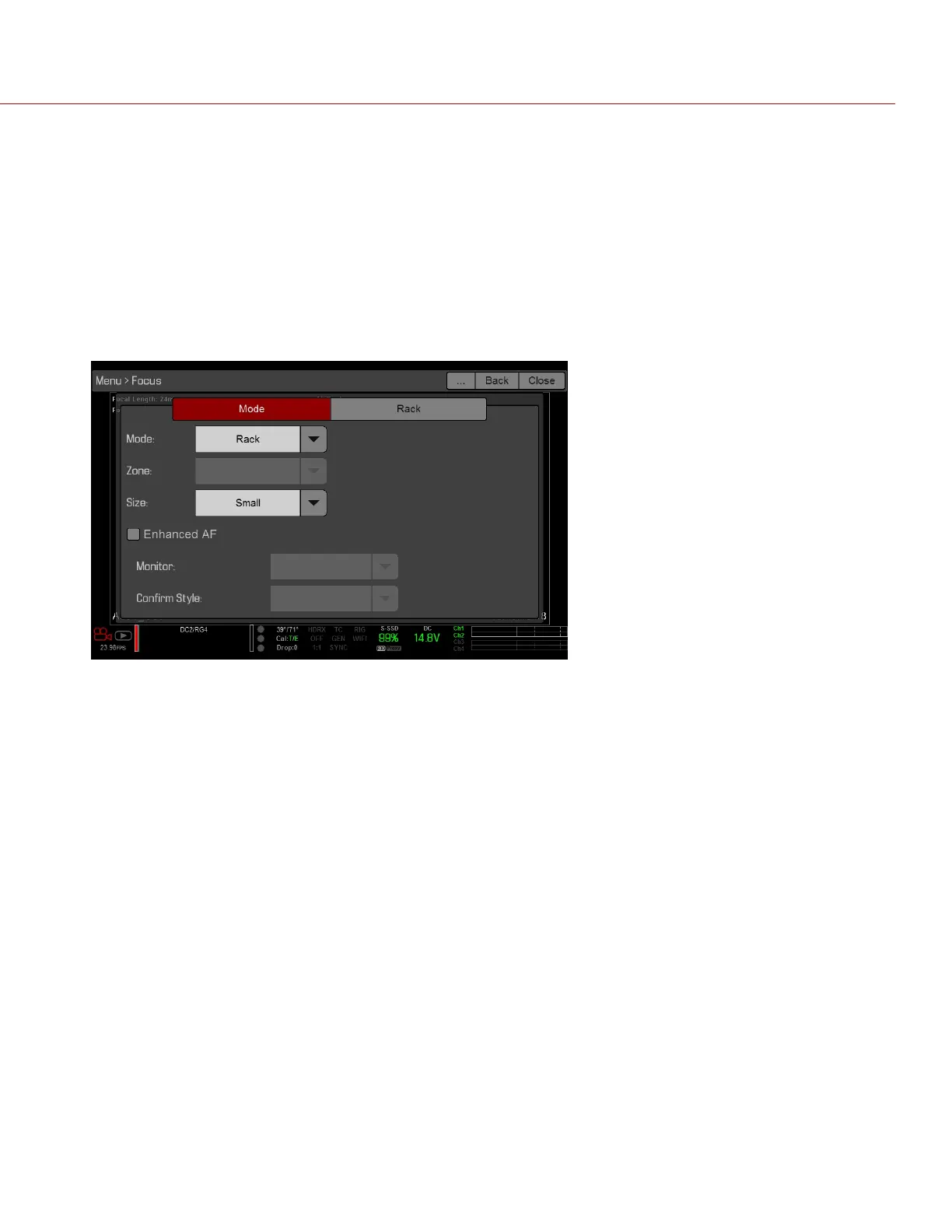
Go to Menu > Focus > Mode.
3.
Select Rack from the Mode drop-down menu.
4.
Select a size from the Size drop-down menu.
Figure: Set Up Rack Focus
5.
Go to the Rack tab.
6.
Use the Rack Speed slider to change the speed at which the lens moves. Move the slider to the left for a slower
speed, and to the right for a faster speed.
7.
Select the number of Rack Points (up to 4).
C OPYRI GHT © 2017 R ED.C O M , I NC 955- 01 38 _V6.3, REV-D | 149
WEAPON/EPIC-W OPERATION GUIDE



 To Next Page