NAVIGATION GROUP
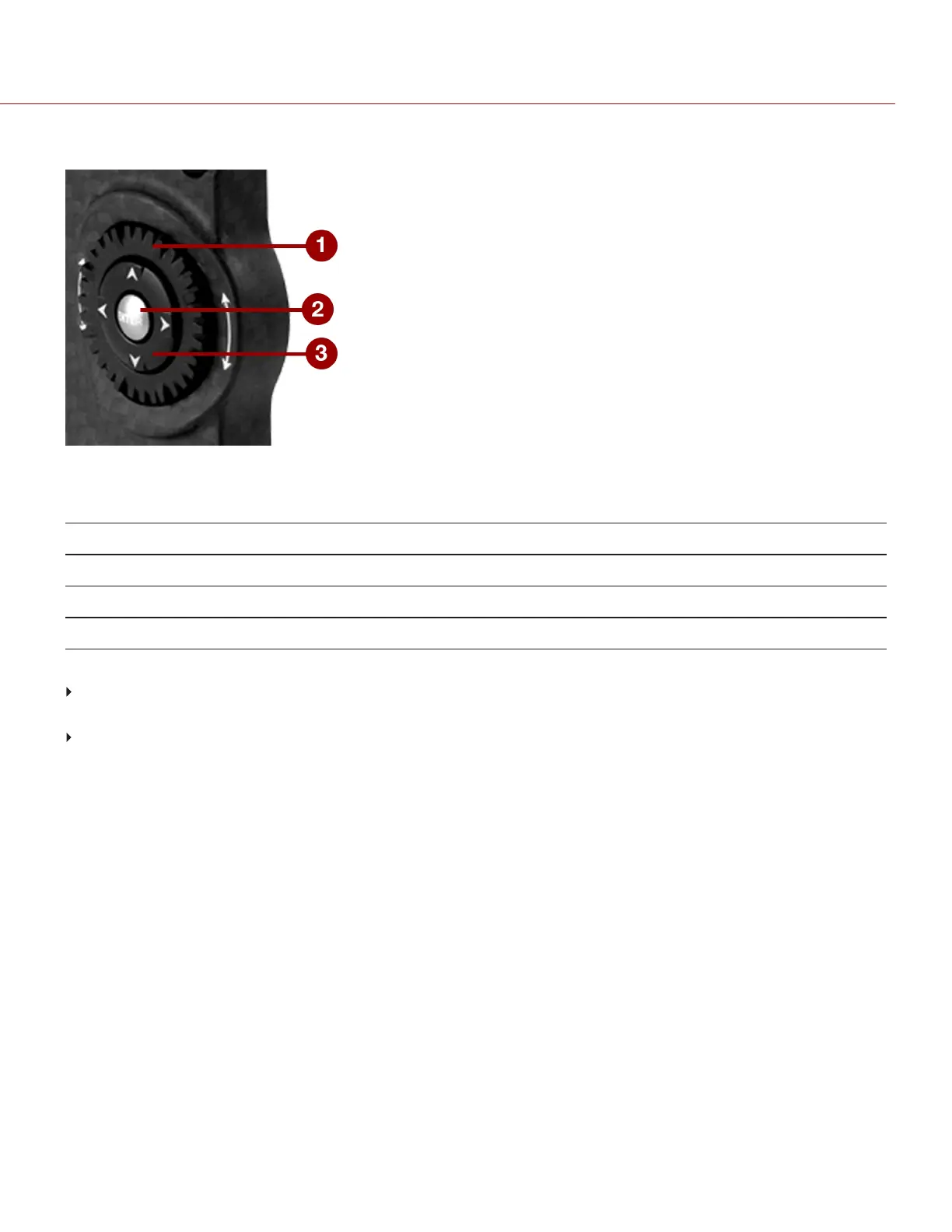
Figure: Navigation Group (DSMC2 Sidekick Pictured)
The Navigation Group is the primary control interface on the DSMC2 Sidekick and DSMC2 Side Handle.
# NAVIGATION GROUP ELEMENT DESCRIPTION
1 Scroll Wheel Select and adjust the value of a selected setting
2 ENTER key
Press ENTER to confirm a setting or access the selected menu
3 Directional Keys (D-Pad) Navigate menus and menu items
Navigate the menus using the following controls:
Press ENTER to open the menu, then rotate the Scroll Wheel clockwise to move right, counterclockwise to move
left to highlight the desired menu or parameter. Press ENTER to select.
Press the Up Navigation Key to open the related Advanced Settings menu, if one (1) is available.
For more information, go to "Default Key Functions" on page256.
C OPYRI GHT © 2017 R ED.C O M , I NC 955- 01 38 _V6.3, REV-D | 70
WEAPON/EPIC-W OPERATION GUIDE



 To Next Page