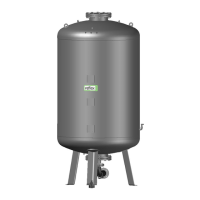
Reflexomat with Touch controller — 06.07.2016 - Rev. B English —
Risk of serious injury or death due to electric shock.
If live parts are touched, there is risk of life-threatening injuries.
• Ensure that the system is voltage-free before installing the device.
• Ensure that the system is secured and cannot be reactivated by other persons.
• Ensure that installation work for the electric connection of the device is carried out by an electrician, and in compliance with
electrical engineering regulations.
For the electrical connection, you must differentiate between a connection component and an operating component.
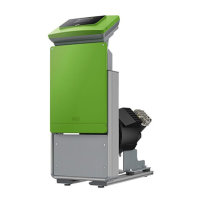
Example: Control unit with one compressor
1 Connection component cover (hinged) 4 Connection component rear
2 Operating unit cover (hinged)
• RS-485 interfaces
• Pressure and Level outputs
5 Cable bushings
• Supply and fusing
• Floating contacts
• "CO" compressor connection
3 Touch control
The following descriptions apply to standard systems and are limited to the necessary user-provided connections.
1. Shut down the system and secure it against unintentional reactivation.
2. Remove the covers.
Risk of serious injury or death due to electric shock. Some parts of the device's circuit board may still carry 230 V
voltage even with the device physically isolated from the power supply. Before you remove the covers, completely isolate the device
controller from the power supply. Verify that the main circuit board is voltage-free.
3. Insert a suitable screwed cable gland for the cable bushing at the rear of the connection component. M16 or M20, for example.
4. Thread all cables to be connected through the cable glands.
5. Connect all cables as shown in the terminal diagrams.
– Connection unit, see chapter 6.5.1 "Terminal plan, connection component" on page 30 .
– Operating unit, see chapter 6.5.2 "Terminal plan, operating unit" on page 32 .
– Note that the fusing for the device connection is to be provided by the user, see chapter 5 "Technical data" on page 15 .


 To Next Page