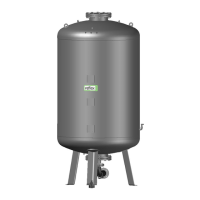
— English Reflexomat with Touch controller — 06.07.2016 - Rev. B
Modifying the controller's start routine
Note!
During commissioning, you must once execute the start routine.
For information about controller operation, see chapter 9.1 "Operator panel" on page 44 .
The start routine is used to adjust the required parameters for the device commissioning. It commences with the first activation of the
controller and can be run only once. The settings can be changed or checked in the Customer menu after the start routine has
terminated see chapter 9.3.1.1 "Customer menu – overview" on page 46 .
A three-digit PM code is assigned to the setting options.
1 Start of the start routine
2 001 Select the language
3 Remember:
Prior to installation and commissioning, read the operating manual!
4 005 Set the "P
O
" minimum operating pressure, see chapter 7.2 "Determining the P
0
minimum operating
pressure for the controller" on page 35 .
5 002 Set the time
6 003 Set the date
7 121 Select the primary tank nominal volume
8 Null balancing: The primary tank must be completely empty.
The system checks whether the signal from the level sensor matches the selected primary tank
End of the start routine. The stop mode is active.
Note!
Provide the power supply (230
V) for the controller by pressing the main switch at the control unit.
The system automatically displays the first page of the start routine when you switch on the device for the first time.
. Press "OK“.
– The start routine moves to the next page.
Start routine Step 1
Start routine for
system commissioning!
System type: Reflexomat RS ../1


 To Next Page