Reflexomat with Touch controller — 06.07.2016 - Rev. B English —
Setting the customer menu - "Time" example
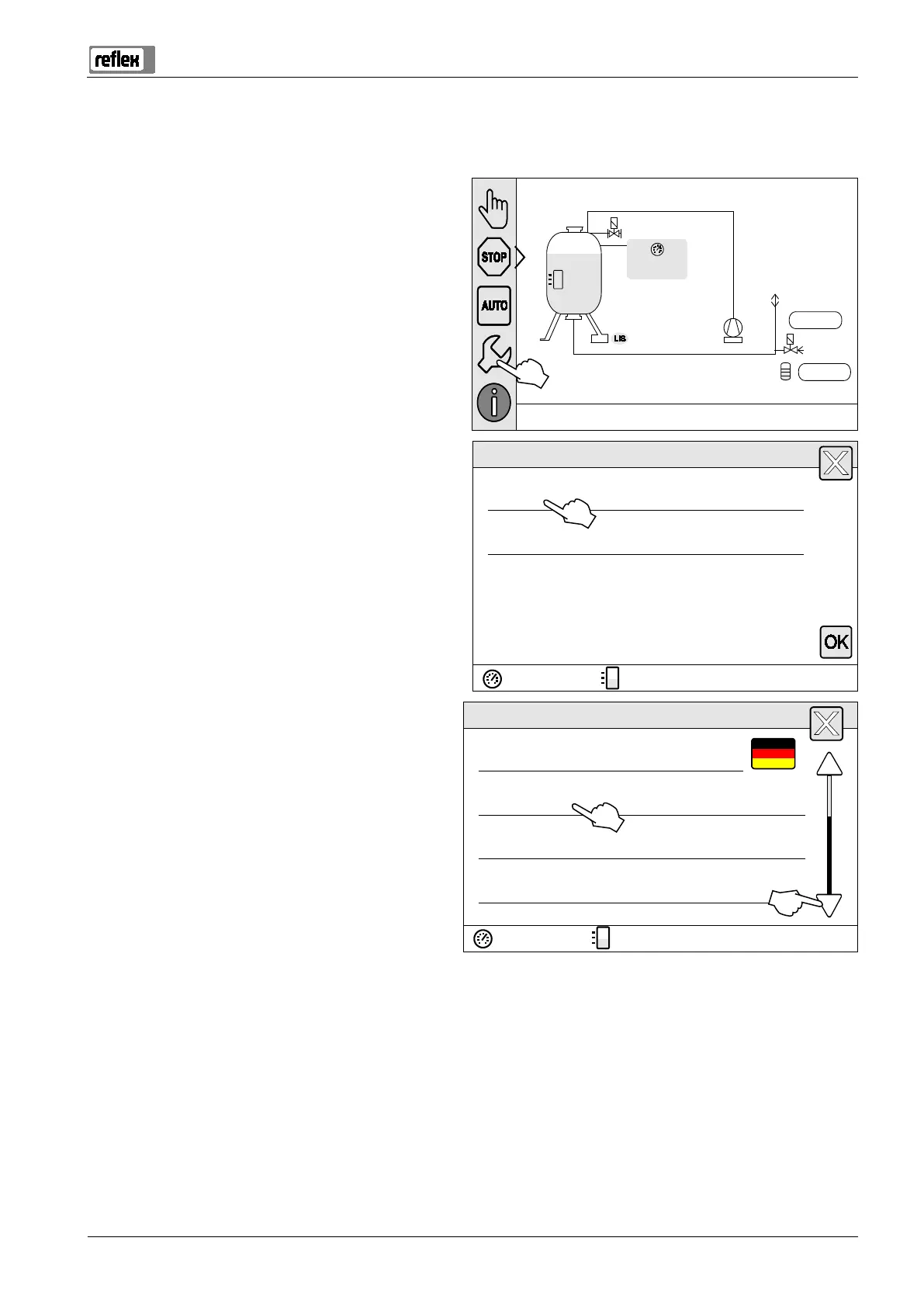
The setting of system-specific values is explained below using the setting of the time as example.
To adjust the system-specific values, proceed as follows:
. Press "Settings“.
– The controller switches to the setting area.
800l
25%
2.9 bar
System
0l
NSP
0l
. Press "Customer >".
– The controller opens the Customer menu.
Settings
Customer >
Service >
. Press the required area.
– The controller switches to the selected area.
– Use the scroll bar to navigate through the list.
Settings > Customer
(001) Language
(002) Time 11:21
(003) Date 05/11/2013
Execute null balancing


 To Next Page