5.12
ENG_UD68538_6
Mise à jour carte et système (XNX - Renault)
Multimedia system update
“Software update” 2
This menu lets you:
– view the current software version
and the serial number of your multi-
media system;
– find out the date of the last update;
– check if an update is available;
– update the various systems from the
multimedia system.
Note:
– you will be notified via Notifications if
an update is available. Refer to the
section entitled “Managing notifica-
tions”.
– updates can only be searched for
and downloaded if your vehicle is
located in a geographical area cov-
ered by a mobile network. For fur-
ther information, please refer to the
“System settings” section.
UPDATING THE CARD AND SYSTEM (2/7)
6
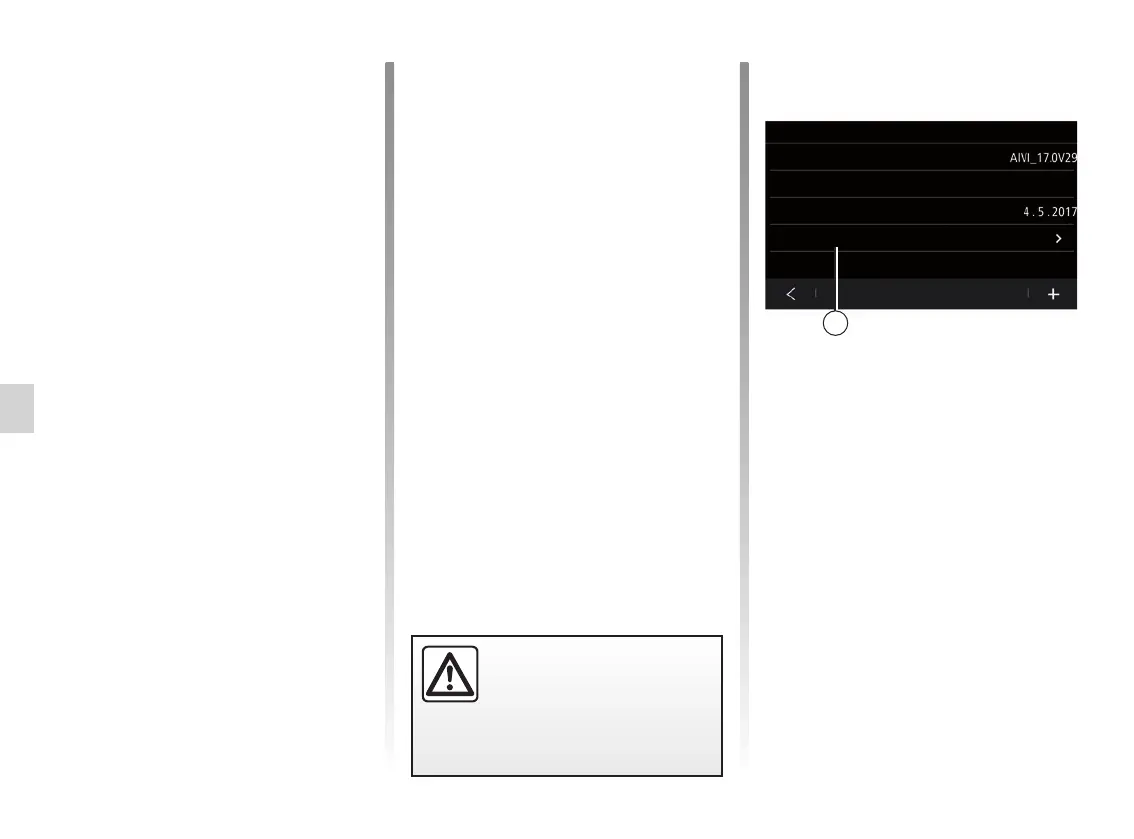
Current software version
Last update date
Serial number
Check for updates
Software update
You can also search for updates directly
by pressing “Check for updates” 6. After
searching the multimedia system, you
can access the next update if availa-
ble 7.
In the case of automatic updating, if a
new update is available a notification
will appear on your multimedia system
screen to inform you after the engine is
switched off.
Follow the instructions displayed on the
multimedia system screen to proceed
with the installation.
Before starting the instal-
lation, park the vehicle far
away from traffic and apply
the parking brake.



 To Next Page