compass ....................................................
(current page)
2.3
ENG_UD68946_6
Carte (XNX - Renault)
MAP (2/7)
Go
Fast route
Avenue des Champs-Elysées
P
Q
R
S
T
N
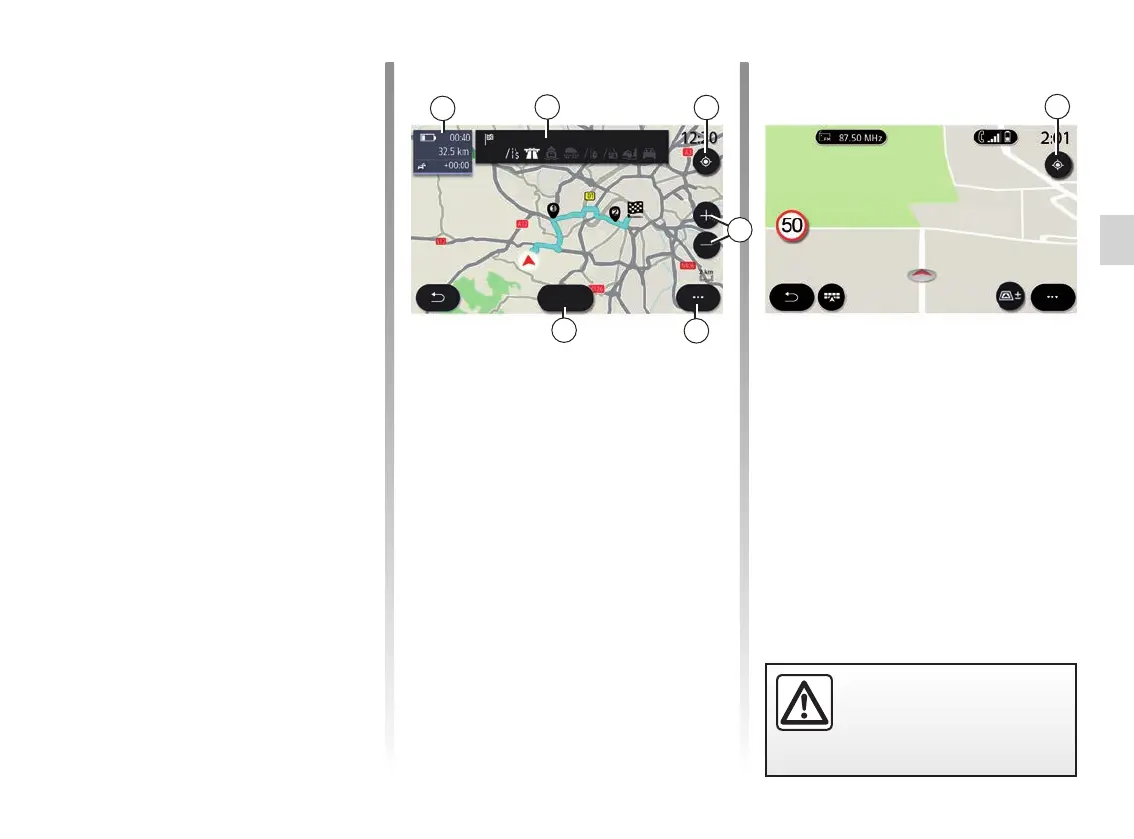
“Route calculation” screen
Q When a route is in progress, this
function can be used to return to
the route in progress after moving
around the map.
R Zoom: zoom in and out buttons.
S Pop-up menu.
T Press the “Go” button to start the se-
lected route.
Route des rédacteurs
Note: depending on the multimedia
screen, these functions may be sepa-
rated:
– L Zoom “±”;
– M “Views”.
E Location and the name of the street
which you are on. Press to access
additional features.
F Navigation menu.
G Return to the previous screen.
H Hazard area warning.
J Speed limit indicator panel.
K While a route is in progress, infor-
mation on upcoming road turns and
the name of the next street on your
route. Press the speaker icon once
to activate/deactivate the guidance
voice and repeat the last voice in-
struction.
N Journey information such as your ar-
rival time, additional time due to traf-
fic and distance. Touch the unit to
view the journey stages.
P Information on the road types used
(motorways, toll roads, motorail).
“Map” screen without a journey in
progress
Use Q to return to your current position.
For safety reasons, carry
out these operations when
the vehicle is stationary.
Q



 To Next Page