2.4
ENG_UD68946_6
Carte (XNX - Renault)
MAP (3/7)
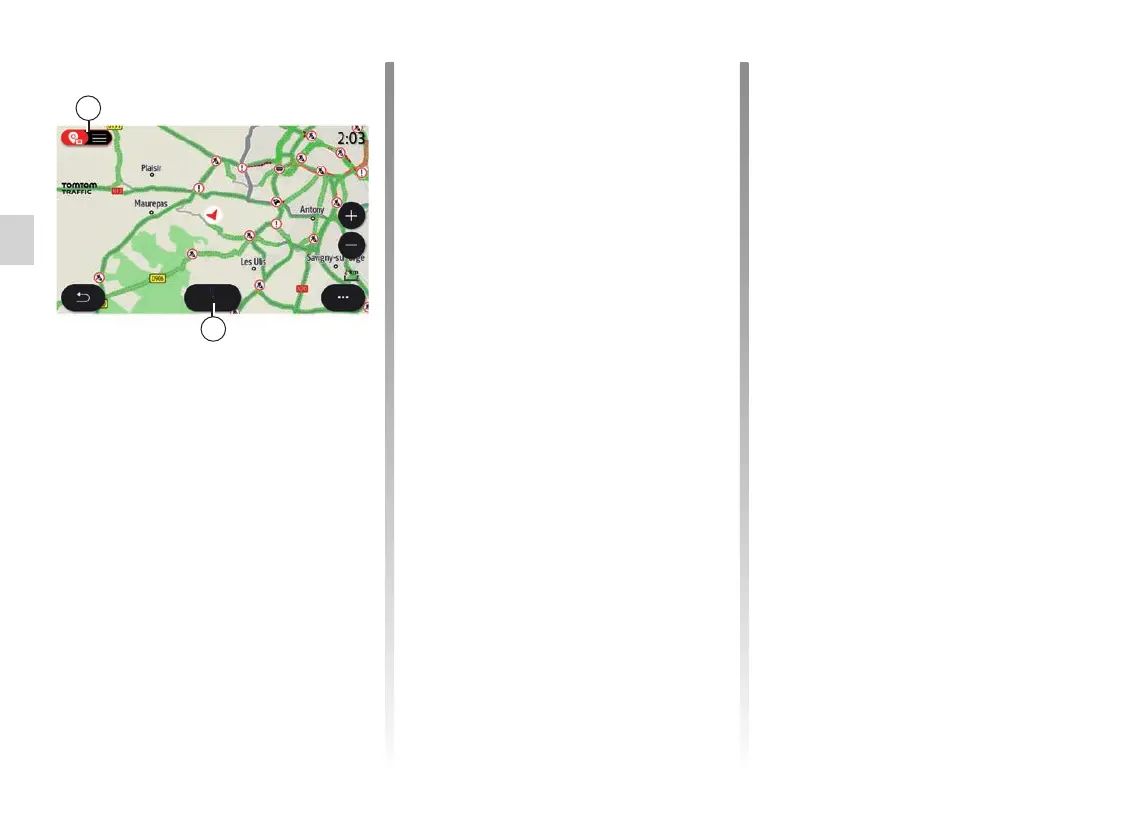
“Traffic” screen
V View of traffic events on the map or
by a list of events.
W While the guidance is in progress,
press the “Detour all” button to avoid
areas with traffic congestion.
W
V
Detour all
Use the “Map” tab to access the follow-
ing settings:
– Map colour
– Time display
– “2D/3D views facing North, 2D/3D
Inception, "Traffic";
– Traffic display
– Traffic signs
– Auto zoom
– My car
– Junction view
– POI display
– Weather display.
Pop-up menu with a route in
progress
Press the pop-up menu to access the
following menus:
– “Cancel route”;
– Guidance voice;
– Route details;
– “Settings”.
“Cancel route”
Stops the navigation in progress.
Pop-up menu with no route in
progress
Press the pop-up menu to access the
“Settings” menu.
Use the “Route” tab to access the fol-
lowing settings:
– Route type
– Use traffic detour
– Allow toll roads
– Allow motorways
– Allow ferries
– Allow car train
– Automatic guidance proposal
– “Destinations shared with other de-
vices”;
– Allow time-restricted roads
– Allow roads with time-based toll (“vi-
gnette”)
– “Avoidance areas”;
– Allow unpaved road.



 To Next Page