2.5
ENG_UD68946_6
Carte (XNX - Renault)
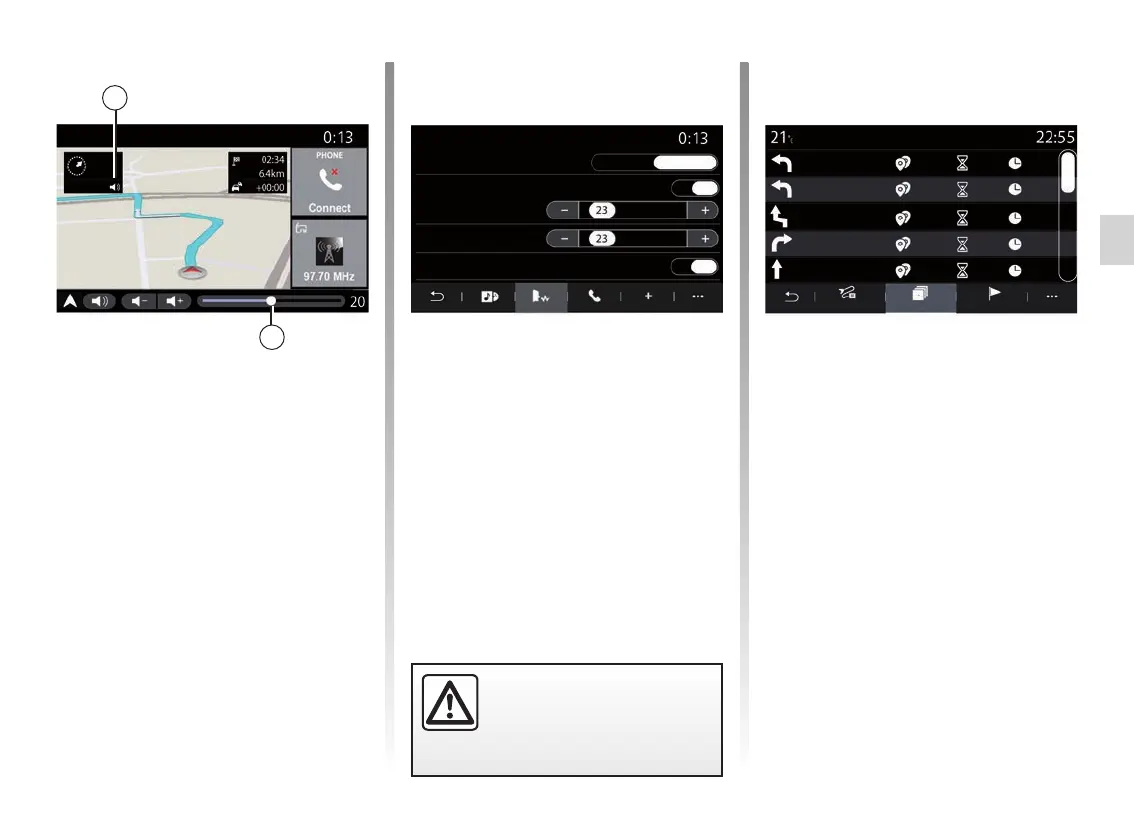
Guidance voice
Press the 1 button to activate/deacti-
vate the guidance voice.
Note: if this function is deactivated,
no voice guidance instructions will be
issued by the multimedia system.
You can access the “Guidance voice”
settings:
– from pop-up menu C;
– when voice information is emitted by
the multimedia system, by pressing
the volume controls.
2
MAP (4/7)
Summary
Av. Daumesnil
Rue Picpus
Rue L. Braille
Rue de Toul
Porte Dorée
300m
125m
200m
75m
350m
00:00
00:02
00:09
00:01
00:04
00:05
00:07
00:18
00:19
00:23
Road list Steps
Route details
Route details
This function is used to view the details
of the current route.
From the “Summary” tab you can view
the departure address and destination
address as well as the routes taken.
From the “Road list” tab you can view
the route in detail.
From the “Steps” tab you can view the
various stages and the distances and
durations for each stage of the journey.
For safety reasons, carry
out these operations when
the vehicle is stationary.
Summary StepsRoad list
Rue de Toul
Rue Picpus
Av. de la Paix
Place du soleil
Rue la joie
300m
225m
30m
00:04
00:00
00:05
00:02 00:07
100m
00:23
00:19
75m
00:18
00:09
00:01
Route details
Guidance voice
Female
ON
ON
Male
Sound
Voice recognition beep only
Voice type
Voice recognition
Audio
PhoneVoice Other
1
Note:
– the volume controls can only be used
for the current source (“Guidance
voice”, “Radio”, “Phone”);
– the volume indicator 2 is shown for
information purposes. You can’t use
it to adjust the volume level.



 To Next Page