2.11
ENG_UD68534_6
Entrer une destination (XNX - Renault)
ENTERING A DESTINATION (3/18)
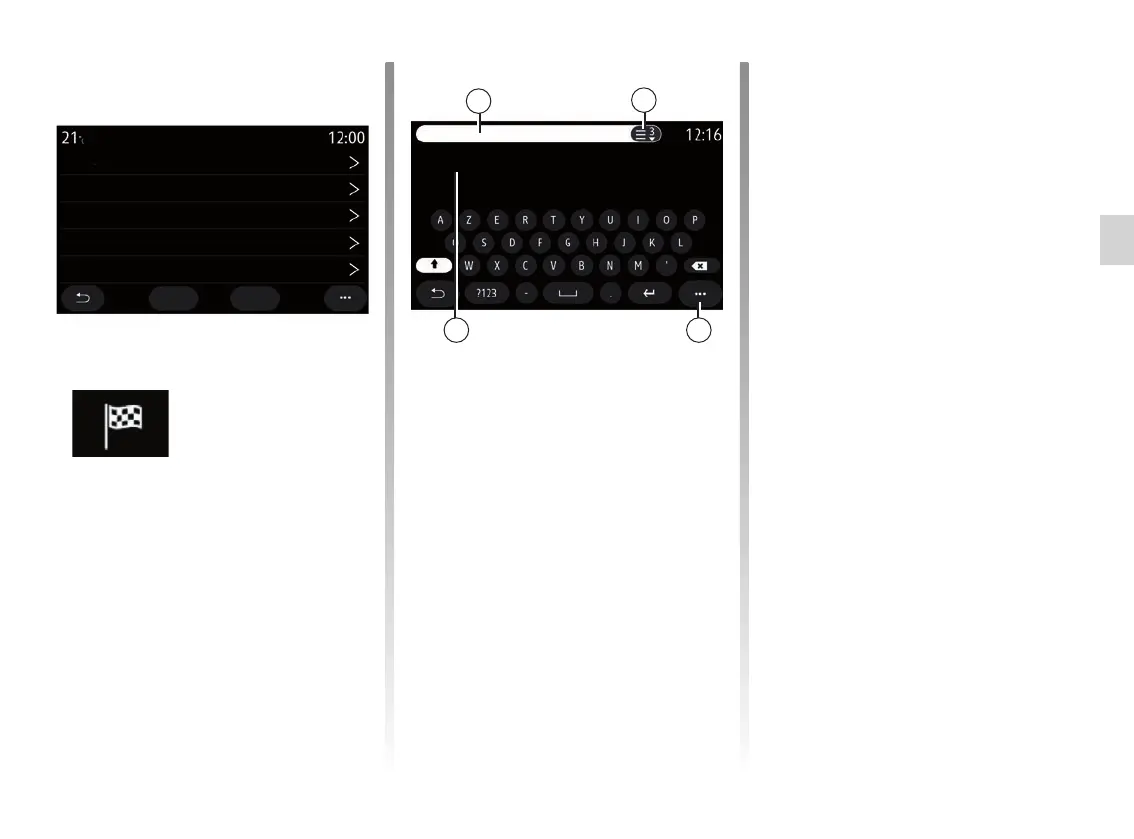
From the search area 6 enter a street
name.
When you start entering letters, the
system suggests similar street names.
You can:
– press the street name displayed on-
screen to confirm your selection;
– press the 7 button or scan the list 9 of
the suggested streets to access the
full list corresponding to your search.
Note:
– the system will store the last towns/
cities entered in its memory;
– Only addresses known to the system
through the digital map are author-
ised.
Use the pop-up menu 8 to:
– save the selected address to your fa-
vourites;
– enter the destination co-ordinates
(latitude and longitude values);
– find and show any nearby POI;
– ...
Find an address
From this menu you can enter a com-
plete or partial address: country, town,
post code, street, number, etc. On first
use, the system asks you to choose the
destination country. Enter the town/city
name or a postcode using the keypad.
Address
Country
City
Go Map
Street
House Number
Enter junction
Rue Ernest Lacoste
Ern_
Rue Ernest Lavisse
Rue Ernest Léfébure
France
Paris
6
7
89



 To Next Page