2.12
ENG_UD68534_6
Entrer une destination (XNX - Renault)
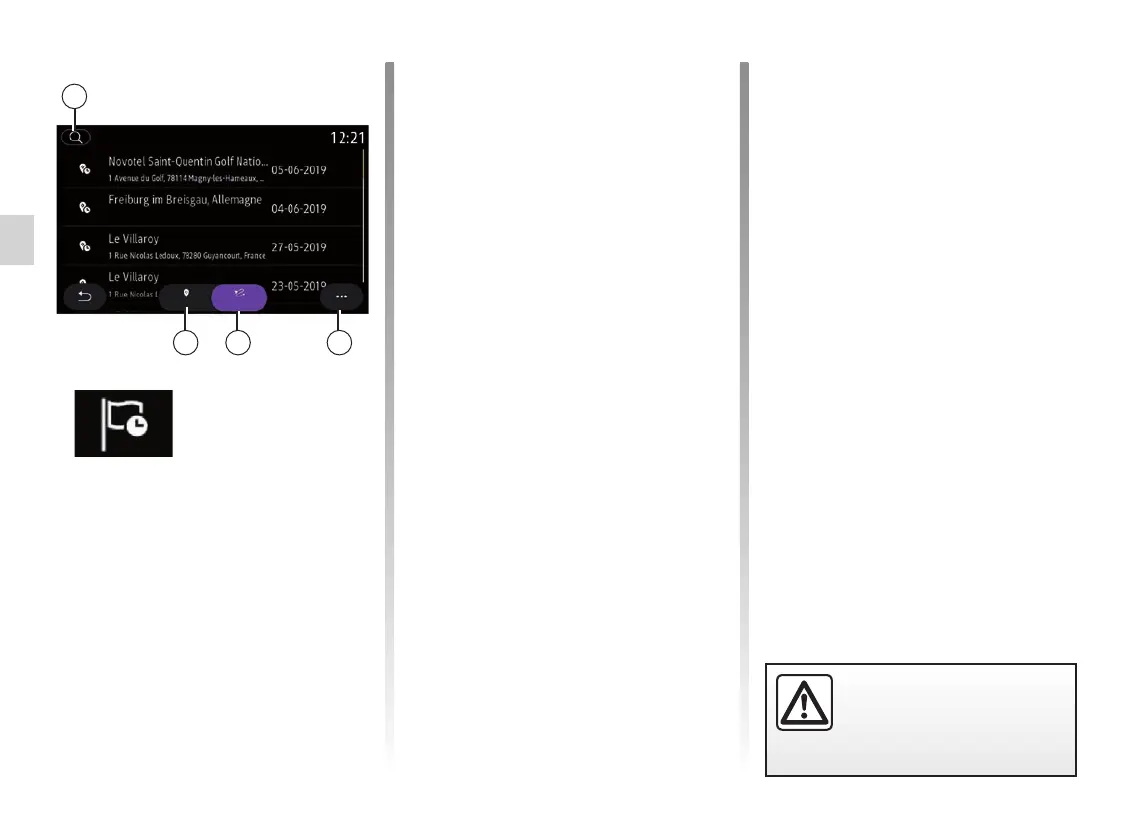
ENTERING A DESTINATION (4/18)
“Previous
destinations”
Use this menu to select a destination
from the list of recently used addresses.
These are automatically stored.
From the “Address” tab 13 you can
access the stored destination history.
Select a destination to start guidance.
Use the “Route” tab 12 to access the
route history. Select a route to start
guidance.
Use the magnifying glass 10 to search
for an address or route saved in the his-
tory.
From the pop-up menu you can 11
access the “Address” 13 and “Route”
tabs 12 to:
– “Delete” one or more of the ad-
dresses selected;
– “Delete all”;
– “Sort by date”;
– “Sort by name”;
– “Save as favourite”.
During guidance, when you search for a
new destination you can set it as either:
– a waypoint;
– a new destination.
10
1213 11
Call logs
RouteAddress
For safety reasons, carry
out these operations when
the vehicle is stationary.



 To Next Page