favourite
add .......................................................
(current page)
2.13
ENG_UD68534_6
Entrer une destination (XNX - Renault)
15
19 20
ENTERING A DESTINATION (5/18)
“Favourite
destinations”
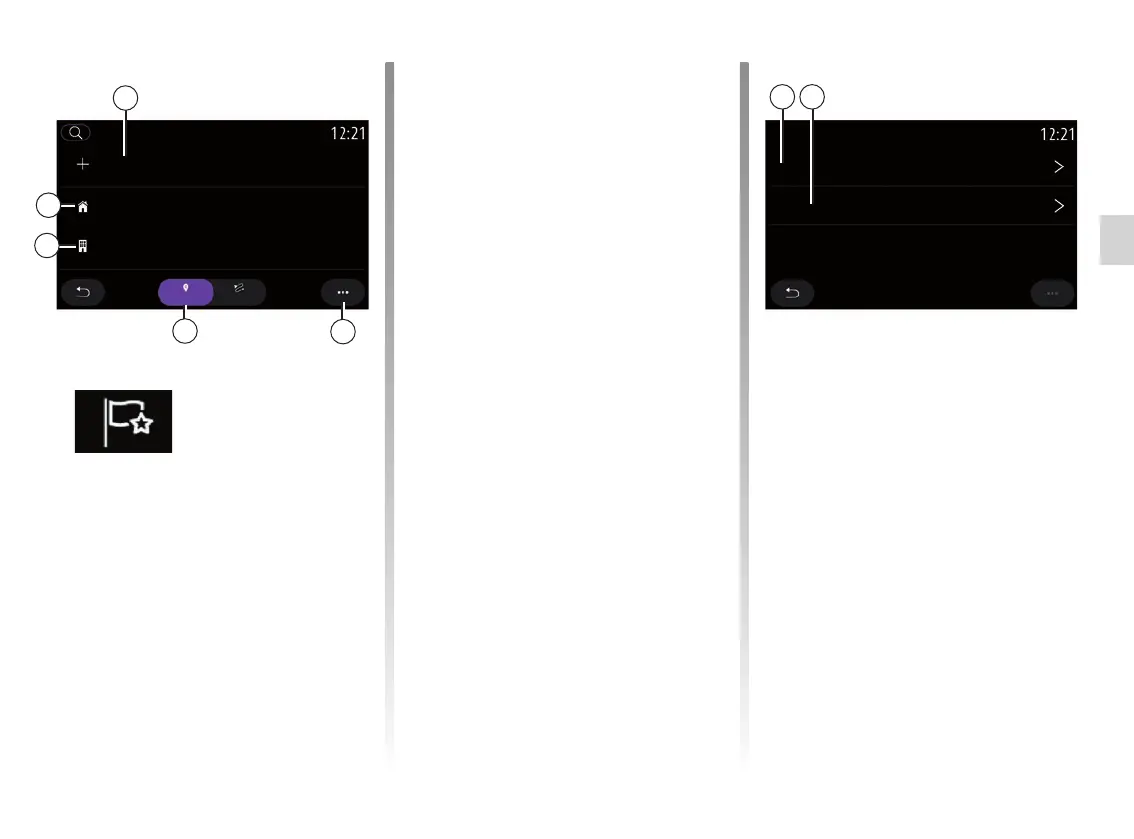
From the “Address” tab 16, you can:
– “Add new address”;
– run navigation guidance to your
“Home” 18 or place of “Work” 17.
– run navigation guidance to an ad-
dress saved in your favourites.
When you select “Home” 18 or
“Work” 17 for the first time, the system
asks you to register an address.
Note: only one “Home” address and
“Work” address can be saved by the
multimedia system.
14
18
17
16
From the “Add new address” tab 14,
you can:
– “Name” 19 to name your new favour-
ite destination;
– “Address” 20 to access the following
search functions:
– “Find an address”;
– “Previous destinations”;
– “Points of interest”;
– “Coordinates”;
– “On map”;
– “Current position”.
– “Personal ePOI”;
– “Phone”;
– “Charge type”.
RouteAddress
Favourites
Modify address
Add new address
Home
HomeName
Address
Work (empty)



 To Next Page