2.17
ENG_UD68534_6
Entrer une destination (XNX - Renault)
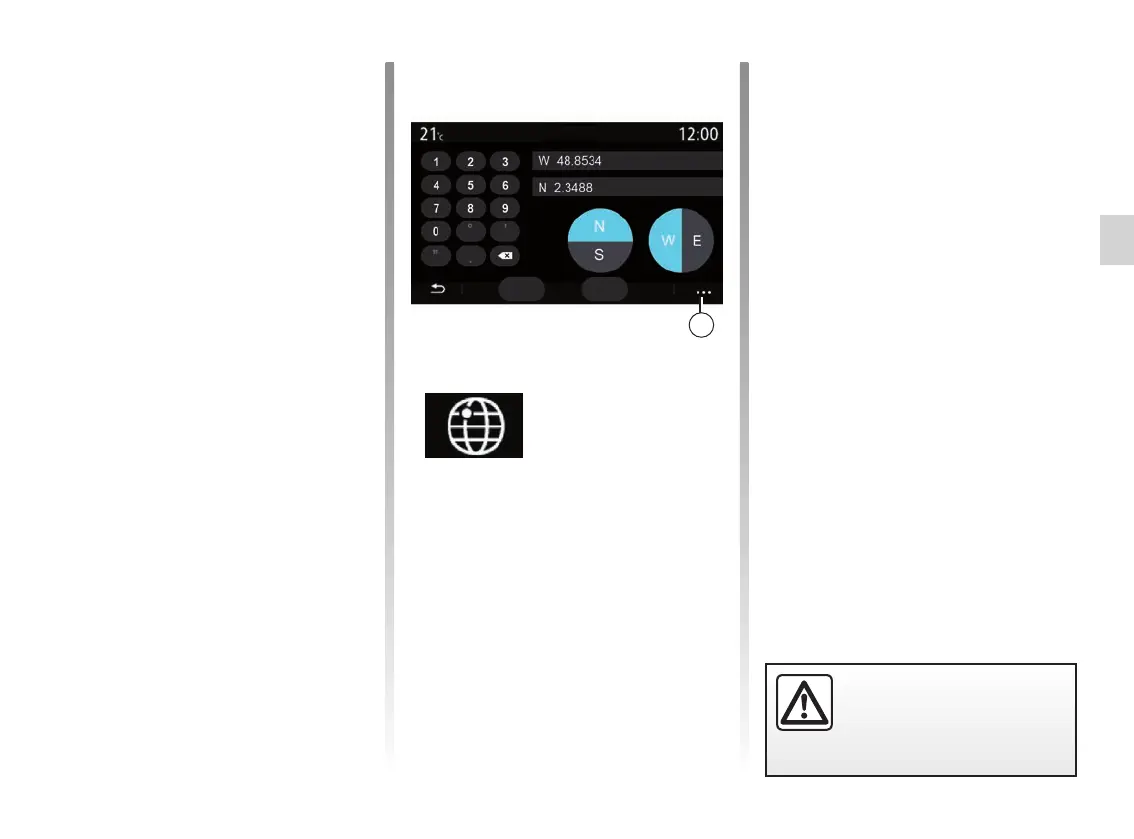
You can select the hemisphere then
enter the “Latitude” and “Longitude”
values using the keypad.
Once the coordinates have been en-
tered, press Go to go directly to this
destination or press Map to view the
details on the map.
From the pop-up menu 27, press:
– “UTM” to enter coordinates in UTM
format;
– “Units and formats”: decimal de-
grees; decimal degrees and min-
utes; decimal degrees, minutes and
seconds;
– “Save as favourite”.
“Coordinates”
From the “Navigation” menu, press
“Coordinates”.
Use this menu to search for a destina-
tion by entering its coordinates.
27
For safety reasons, carry
out these operations when
the vehicle is stationary.
ENTERING A DESTINATION (9/18)
MapGo
Enter coordinates
The price of fuel is associated to a
colour indicator:
– Green: petrol stations offering the
lowest prices;
– Orange: petrol stations offering aver-
age prices;
– Red: petrol stations offering the high-
est prices.
Note: services must be activated in
order to display the fuel price. Please
see the section entitled “Activating ser-
vices”.



 To Next Page