2.18
ENG_UD68534_6
Entrer une destination (XNX - Renault)
ENTERING A DESTINATION (10/18)
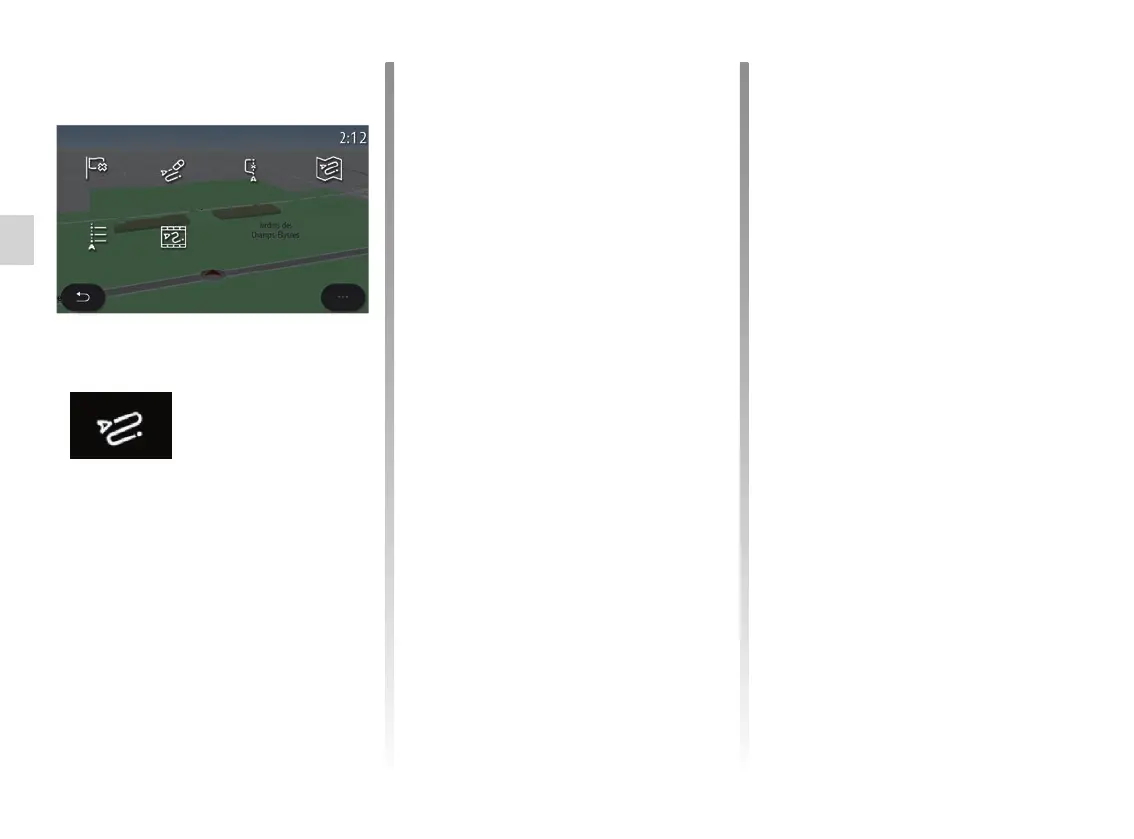
“Route”
Use this function to manage a destina-
tion with associated stops. On the main
menu, press “Navigation” > “Menu” >
“Route” to access the Route menus:
“Cancel route”
Use this function to cancel the current
route.
“Modify route”
Use this function to modify your current
route:
– “Start position”;
– “Add as waypoint”;
– “Add as destination”.
The Add a stop and Add as a destina-
tion functions offer the following op-
tions:
– “Find an address”;
– “Previous destinations”;
– “Points of interest”;
– “Coordinates”;
– “On map”;
– ...
No route in progress:
– “Create route”;
– “Avoidance areas”.
When a route is in progress:
– “Cancel route”;
– “Modify route”;
– “Avoidance areas”;
– “Overview”;
– “Route details”;
– “Route simulation”.
Cancel
route
Route
Route
details
Create route
Route simu-
lation
Avoidance
areas
Overview



 To Next Page