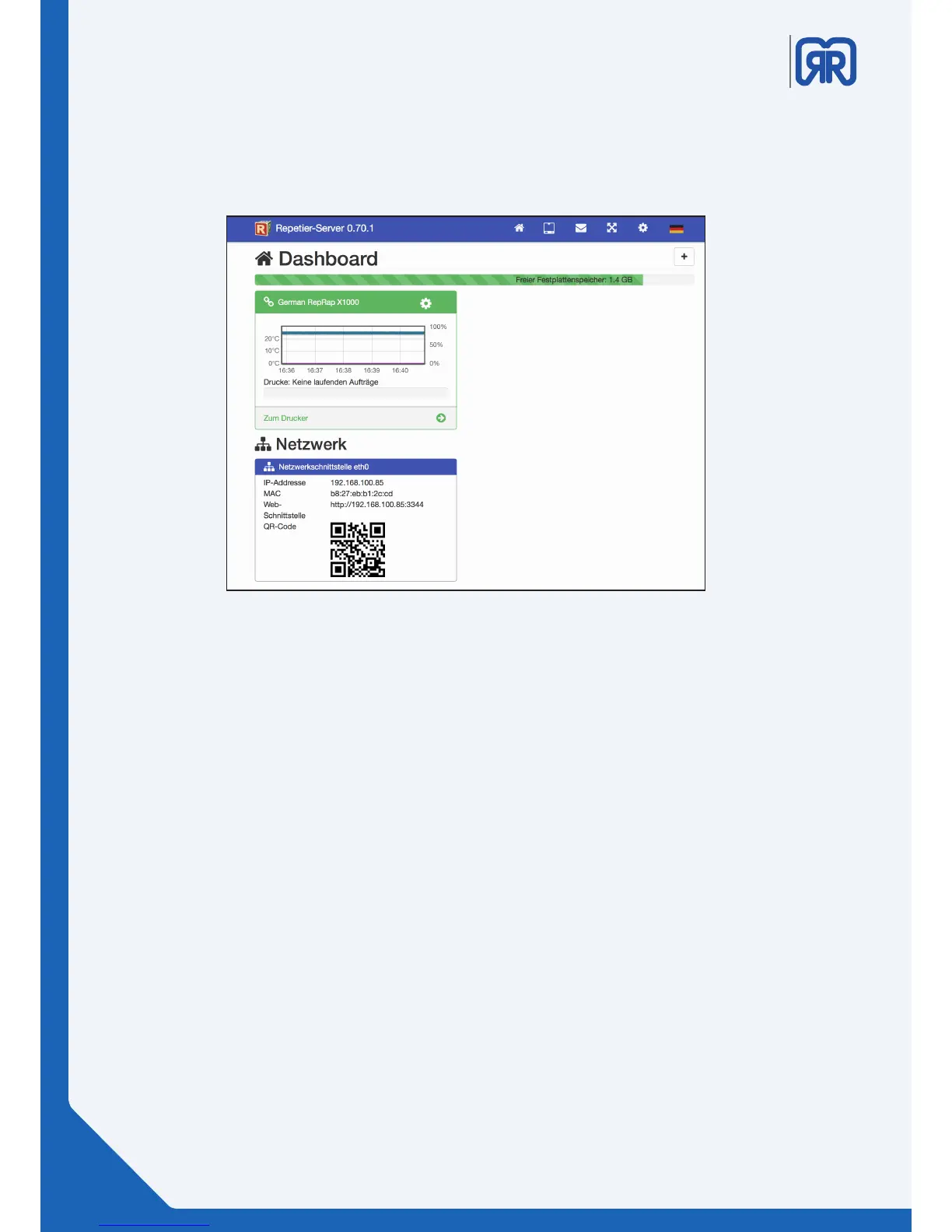
Dashboard . Repetier-Server
• The color of the printer name´s bar represents its connection status (green= online, red= oine, gray
= deactivated, orange = connected without communication).
• Using the Cog symbol allows you to activate/deactivate or to delete the printer. You can also edit,
exchange or download the printer settings.
• The temperature curve displays the current temperature of the extruder.
• Underneath the temperature curve you nd the current print job and its progress.
• You can access the printer directly by clicking the button “zum Drucker”.
• The green bar on top edge of the window shows the amount of free disc space on the Repetier-
Server.
• In the bottom area under the heading of “Netzwerk” you can see the printer´s IP address and MAC
address. There are also an URL and a QR code shown which you can use to connect another device to
the 3D printer like a Smartphone or a tablet.
5.2 Dashboard
The dashboard represents the rst overview page of the Repetier-Server. The following information for all
your 3D printers are displayed here:
24/45



 To Next Page