6. Tool heads and cosumables
6.1 Tool head wiring
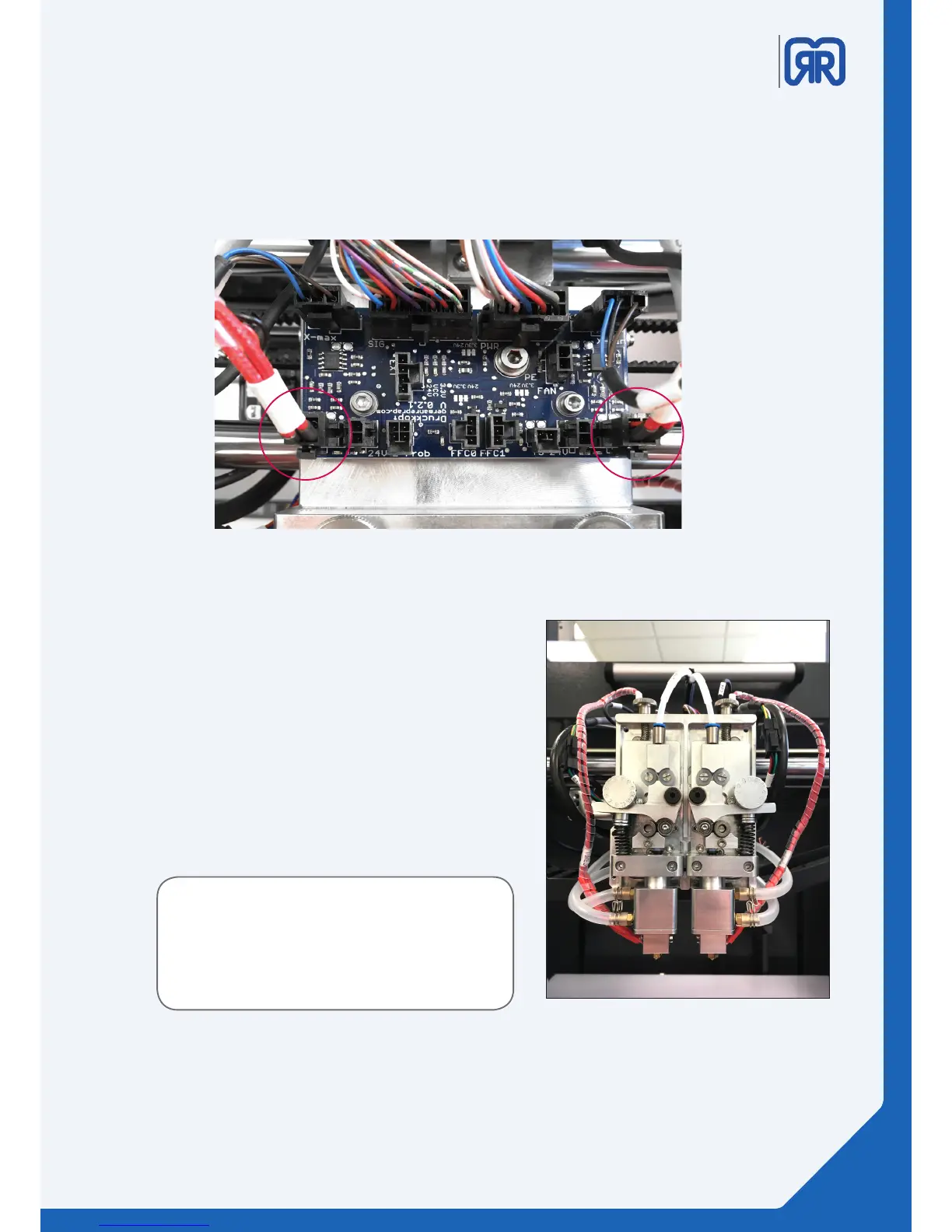
This picture shows how to connect the left respectively right extruder onto the PCB on the toolhead
carriage.
Wiring X500, PCB-board
The X500 is delivered with two extruders, the left/
rst extruder sits lower compared to the right/second
extruder. This is intentional.
We recommend for new users to make their rst 3D
printing experience with only one extruder.
6.2 DD4 Extruder
The X500 has a completely new precision measuring
technology for its DD4 extruder.
The new technology allows a variable contact pressure
for the lament and has preset settings for all GRR la-
ments. As a result, very brittle as well as very exible
materials can be processed without further knowledge.
This enables the X500 to process future material deve-
lopments precisely.
The cooling circuit allows a stable process even at
maximum room temperature.
DD4 dual extruder
By adjusting the knurled screw (image on the next page) you can lower or raise each extruder individually.
31/45



 To Next Page