5.3 Device panel
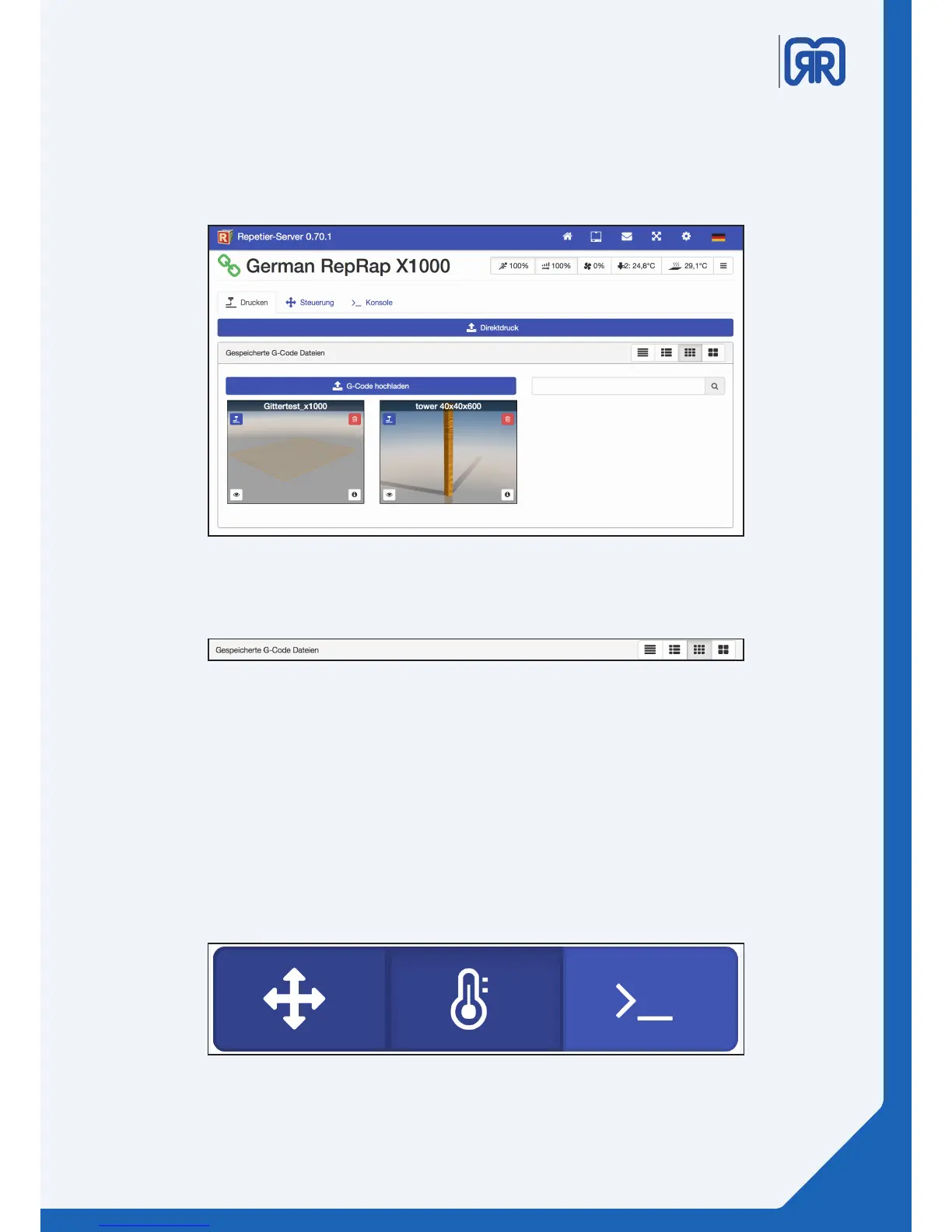
To operate your 3D printer or to upload G-codes, click on the button “zum Drucker” on the dashboard. Here
you have the option to upload G-codes to either print them directly or later. To do this use the functions
“Direktdruck” and “G-code hochladen”, respectively.
Device panel, Repetier-Server
Depending on your chosen view, you get dierent information displayed about your print jobs. Use the
search mask to browse your G-code database for print jobs.
G-Code view, Repetier-Server
5.4 Device panel - control
You can use this menu item to manually operate your 3D printer. You can manually traverse the axis or
regulate the heating bed.
The controls are separated into 3 categories:
• General working area
• Extruder and temperature curves
• Macros, to dene your own commands
Categories, Repetier-Server
25/45



 To Next Page