2. Operating mode of the X 500
The X500 has an operating- and a maintenance mode.
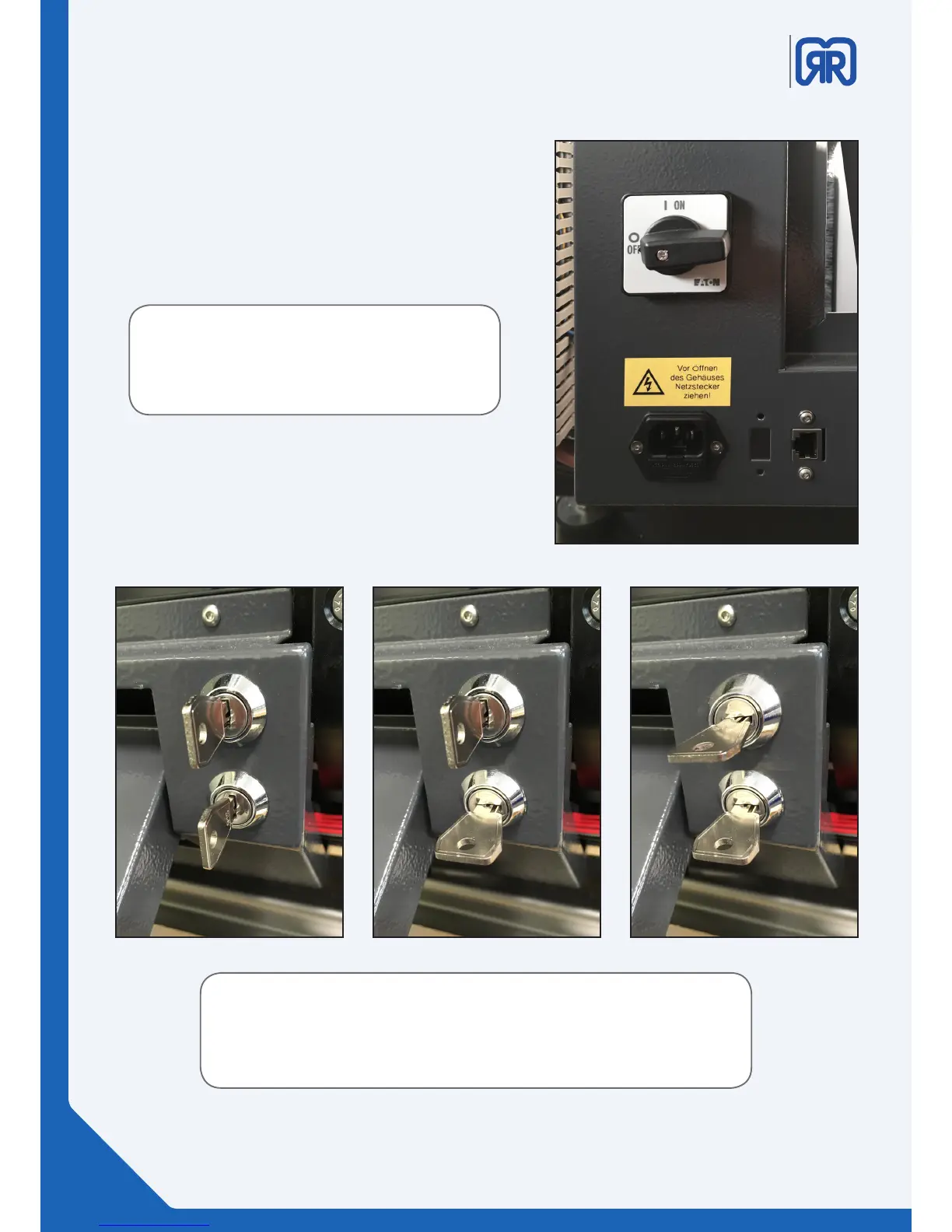
In order to turn on your 3D printer, please make sure the
power cable is connected and the main switch (back of
the printer) is turned ON.
Turning on the main switch will also activate the cooling
system of the X500.
You only need the operating key to start your X500 3D printer (lower slot).
The provided key is coded for your personal X500, GermanRepRap can not provide
any spare keys.
You can duplicate your key at your local key service.
X500 tuned o x500 operating mode x500 maintenance mode
Attention:
As there is still air inside the cooling system,
don‘t turn on the main switch before the service
engineer commissionend the machine.
The pictures below show how to turn on your 3D printer.
As a costumer you only have the operating key (lower
one), which enables you to start your X500. Only service
sta can enter the maintenance mode through using the
„service key“.
06/45



 To Next Page