5.7 Firmwareupdate
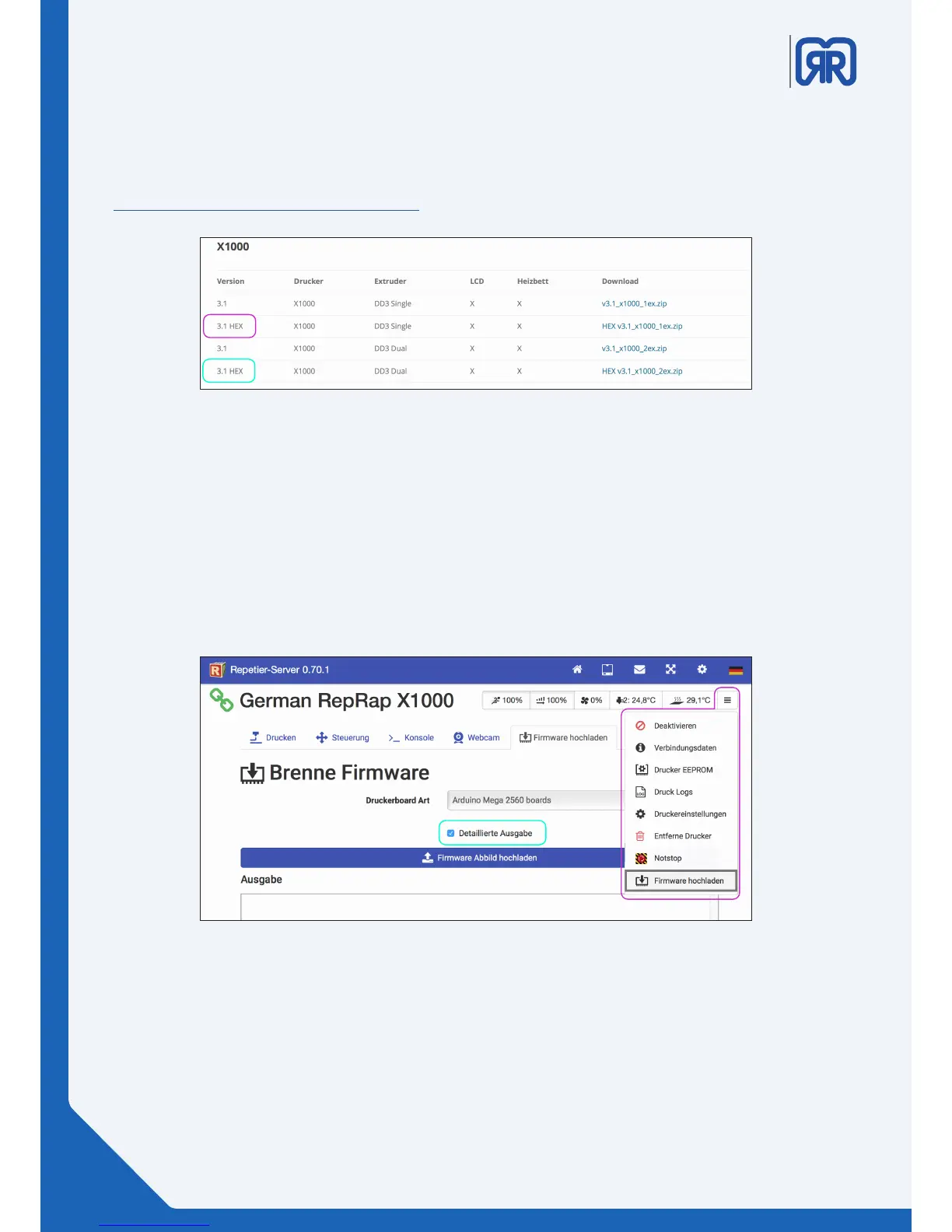
The easiest way to perform a rmware update is to use Repetier-Server. First you must download the
rmware of your 3D printer as a HEX le and unzip it:
https://www.germanreprap.com/rmware/
Chose the printer you want to update from the Repetier-Server main window. Click on the 3 bars on the top
right corner to open the advanced settings and click on “rmware hochladen”:
• Tick the checkbox labeled as “detailierte Ausgabe”
• In older versions the checkbox is labeled as “gesprächige Augabe”
• Make sure that under “Durckerboard Art” the Arduino 2560 Borad is chosen
• Under “Firmware Abbild hochladen” you can select the path of the HEX le
• The upload and installation will then be executed
Firmware download
30/45
Firmware Upload X500, Repetier-Server



 To Next Page