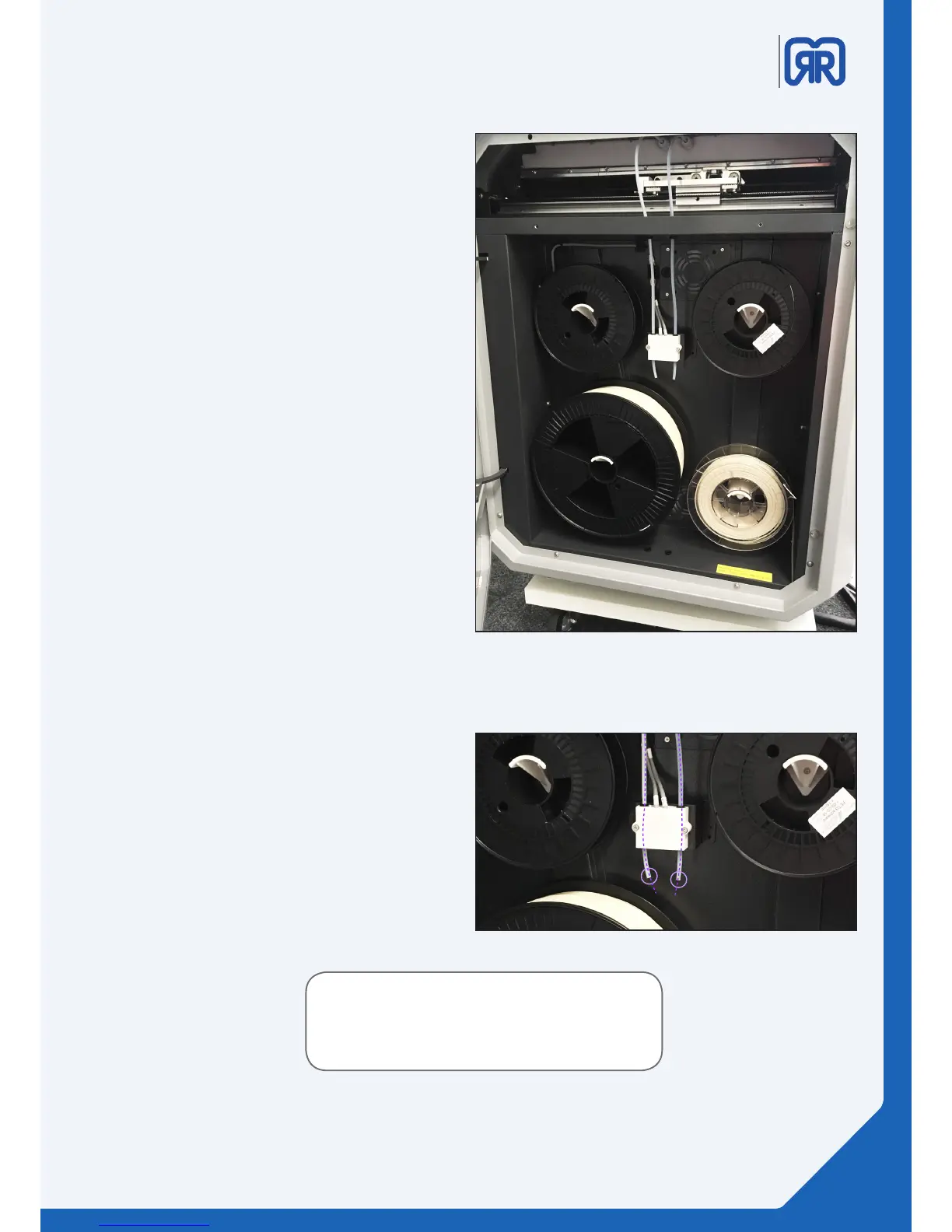
6.3 Material Storage
On the left hand side you can nd the material
storage of the X500. It is designed for storing one
big spool and three small ones.
It also contains the lament surveillance system
(fs). This prevents your printer from failing due to
a lack of lament while printing. As soon as one of
the fs-switches detects that it run out of lament
the printer stops and traveses to a parking position.
The heated bed stays hot, to prevent the already
printed object from defroming or loosing adhesion
to the printbed. The Hotends will be turned o in
order to prevent the nozzle from clogging.
6.4 Filament Surveillance (fs) Set-Up
To ensure that the fs is running correctly, please
make sure that you have lament inserted in both
tubes while the machine is booting.
The switches are not assigned to a specic
extruder, so both of them need to be triggered.
If there is no lament inside both tubes fs will not
work at all. Inserting lament afterwards won‘t
reactivate the fs.
To activate the fs please restart your X500 with
inserted lament.
material storage, x500
lament surveillance, x500
If you are only using one extruder please ensure that
the second fs tube has also lament inserted. (e.g.
20cm leftover lament)
33/45



 To Next Page