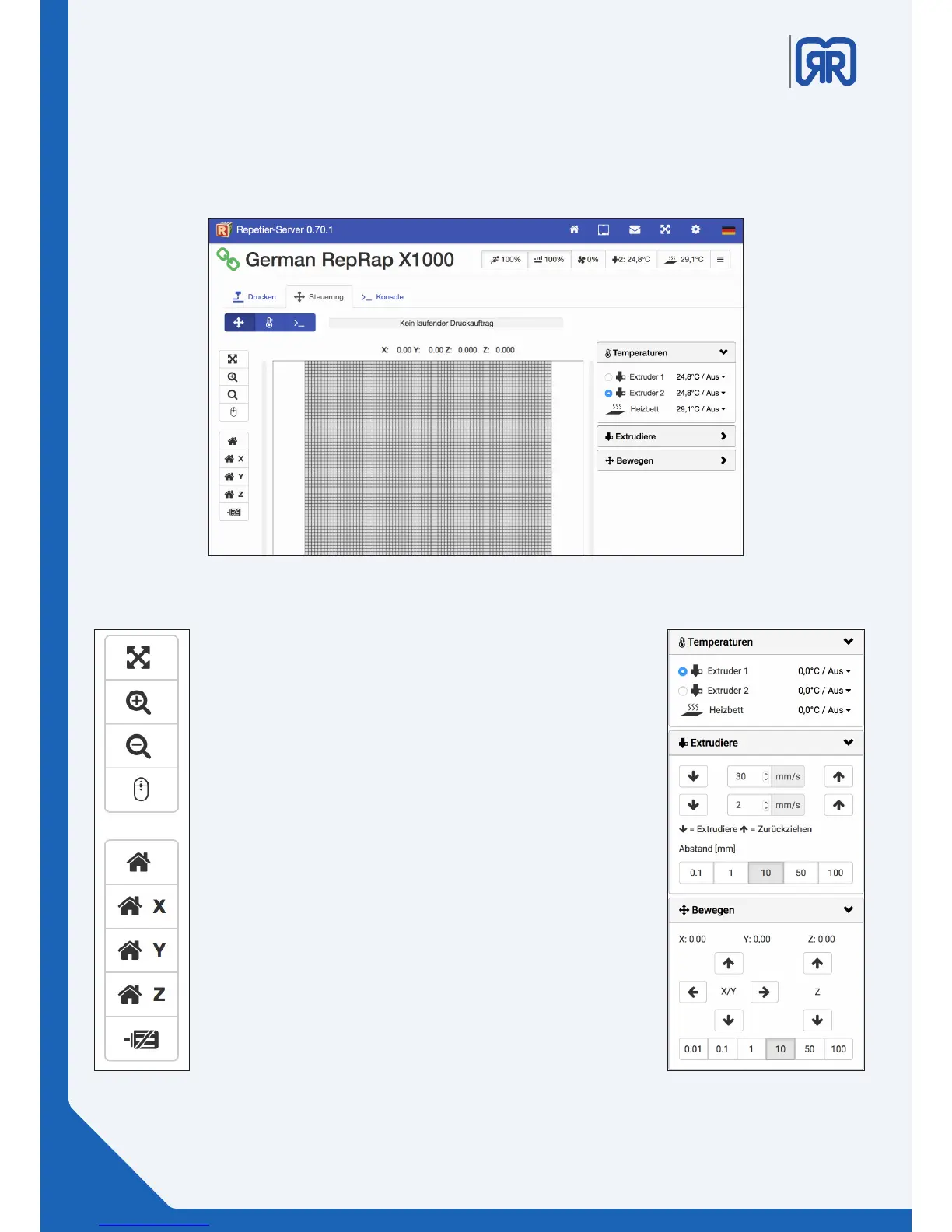
Manual control, Repetier-Server
Left:
Use the upper buttons to navigate through the virtual print space.
With the home symbols, you can move all or one specic axis to
its machine zero. You can shut down the engines by pressing the
lowest button.
Right:
On the right side, you can nd the conguration options for the
dierent heating elements of your 3d printer. Here you can heat
up the corresponding extruder heads or the heating bed and have
their temperatures displayed.
Under the tab “extrudiere” you can extrude lament or retract it
from the tool head. These operations are dened by speed (mm/s)
and the chosen distance (mm). This function is especially useful for
lament change.
Under the tab “bewegen” you can manually traverse the printer`s
axis.
This is either done by clicking on the corresponding arrow or via
the slide controls, which are arranged around the virtual print bed,
by pulling them to the required position.
26/45



 To Next Page