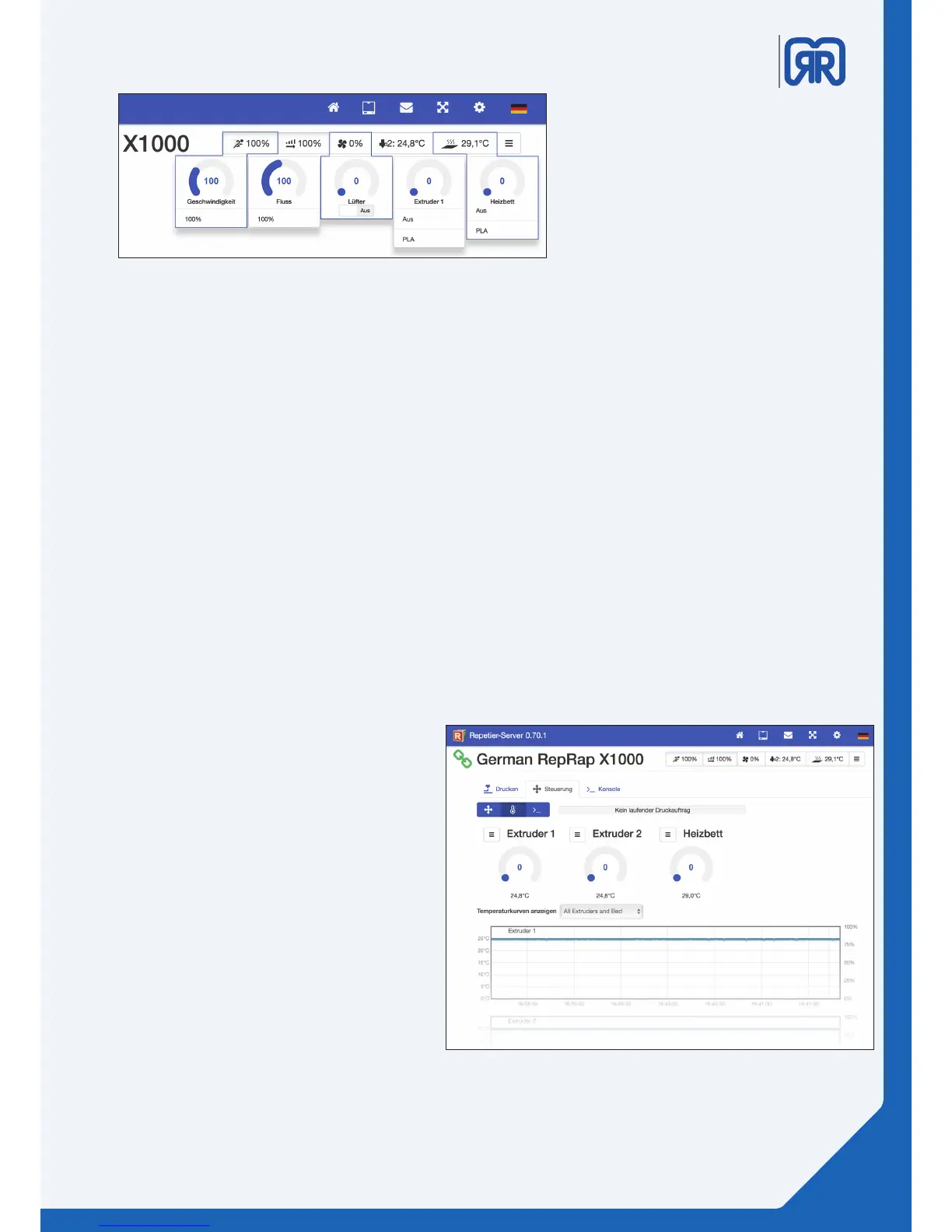
• Speed: Here you can adjust the working speed of your 3D printer. You can speed the printing process
up or slow it down. The used speed is calculated proportionally to the value which is stored in
the G-Code (100% = original speed; 150% = 50% faster than saved in the G-Code). The ow of the
extruder is automatically adjusted to the speed by the software, you don’t have to tweak it manually.
• Flow: The amount of lament that is extruded is determined by the ow. If the application rate is too
low, you can increase the output manually (in the past experience, 110% has shown good results).
Ideally, your slicing software should contain the correct value for the necessary extrusion multiplier.
• Fan: Here you can activate and control a fan in the work space. If your G-Code already contains orders
for the fan control it will over ride your manual conguration.
• Extruder: Here you can turn on your extruder and turn it o or control its temperature. In the register
Druckereinstellungen/Extruder/Extruder you can predene the temperatures that will be shown in
the dropdown menu.
• Heated bed: Turn the heating bed on or switch it o and control its temperature. In the register Dru-
ckereinstellungen/Extruder/Extruder you can predene the temperatures that will be shown in the
dropdown menu.
Extruder and temperature curves, Repetier-Server
Quick settings, Repetier-Server
Use the toolbar to change the following
parameters. The method to do this is
always the same. You can either move the
slider to the desired position or directly
click on the desired value and change it
manually.
As well as all the functions previously
motioned here you also get to see tempe-
rature cures for all heating elements. This
view is especially useful to exclude mal-
functions of the heating elements.
27/45



 To Next Page