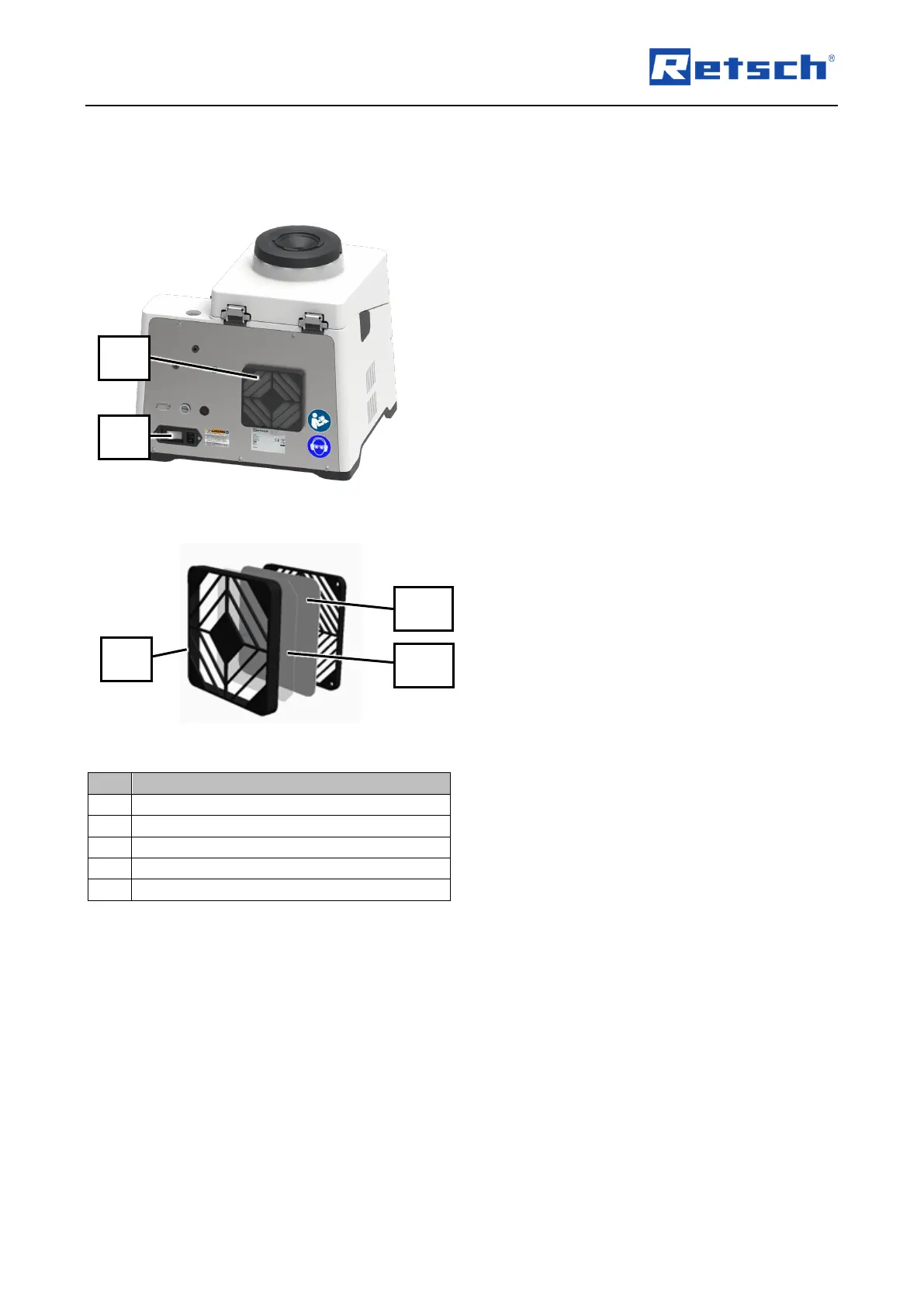
10.1.4 Cleaning the filter covers
Clean the filter cover as follows:
Fig. 61: Position of filter covers
1. Switch off the device with the main switch
(16) at the rear of the device.
➔ Touch display (6) goes out.
➔ Device is switched off.
2. Remove the filter frame (22) on the back of
the device by releasing it with a
screwdriver.
Fig. 62: Position of filter covers
3. Clean the filter frame, filter protection grid
and filter mat (22/22.1/22.2) with a vacuum
cleaner.
4. Fit the complete filter (22/22.1/22.2) again
and snap it into place.
➔ The filter (22/22.1/22.2) is cleaned.



 To Next Page