EasyManua.ls Logo

Retsch ZM 300 - Program Editing, Saving, and Deleting

Retsch ZM 300
93 pages
Print Icon
To Next Page IconTo Next Page
To Previous Page IconTo Previous Page
Loading...
Controlling the device using the touchscreen display
60
7.6.2 Edit a Program
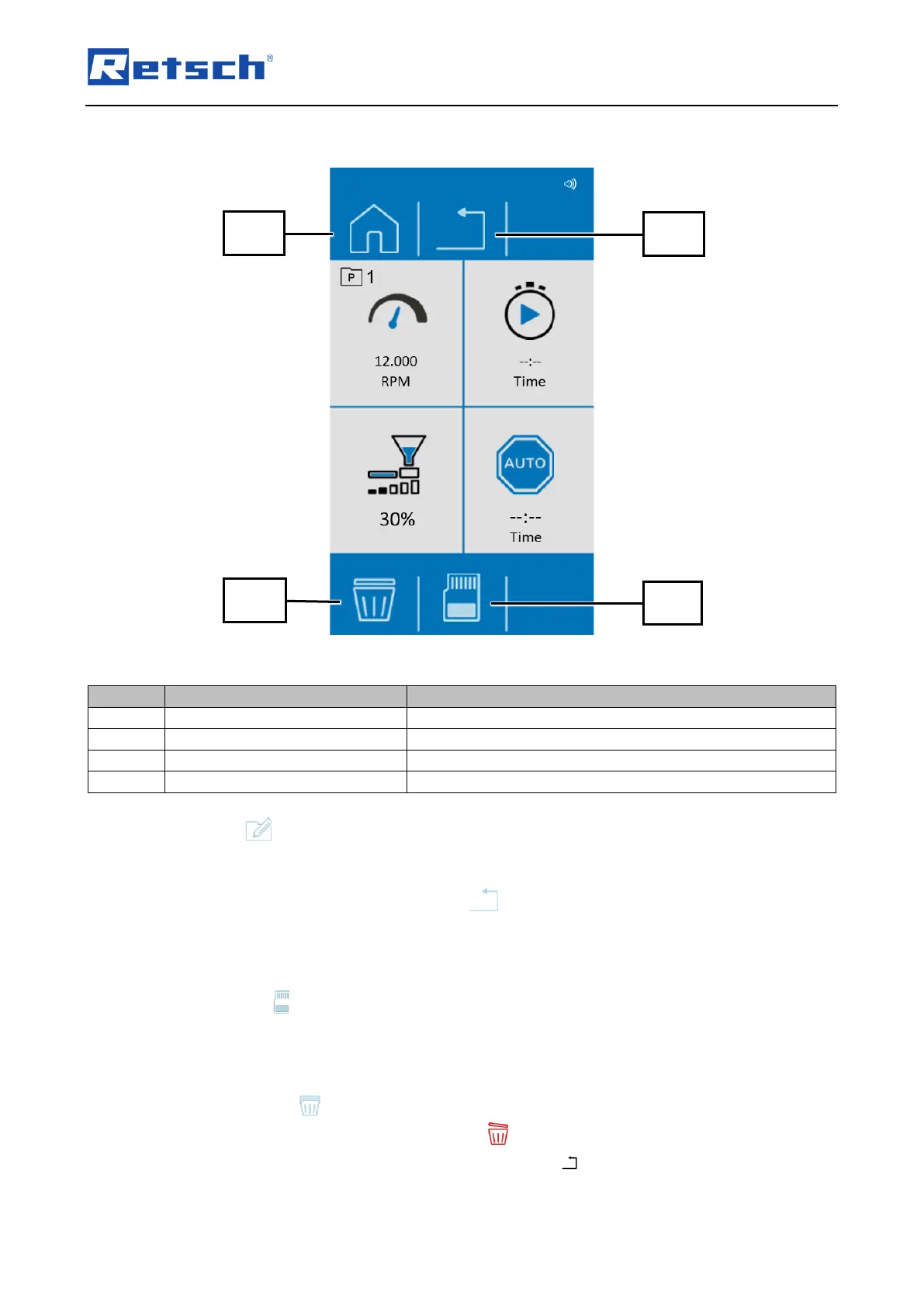
Fig. 38: Edit programs
Element
Description
Function
T2.3
Manual mode
Returns to manual mode.
T2.5
Cancel
Cancels editing of the program.
T4.4
Delete
Deletes the parameters of the program.
T4.6
Save
Saves the program.
Press the button to edit the program.
Enter the desired parameters.
The process can be cancelled by pressing . All settings are discarded.
7.6.3 Save a Programme
Press the button to save the set parameters in the selected program preset.
7.6.4 Delete a Programme
Tap the button (T4.4) in order to delete all parameters of a specific programme.
Confirm the deletion by tapping the button .
The process will be cancelled by pressing the button (T2.5).

T2.3
T4.4
T2.5
T4.6

Table of Contents

Related product manuals