10.1.2 Cleaning the interior
Cleaning the interior includes cleaning the rotor shaft, the sensor areas and the locking pin under
the device hood.
Clean the interior as follows:
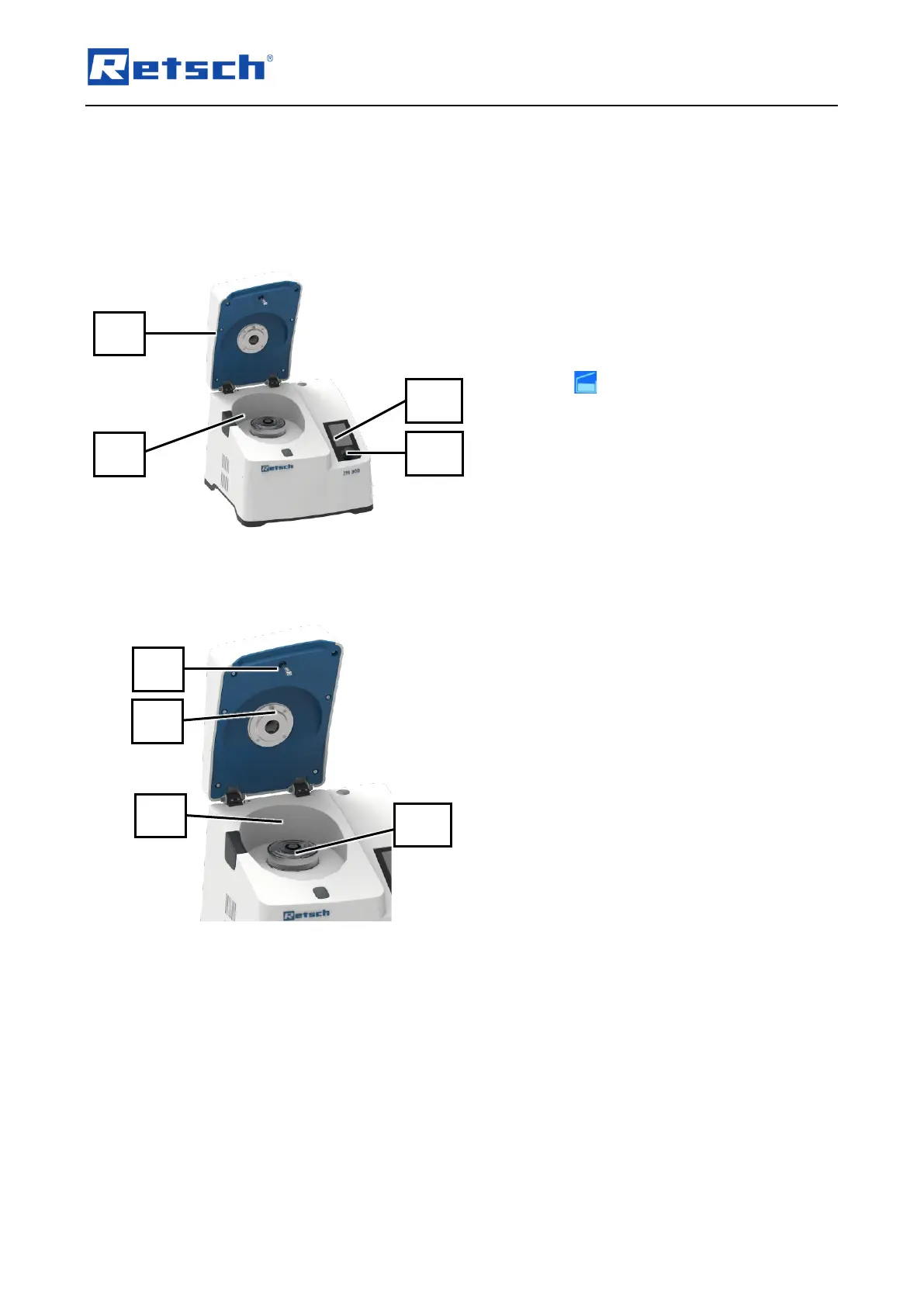
Fig. 57: Device with open device hood
1. Switch on the device with the main switch
(16) at the rear of the device.
➔ The touch display (6) of the device is
activated and the background of the control
dial (7) briefly lights up in blue.
2. Press on the touch display (6) to unlock
the device hood (2).
3. Open the device hood (2) by hand.
4. Switch off the device with the main switch
(16) on the back while the device hood (2)
is open.
➔ Touch display (6) goes out.
➔ The device is switched off and the device
hood (2) is open (Fig. 57).
5. If inserted, remove the grinding tools
(cassette with lid, ring sieve, rotor and
labyrinth disc) from the interior (10).
6. Clean the locking pin (8) under the device
hood with a brush (Fig. 58).
7. Clean the temperature sensor (14) under
the device hood (2) and next to the rotor
shaft (10) with a brush (Fig. 58).
8. Clean the rotor shaft (11) with a vacuum
cleaner (Fig. 58).
9. Clean the interior (10) and the underside of
the device hood (2) with a vacuum cleaner
(Fig. 58).
10. Clean stubborn deposits with a damp cloth
and gentle detergent.
➔ The interior (10) is cleaned.



 To Next Page