• You might at times hear a rustling noise from paper moving through the machine. This noise does
not indicate a malfunction.
Loading Paper into Paper Trays
Every paper tray is loaded in the same way.
In the following example procedure, paper is loaded into Tray 1.
• If a paper tray is pushed vigorously when putting it back into place, the position of the tray's side
fences may slip out of place.
• When loading a low number of sheets, be sure not to squeeze the side fences in too tightly. If the
side fences are squeezed too tightly against the paper, the edges may crease or the paper may
misfeed.
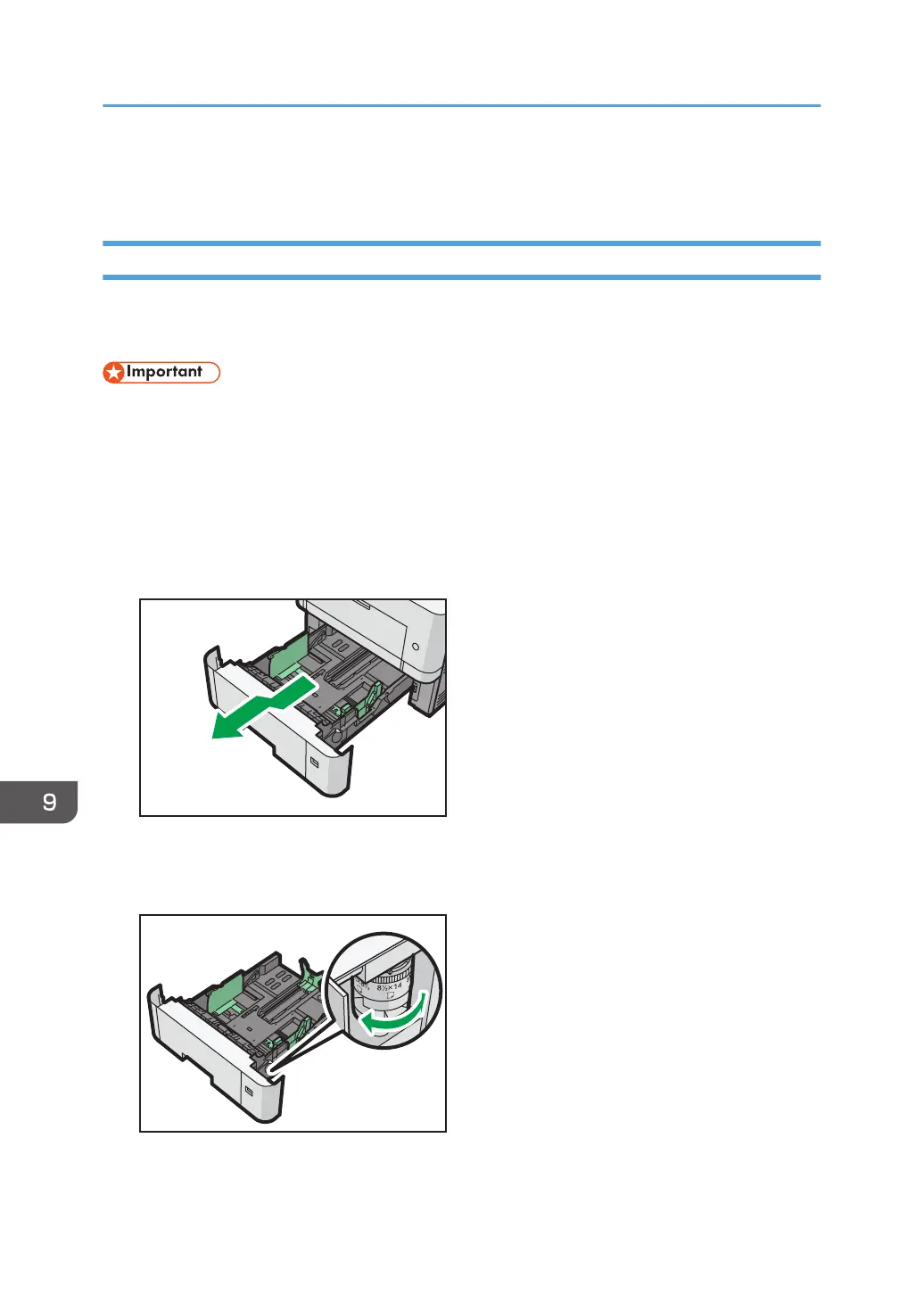
1. Pull the tray carefully until it stops, lift the front side of the tray, and then pull it out of the
machine.
Place the tray on a flat surface.
2. Adjust the paper size dial to match the size and feed direction of paper in the paper tray.
9. Adding Paper and Toner
138



 To Next Page