No. Icon Description
15
You can receive a transmission notification by e-
mail.
16
Once memory transmission is complete, you can
have the result printed.
17
Specifying Internet Fax/E-Mail Destinations as
BCC Addresses.
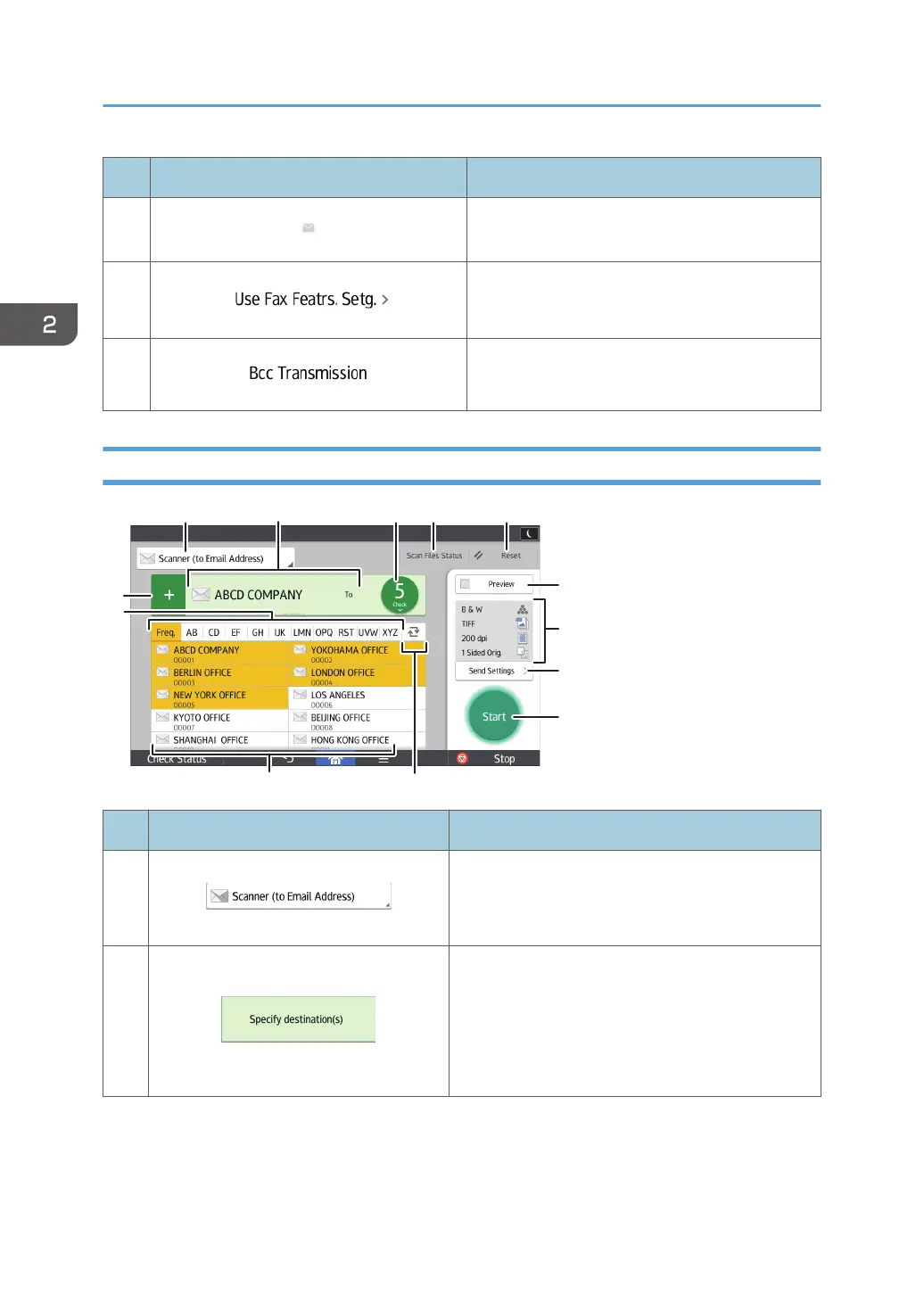
[Scanner] Screen
No. Icon Description
1
Displays the type of scanner destination.
Press to switch between e-mail destinations and
folder destinations.
2
The specified destination is shown here.
By tapping the destination, you can register it to the
Address Book or remove it from the destinations.
By flicking up and down, you can confirm the
selected destinations.
2. Getting Started
60



 To Next Page