EasyManua.ls Logo

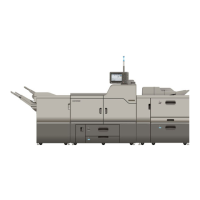
Ricoh Pro C751EX - User Manual

Ricoh Pro C751EX
296 pages
Print Icon
To Next Page IconTo Next Page
Loading...
Read this manual carefully before you use this machine and keep it handy for future reference. For safe and correct use, be sure to read the Safety
Information in "About This Machine" before using the machine.
1
Getting Started
2
Configuring Administrator Authentication
3
Configuring User Authentication
4
Protecting Data from Information Leaks
5
Securing Information Sent over the Network or Stored on Hard Disk
6
Managing Access to the Machine
7
Enhanced Network Security
8
Specifying the Extended Security Functions
9
Troubleshooting
10
Appendix
Security Reference
Operating Instructions

Table of Contents

Other manuals for Ricoh Pro C751EX

Questions and Answers

  • K
    Kimberly ValentineAug 8, 2025
    Why authentication failed on Ricoh All in One Printer?
    • J
      Jennifer PerezAug 9, 2025
      Authentication may fail on your Ricoh All in One Printer due to several reasons: * The login user name or password might be incorrect. Contact your user administrator to verify your credentials. * The maximum number of registered users in the Address Book may have been reached. Try deleting unnecessary user addresses. * There might be an issue accessing the authentication server when using Windows, LDAP, or Integration Server authentication. Check your network connection or contact your LAN administrator. If an error code appears, follow the specific instructions provided with the error.
  • K
    Karen EllisAug 12, 2025
    What to do if I don't have privileges to use a function on Ricoh Pro C751EX?
    • J
      Joshua MooreAug 12, 2025
      If you lack the necessary privileges to use a function on your Ricoh All in One Printer, it could be due to the function not being authorized in the Address Book management settings. The user administrator needs to authorize the function. If this occurs when specifying a default setting, the appropriate administrator must authorize the function's use, depending on the specific settings.
  • T
    Tiffany BishopAug 16, 2025
    What to do if authentication error occurred because of username on Ricoh Pro C751EX?
    • K
      Kimberly DanielsAug 16, 2025
      If you encounter an authentication error on your Ricoh All in One Printer due to a username containing a space, colon (:), or quotation mark ("), recreate the account without these prohibited characters. If the username was entered incorrectly, re-enter it correctly and log in again.
  • M
    Melissa JohnsonAug 21, 2025
    Why Ricoh Pro C751EX All in One Printer cannot connect with the TWAIN driver?
    • S
      sandovaldavidAug 21, 2025
      Your Ricoh All in One Printer might fail to connect with the TWAIN driver due to: * User authentication being rejected. If using Windows, LDAP, or Integration Server authentication, verify your user name and login name with your network administrator. If using basic authentication, confirm with the user administrator. * A mismatch between the encryption key specified in the driver and the machine's driver encryption key. Ensure the driver encryption key registered in the machine is correctly specified. * Inconsistent SNMPv3 settings. The SNMPv3 account, password, and encryption algorithm must match the settings configured on the machine using network connection tools.
  • J
    Justin AndrewsAug 26, 2025
    What to do if Ricoh Pro C751EX All in One Printer failed to obtain URL?
    • S
      Scott FrazierAug 26, 2025
      If your Ricoh All in One Printer fails to obtain a URL, it might be caused by: * Incorrect server settings: Ensure the server's IP address and host name are correctly specified on the machine, including the UA Server's host name. * UA service issues: Verify that the UA service is correctly specified, as it might not be responding properly. * SSL misconfiguration: Specify SSL using Authentication Manager, as it might not be correctly configured on the server. * Server authentication failure: Ensure server authentication is correctly specified on the machine.
  • T
    Timothy RoweAug 30, 2025
    What to do if Address Book is being used at another location on Ricoh Pro C751EX?
    • S
      Sarah CareyAug 30, 2025
      If you receive an authentication error because the Address Book is in use elsewhere on your Ricoh All in One Printer, wait a few minutes before trying again.
  • J
    Jessica LongSep 3, 2025
    What to do if files cannot be deleted on Ricoh All in One Printer?
    • K
      Kyle McmillanSep 3, 2025
      If you're unable to delete certain files on your Ricoh All in One Printer, it's because you lack the necessary access privileges. Only the file creator (owner) or file administrator can delete files. Contact the file creator (owner) to delete a file you are not authorized to delete.

Ricoh Pro C751EX Specifications

General IconGeneral
Print Speed (Color)75 ppm
Print Speed (Black & White)75 ppm
Print ResolutionUp to 1200 x 4800 dpi
Duplex PrintingYes
ConnectivityEthernet, USB
Operating System CompatibilityWindows
Dimensions (W x D x H)45.3 inches
Maximum Paper Size13" x 19.2"
Warm-up TimeLess than 1 minute

Related product manuals