2.Replacement and Adjustment
67
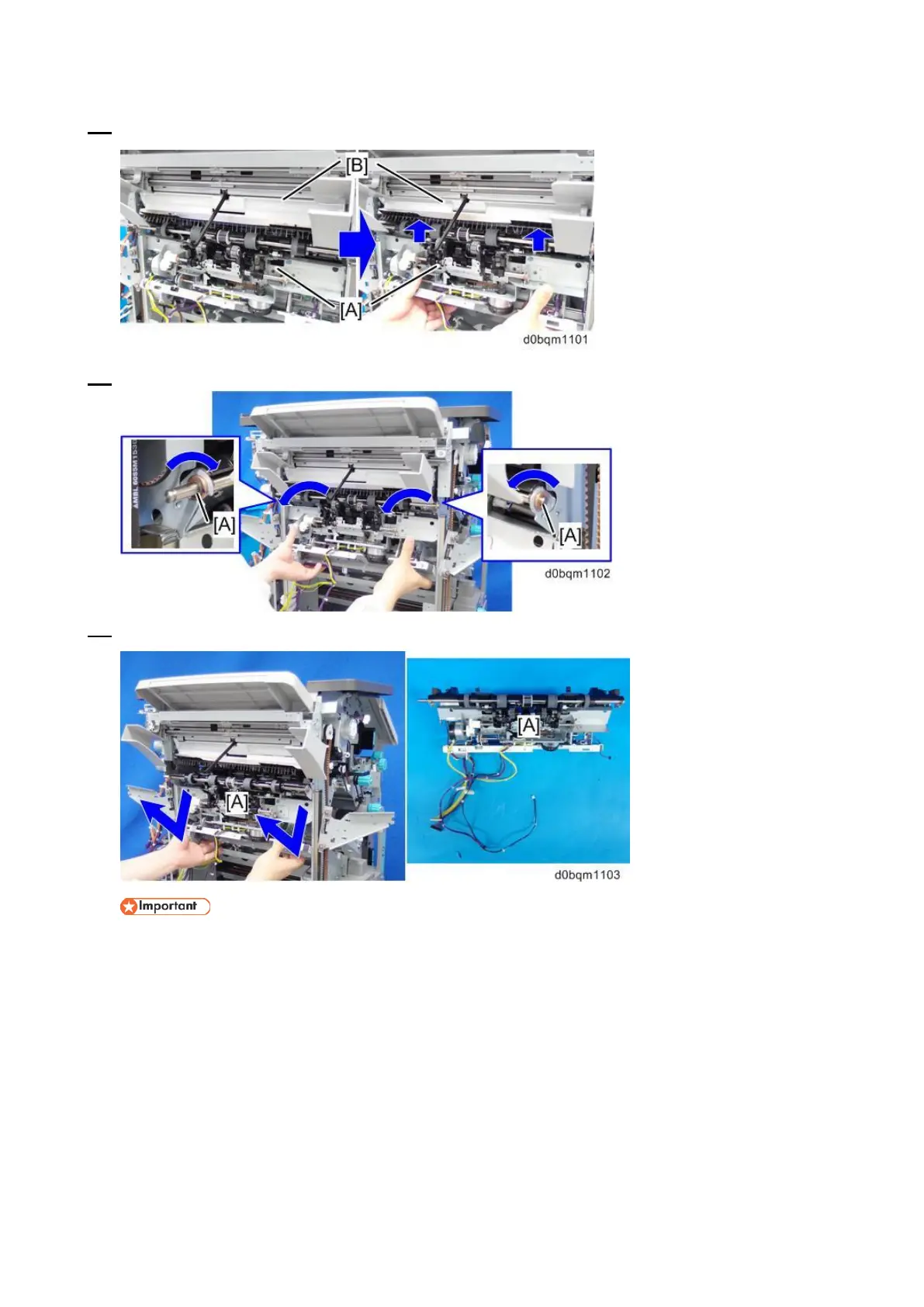
12. Lifting the corner stapling unit [A], push up the paper exit guide unit [B].
13. Remove the bearings on the sides [A] from the cutouts on the metal plate.
14. Remove the corner stapling unit [A].
• When removing the stapler unit, make sure to leave the harness of stapler unit is hooked
at the position with red circle as shown below.



 To Next Page