4040+e_22.docx / 06.10.17
ROBERT RIELE GmbH & Co KG Page 15 4 - PROGRAM SELECTION
5 OPERATION IN MODUS 2
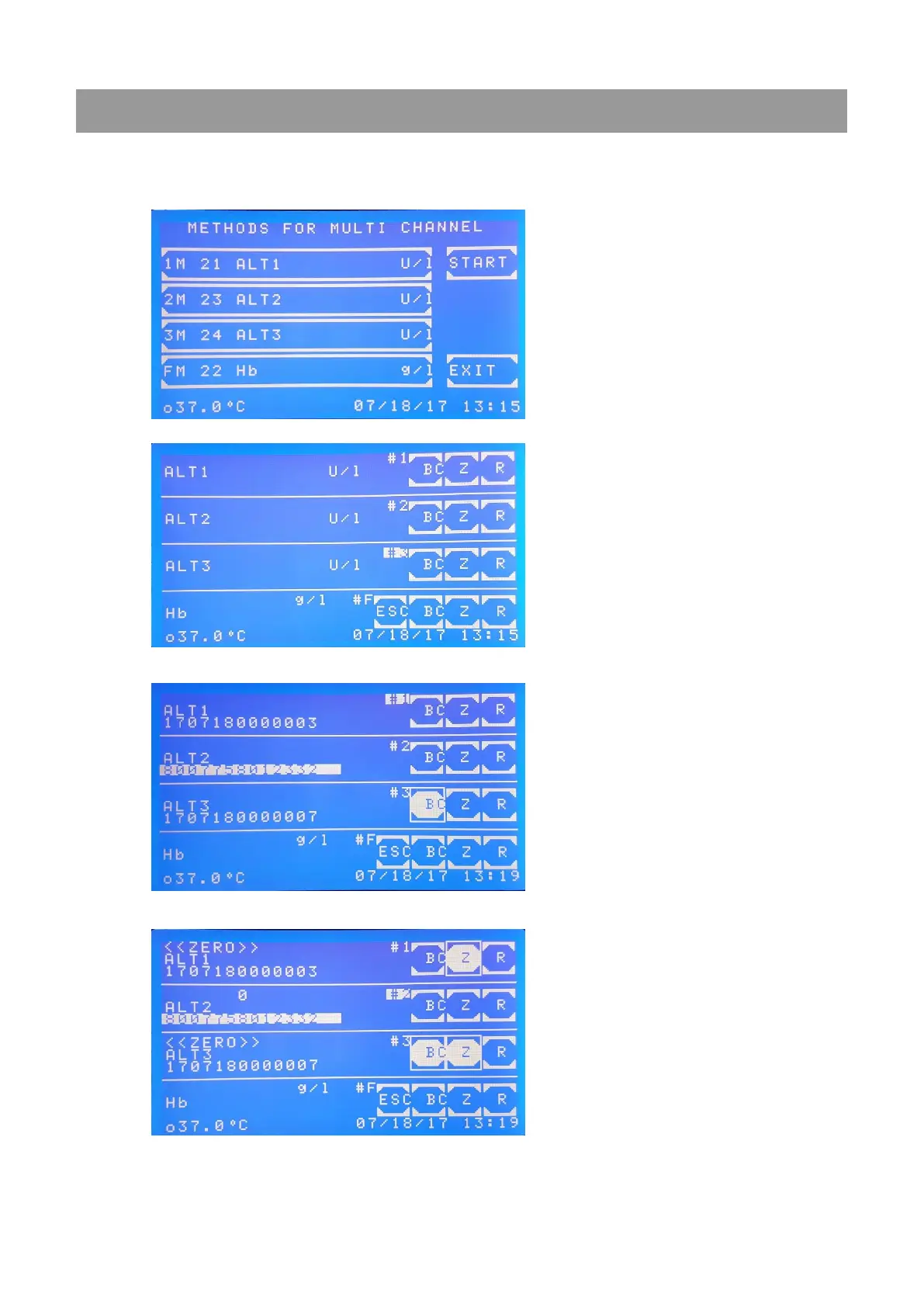
The four channel modus (modus 2) can be reached via [4 CH.] in the Main Menu. Methods used in the modus 2
must be preprogrammed in the method editor. Hereby, 14s is a fixed interval between two measurements.
Therefore, only multiples of 14s are possible for time settings.
For every channel a method can be
selected separately. For channels 1M – 3M
methods measured at 340 nm may be
selected. FM is for tests in the visible
range.
Measurement with programmed
methodsin modus 2:
Three channels #1-3 for Kinetic, e.g. ALT1,
ALT2 and ALT3 and one (#F) for end point
measurement (e.g. Hb) are displayed.
The current position of the reading unit is
underlaid with a white background. Here, at
position #3 the result is currently measured.
Push [ESC] to exit the four channel modus.
By pushing [BC] either a barcode may be
read when a barcode reader is connected
(the barcode is underlaid with a white
background)
or
a barcode is generated in the format:
YYMMDD0000001 including the
year/month/day (YYMMDD). For example
sample No. 7 has the ID number
1601150000007.
When [BC] was not pushed the results are
not saved to the memory.
[Z] A zero measurement needs to be done at
the beginning of the first measurement.
When activated the button is underlaid with
a white background. All channels may be
selected at the same time. The
measurement is performed when the motor
has reached the respective position.
When the [Z] button returns to blue the result
button [R] may be pushed.



 To Next Page