20152192
36
Calibration and operation
From Normal mode, using the keys of the Operator Panel, it is
possible to activate one of the three visualisation/programming
modes:
Visualises the general system information.
The list of the parameters that can be visualised is given in the
table below.
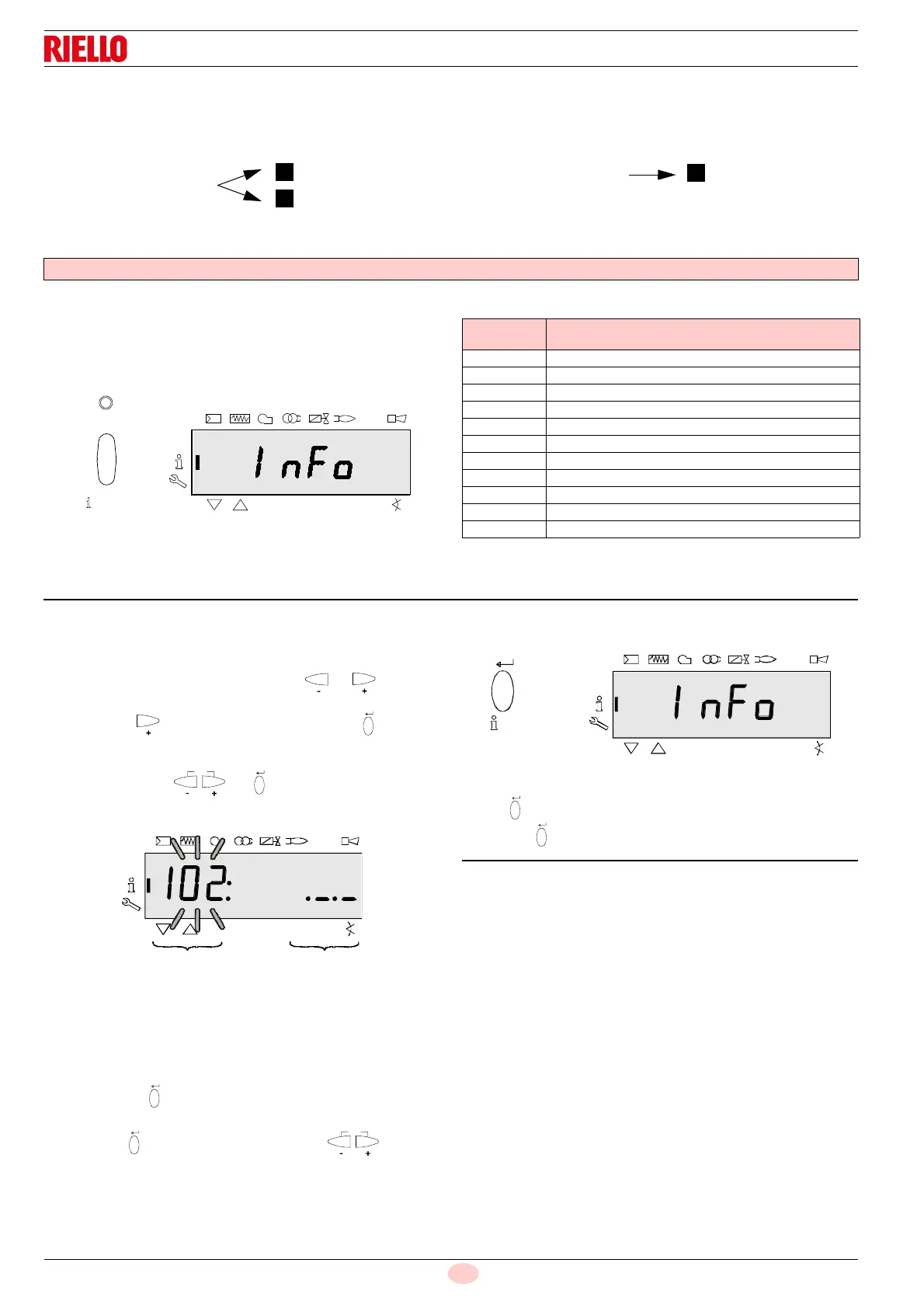
To access this level, press the key “i/reset” for 1 - 3 s. Release
the key immediately when the display shows “Info”.
List of the parameters that can be visualised (in the sequence
in which they are visualised)
6.4 Info level
The Info level displays information regarding the unit and general
operations.
Note:
From the Info level, it is possible to press or to display
the preceding or subsequent parameter.
Instead of the key it is also possible to press “i/reset”
for <1 second.
Note:
It is possible to press or “i/reset” for > 8 seconds to
return to normal display.
Note:
No change to the Info level value.
If the display shows. _._ together with the parameter, the value
can be composed of more than 5 figures.
When pressing “i/reset” for > 1 second and < 3 seconds,
the value will be displayed.
By pressing “i/reset” for > 3 seconds or , you go
back to the selection of the parameter no. (the number of the pa-
rameter blinks).
6.4.1 Displaying the Info level
Press “i/reset” until InFo is displayed.
Releasing “i/reset” takes you to the Info level.
Info mode
Info mode (InFo)
Service mode (Ser)
Parameter mode
Display modes
Programming modes
1
2
3
(Para)
Parameter
number
Parameter
102 Identification date
103 Identification number
113 Burner identification
164 Number of resettable start-ups
166 Total number of start-ups
170.00 Switching cycles relay contact K12
170.01 Switching cycles relay contact K11
170.02 Switching cycles relay contact K2
170.03 Switching cycles relay contact K1
171 Max. relay commutation cycles
End
Fig. 43
Parameter Value
parameter


 To Next Page