20152192
38
Calibration and operation
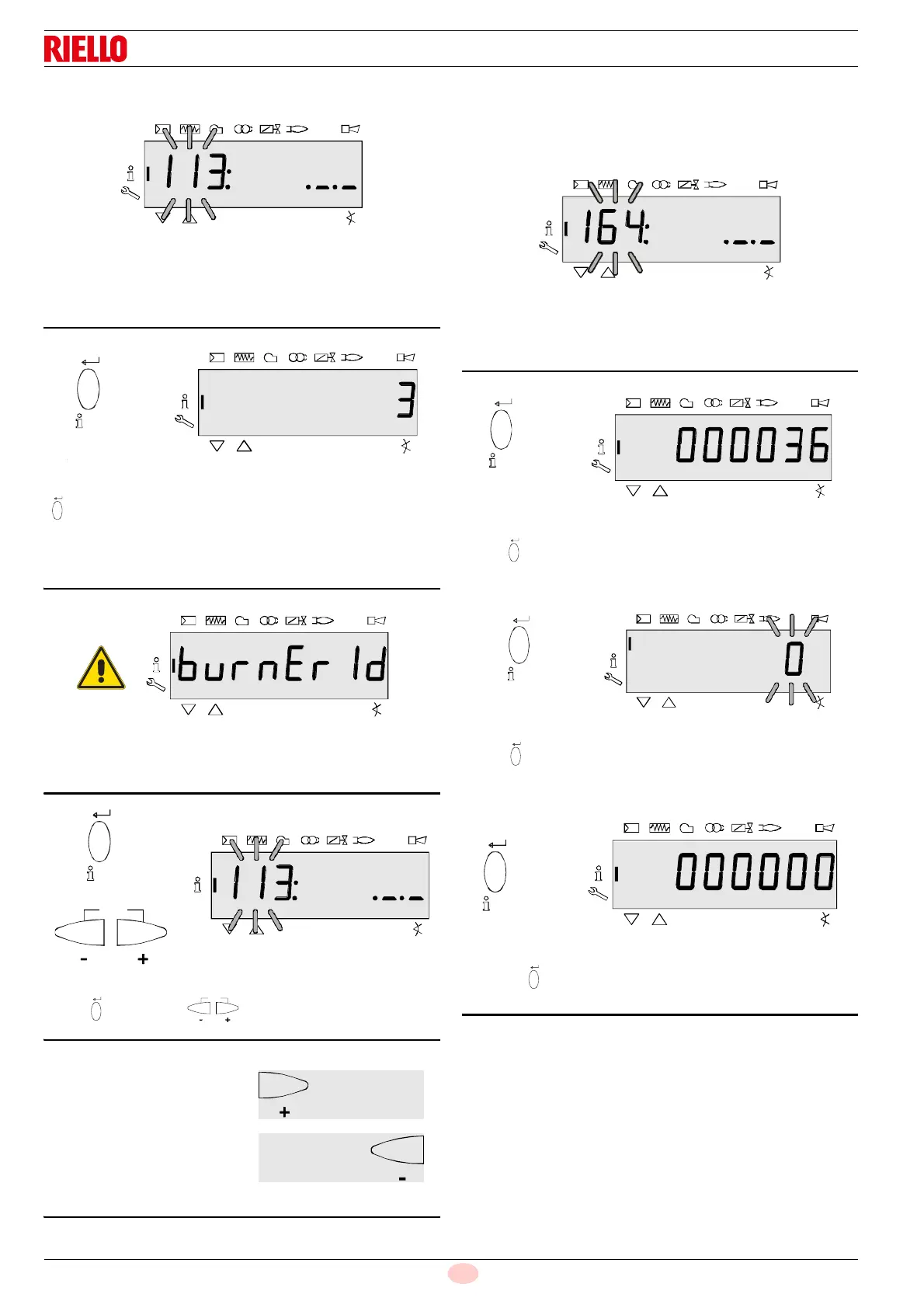
6.5.3 Burner identification
On the left, the parameter 113 is displayed: blinking.
On the right, ._._ is displayed
Example: 113: ._._
Press “i/reset” for 1-3 seconds to display the burner identifi-
cation.
Factory Setting: - - - - - - - -
Example: 3
burnEr Id can only be changed with the software diagnostic tool
ACS410 PC.
Press “i/reset” or to return to the display of the pa-
rameters.
6.5.4 Number of resettable start-ups
Note:
They can be cancelled for assistance (see Parameter list page)!
On the left, the parameter 164 is displayed: blinking.
On the right, the characters _._. are displayed
Example: Parameter 164: ._._
Press “i/reset” for 1-3 seconds to display the number of
starts (resettable). Example: 000036.
Press “i/reset” for 3-8 seconds to go to the interval, which
can be modified. The number 0 blinks.
Pressing “i/reset”, the number of starts is reset to 0.
Display: 000000
Fig. 55
On to next parameter
S9058
Goes back to the previous
S9062
parameter
h
%


 To Next Page