39
20152192
Calibration and operation
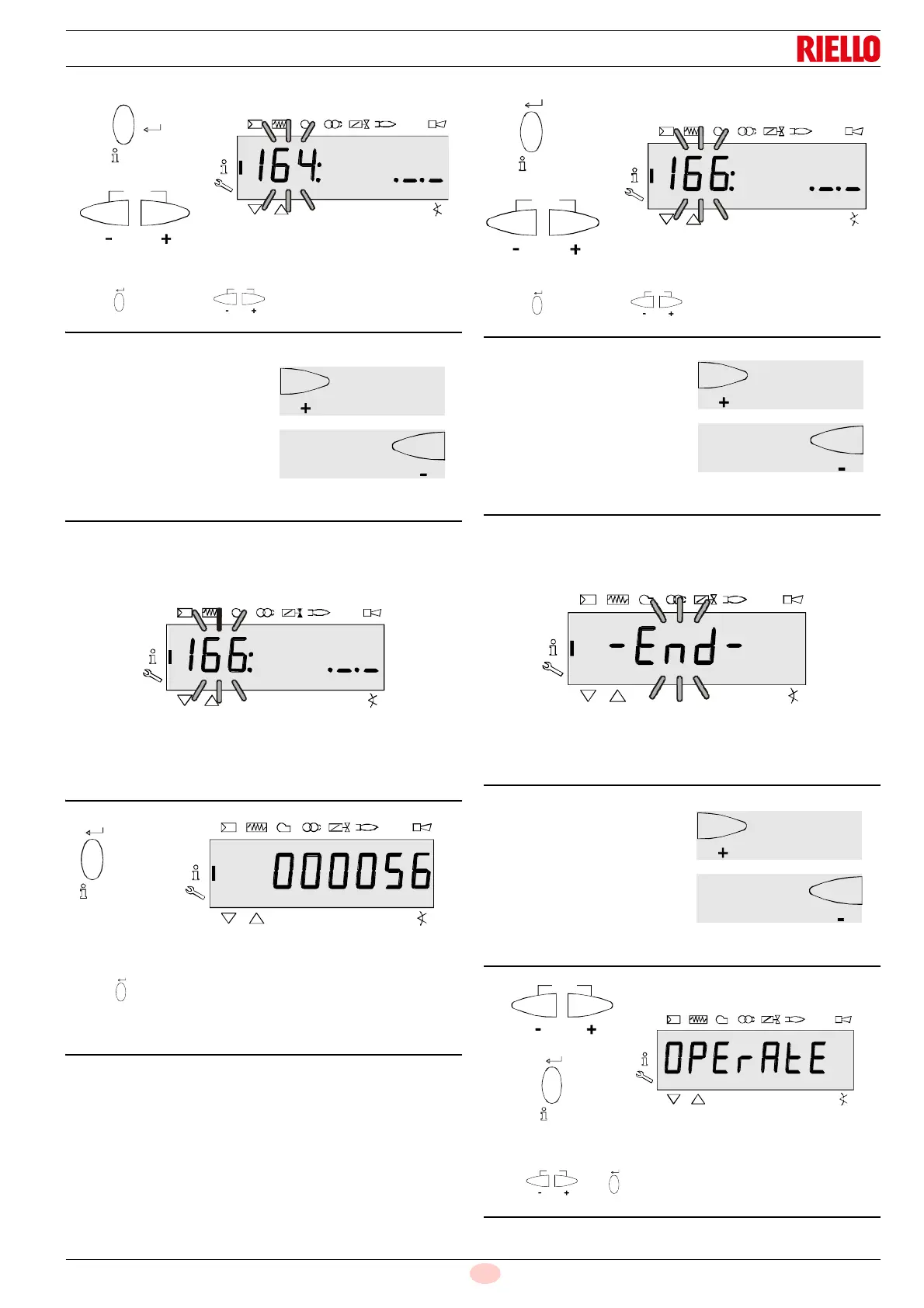
Press “i/reset” or to display the blinking parame-
ter 164 again.
6.5.5 Total number of start-ups
On the left, the parameter 166 is displayed: blinking.
On the right, the characters _._. are displayed
Example: Parameter 166: ._._
Press “i/reset” for 1-3 seconds to display the number of
starts.
Example: 000056
Press “i/reset” or to return to the display of the
parameters.
6.5.6 End of the Info level
When this page appears you have reached the end of the Info
level.
The display shows – End – blinking.
Press or “info” to return to standby mode.
The display shows OPErAtE.
Fig. 61
S9062
On to next parameter
S9058
Goes back to the previous
parameter
h
%
Fig. 65
S9062
On to next parameter
S9058
Goes back to the previous
parameter
Fig. 67
S9062
At the start of the Info level
S9058
At the end of the Info level


 To Next Page