20152192
46
Calibration and operation
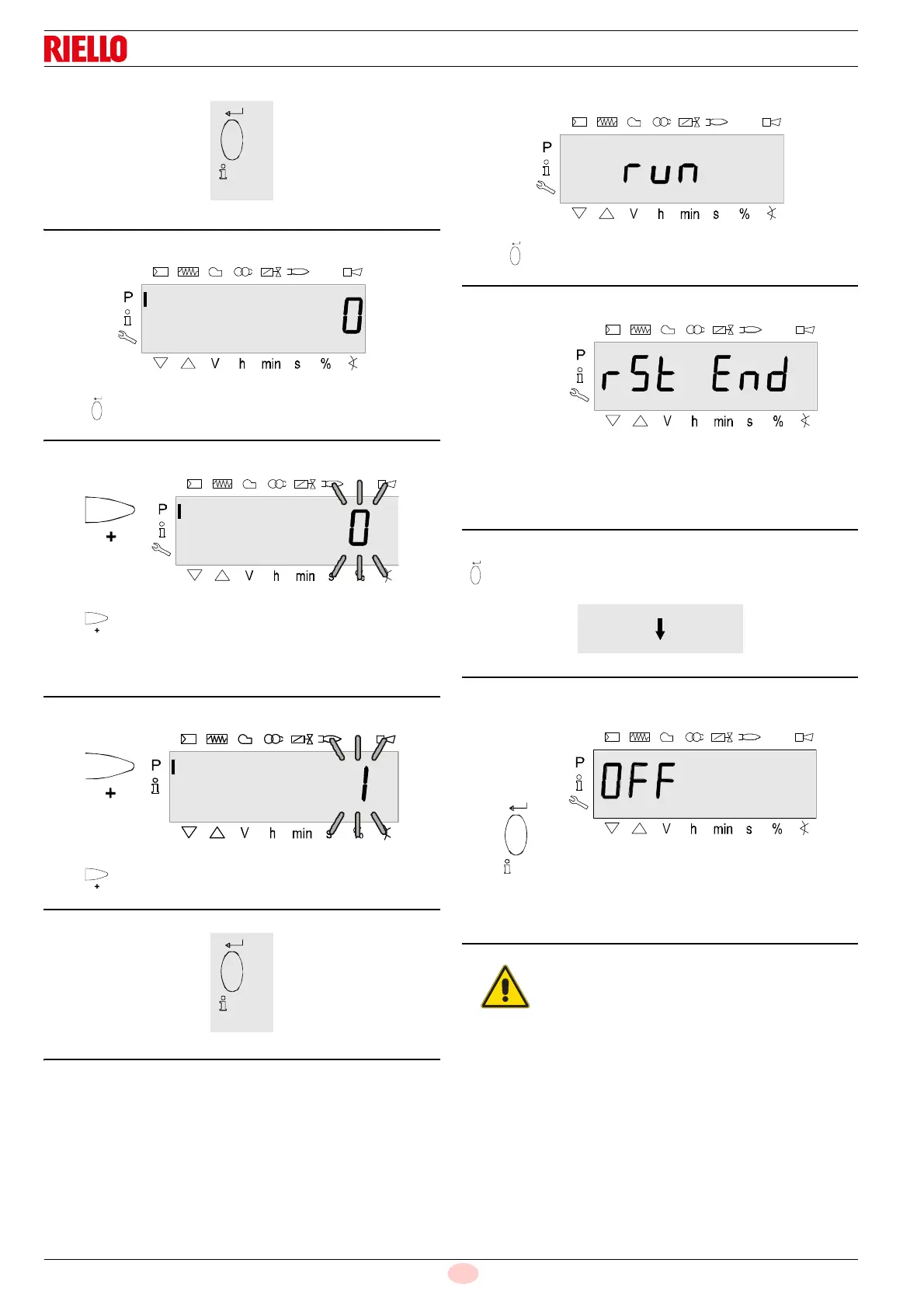
Press “i/reset” to detect the restore process.
Display: The value 0.
Press to shift the value by one position to the left.
Display: The value 0 blinks.
Note:
To detect display faults, the value shifts one position to the left.
Press for the value 1.
Display: The value 1 blinks.
Press “i/reset” to activate the restore process.
The display shows run.
After about 3 seconds (depending on the duration of the program
sequence), the display shows bAC End to indicate the end of the
restore process.
Display: rSt End.
It will be displayed for 2 minutes, or it can be ended by pressing
“i/reset”.
The displays shows OFF when the RESTORE process has fin-
ished.
Note:
During the RESTORE process, all the parameters
and settings are written from the program module
onto the memory integrated into the device.
In the meantime it is possible that the previous
program sequences, the parameters and the set-
tings in the internal memory could be overwritten!
At the first start-up or after replacing the pro-
gram module, the sequence of the functions
and the parameter settings should be checked
when the RESTORE process has finished.
Otherwise there is the risk of losing the safety
functions.


 To Next Page