RIGOL
2-78 © Copyright RIGOL Technologies, Inc. 2007.
User’s Guide for DS1000 Series
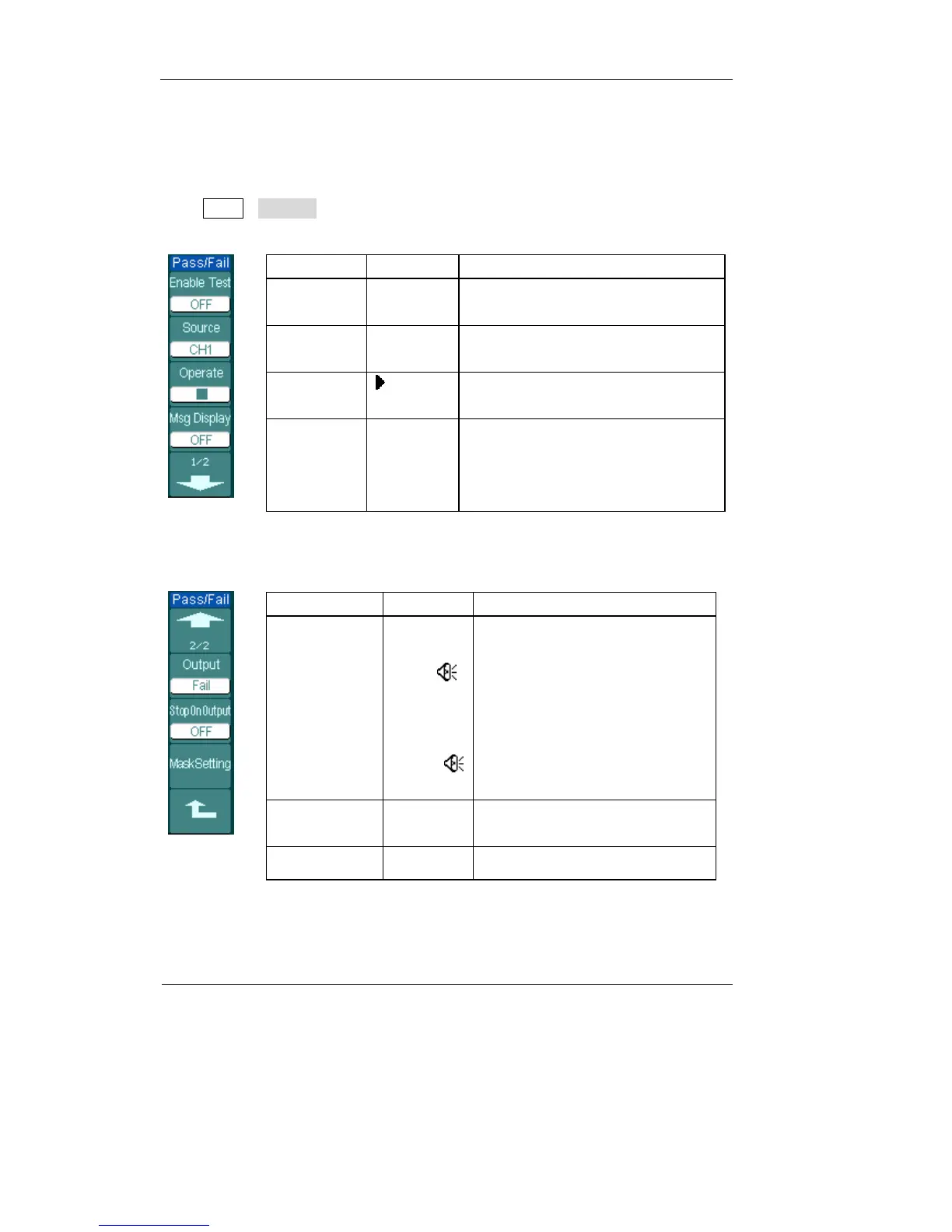
Pass/Fail
The pass/fail function can monitor changes of signals and output pass or fail signals
by judging the input signal is within the pre-defined mask or not.
Press Utility→Pass/Fail to go to the following menu.
Figure 2-93 Table 2-58
Menu Setting Comments
Enable Test
ON
OFF
Turn on Pass/Fail test
Turn off Pass/Fail test
Source
CH1
CH2
Select Pass/Fail test on CH1
Select Pass/Fail test on CH2
Operate
(RUN)
■ (STOP)
Pass/Fail test stopped, press to run
Pass/Fail test running, press to stop
Msg display
ON
OFF
Turn on Pass/Fail information
display
Turn off Pass/Fail information
display
Figure 2-94 Table 2-59
Menu Settings Comments
Output
Fail
Fail +
Pass
Pass +
Output when Fail condition
detected
Output and beep when Fail
condition detected
Output when Pass condition
detected
Output and beep when Pass
condition detected
Stop
on Output
ON
OFF
Stop test when output occur
Continue test when output occur
Mask Setting Go to mask setting menu












 To Next Page