RIGOL
© Copyright RIGOL Technologies, Inc. 2007. 1-13
User’s Guide for DS1000 Series
To Set Up the Vertical Window
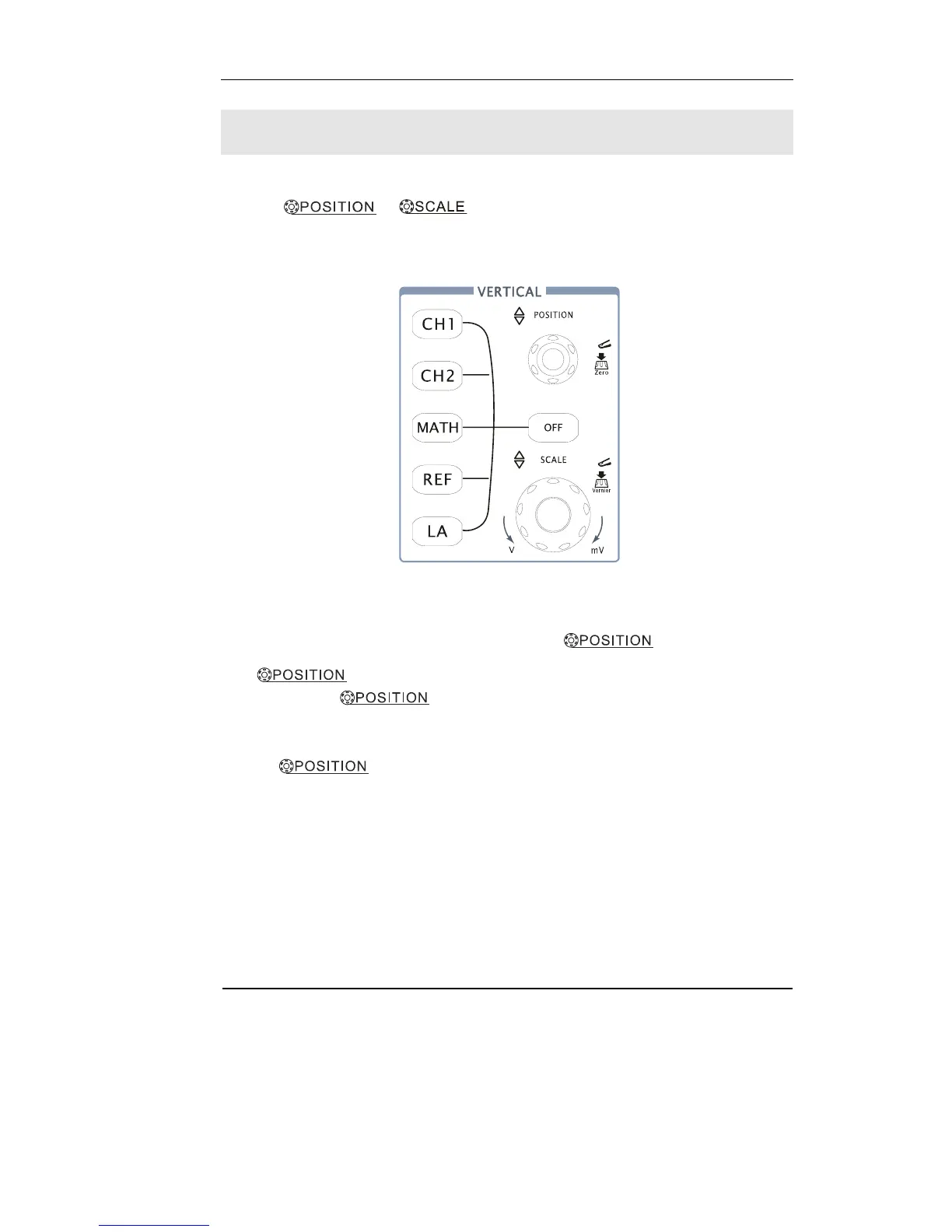
Figure 1-14 shows the Channels, MATH, REF, Logic Analyzer and OFF buttons and
vertical
, knobs. The following exercise guides you
through the vertical buttons, knobs, and status bar. It will help you be familiar with
the setting of the vertical parameters.
Figure 1-14
1. Center the signal on the display with the
knob.
The
knob moves the signal vertically, and it is calibrated. Notice that
as you turn the
knob, a voltage value is displayed for a short time
indicating how far the ground reference is located from the center of the screen. Also
notice that the ground symbol on the left side of the display moves in conjunction
with the
knob.












 To Next Page