RIGOL
2-38 © Copyright RIGOL Technologies, Inc. 2007.
User’s Guide for DS1000 Series
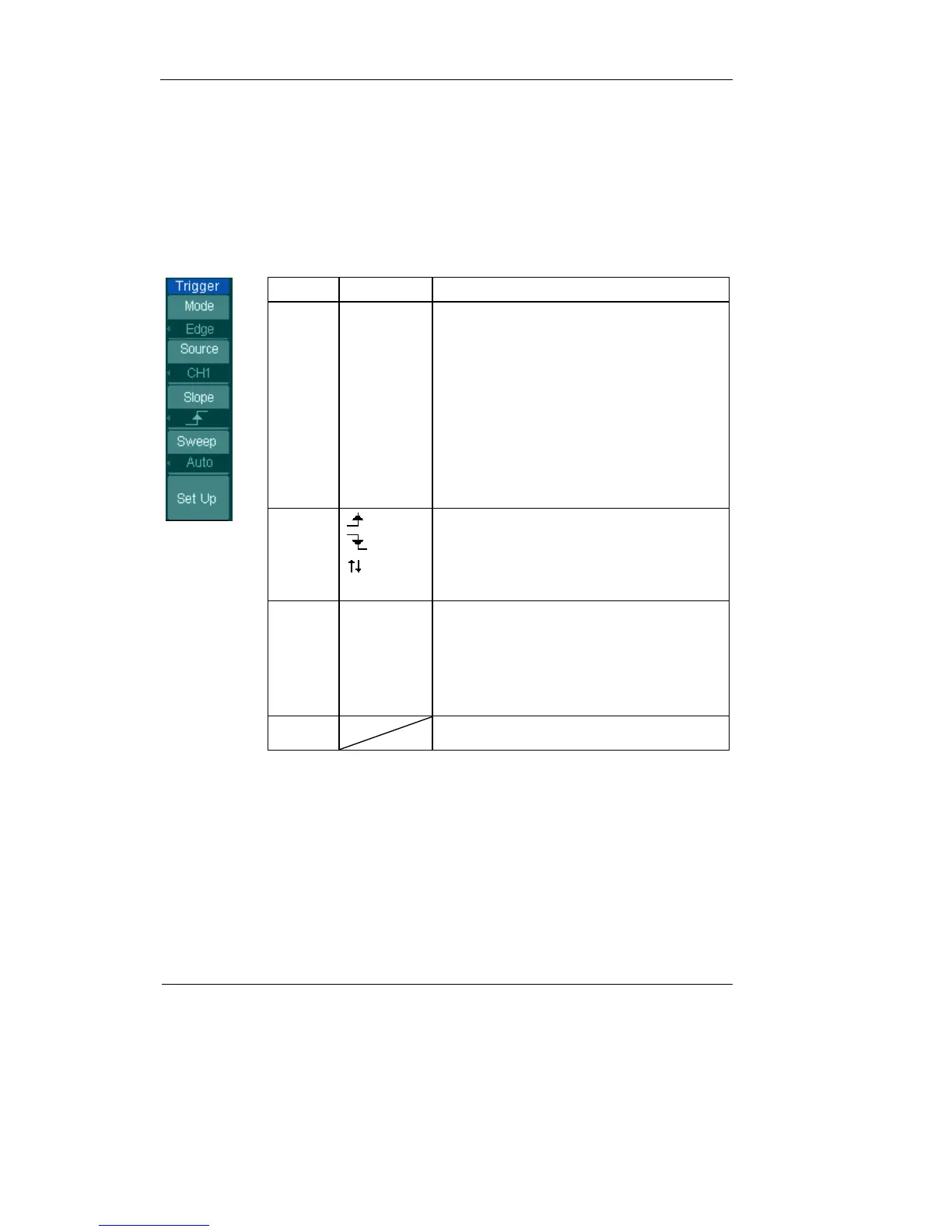
Settings for Edge Trigger
An edge trigger determines whether the oscilloscope finds the trigger point on the
rising or the falling edge of a signal. Select Edge trigger Mode to trigger on Rising
edge, falling edge or rising & falling edge.
Figure 2-42 Table 2-20
Menu
Settings Comments
Source
CH1
CH2
EXT
EXT/5
AC Line
D15-D0
Select CH1 as trigger signal
Select CH2 as trigger signal
Select EXT TRIG as trigger signal
Select attenuated EXT TRIG/5 as trigger
signal
Select power line as trigger signal
Select a digital channel in D15-D0 as
trigger source (Only in mixed signal
oscilloscopes)
Slope
Rising
Falling
Rising &
Falling
Trigger on rising edge
Trigger on falling edge
Trigger on both ring & falling edge
Sweep
Auto
Normal
Single
Acquire waveform even no trigger
occurred
Acquire waveform when tri
er occurred.
When trigger occurs, acquire one
waveform then stop
Set up To go to Set Up menu, see table 2-38












 To Next Page