RIGOL
2-102 © Copyright RIGOL Technologies, Inc. 2007.
User’s Guide for DS1000 Series
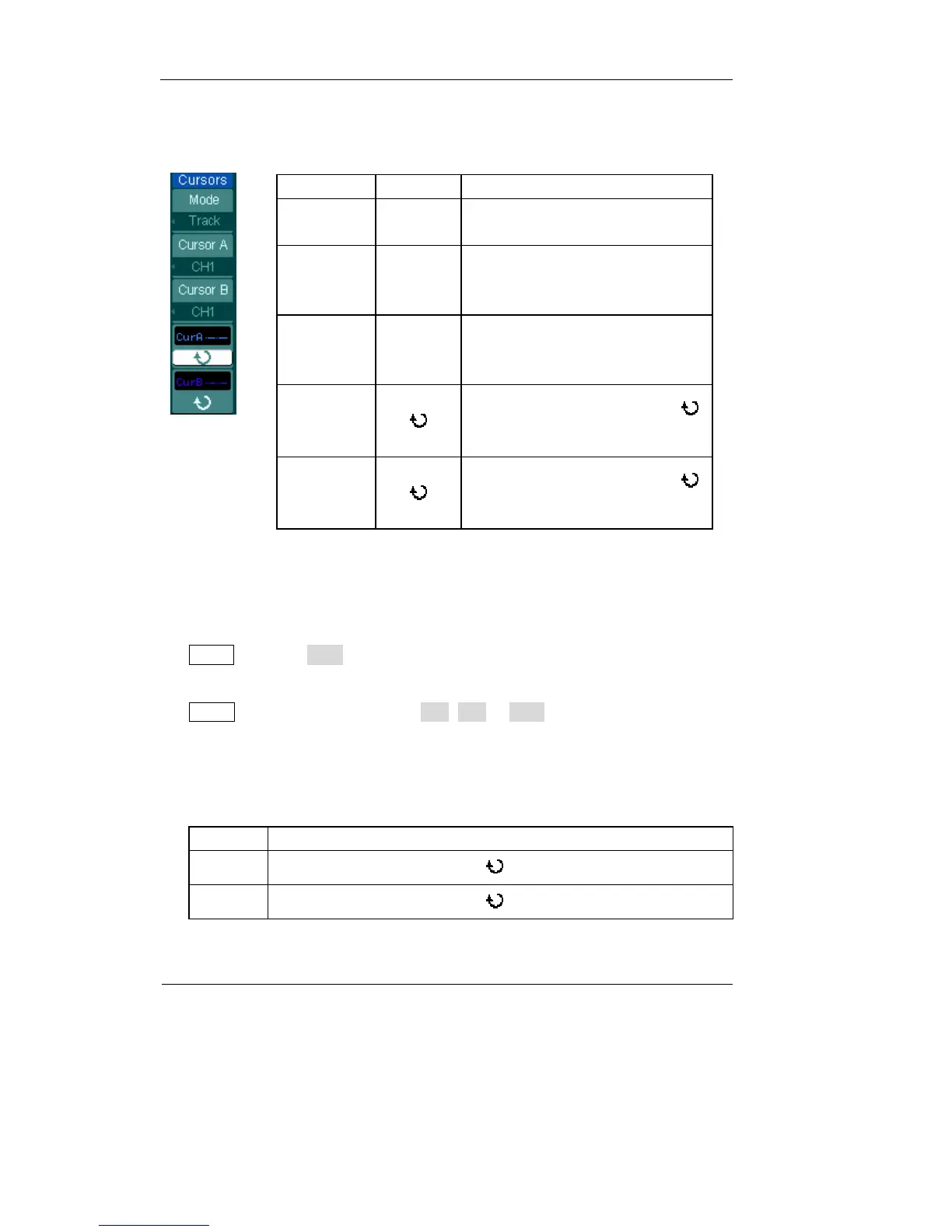
2. Track Mode
Figure 2-121 Table 2-81
Menu Settings Comments
Mode Track
Set Track mode in cursor
measurement
Cursor A
CH1
CH2
None
Set Cursor A in conjunction with
CH1, CH2 or turn off Cursor A
Cursor B
CH1
CH2
None
Set Cursor B in conjunction with
CH1, CH2 or turn off Cursor B
CurA
(Cursor A)
Turn the multifunctional knob (
)
to move cursor A horizontally
CurB
(Cursor B)
Turn the multifunctional knob (
)
to move cursor B horizontally
In cursor track mode, the cursors move together with the selected waveform.
To do Track mode Cursor Measurements, follow these steps:
1. Select the Track mode for cursor measurement by pressing soft button as:
Cursor→Mode→Track.
2. Select channel Source for Cursor A and Cursor B by pressing soft button as:
Cursor→Cursor A or Cursor B→CH1, CH2 or None.
3. Move the cursors to adjust the horizontal positions of the cursors: (Details in the
following Table)
Table 2-82
Cursor Operation
Cursor A Turn the multifunctional knob ( ) to move cursor A horizontally
Cursor B Turn the multifunctional knob ( ) to move Cursor B horizontally












 To Next Page