RIGOL
© Copyright RIGOL Technologies, Inc. 2007. 2-85
User’s Guide for DS1000 Series
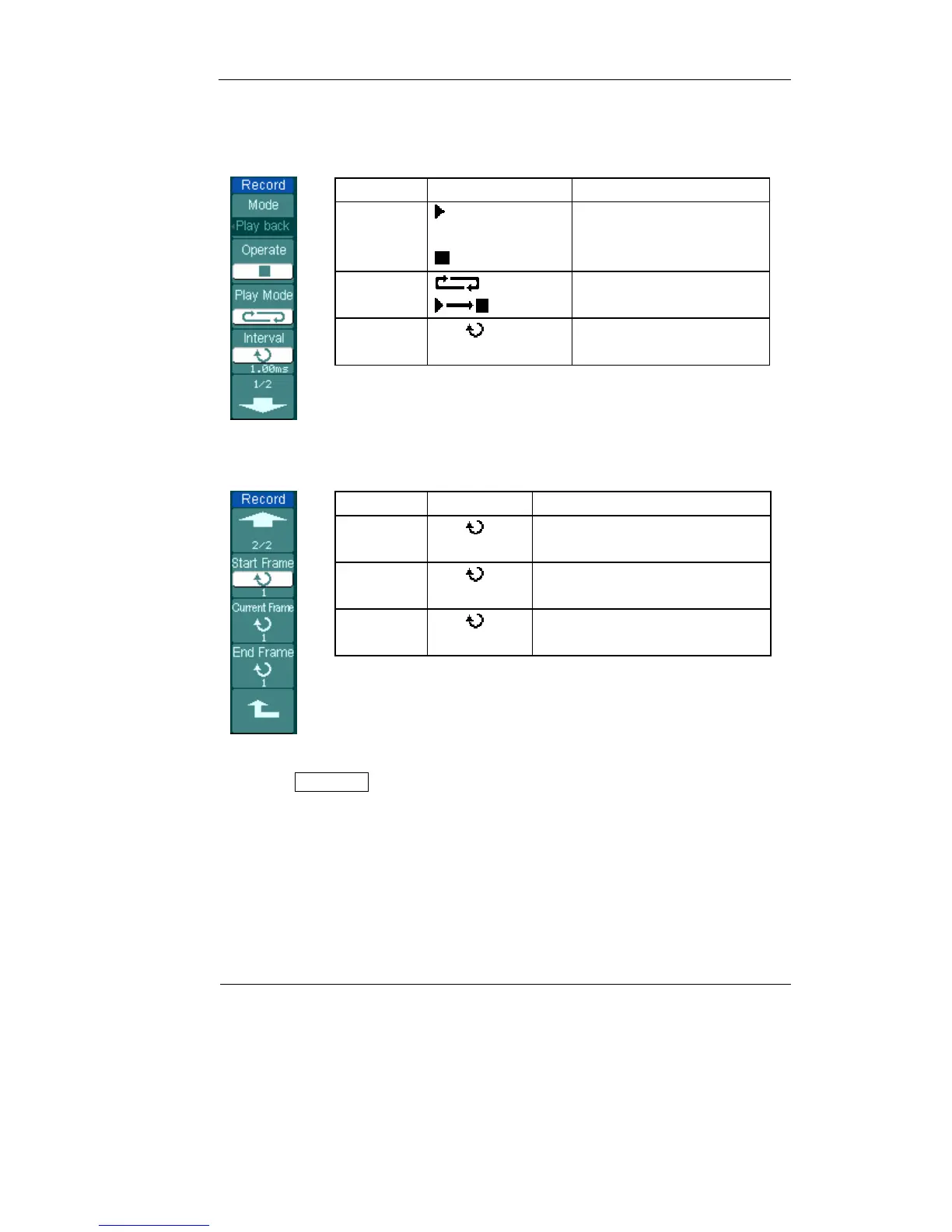
Play back: Play back the recorded waveforms.
Figure 2-102 Table 2-66
Menu Settings Comments
Operate
(Run)
(Stop)
Play stopped, press to
Start playback
Playing, press to stop
Play mode
Set repeat play mode
Set single time play mode
Interval
<1.00ms-20s>
Set up interval
Figure 2-103 Table 2-67
Menu Settings Comments
Start
Frame
<1-1000>
Set start frame
Current
Frame
<1-1000>
Select current frame to be played
End Frame
<1-1000>
Set End frame
Note: the RUN/STOP button can also replay or continue the waveform display.












 To Next Page