RIGOL
1-18 © Copyright RIGOL Technologies, Inc. 2007.
User’s Guide for DS1000 Series
2. Change the trigger setup and notice these changes affect the status bar
differently.
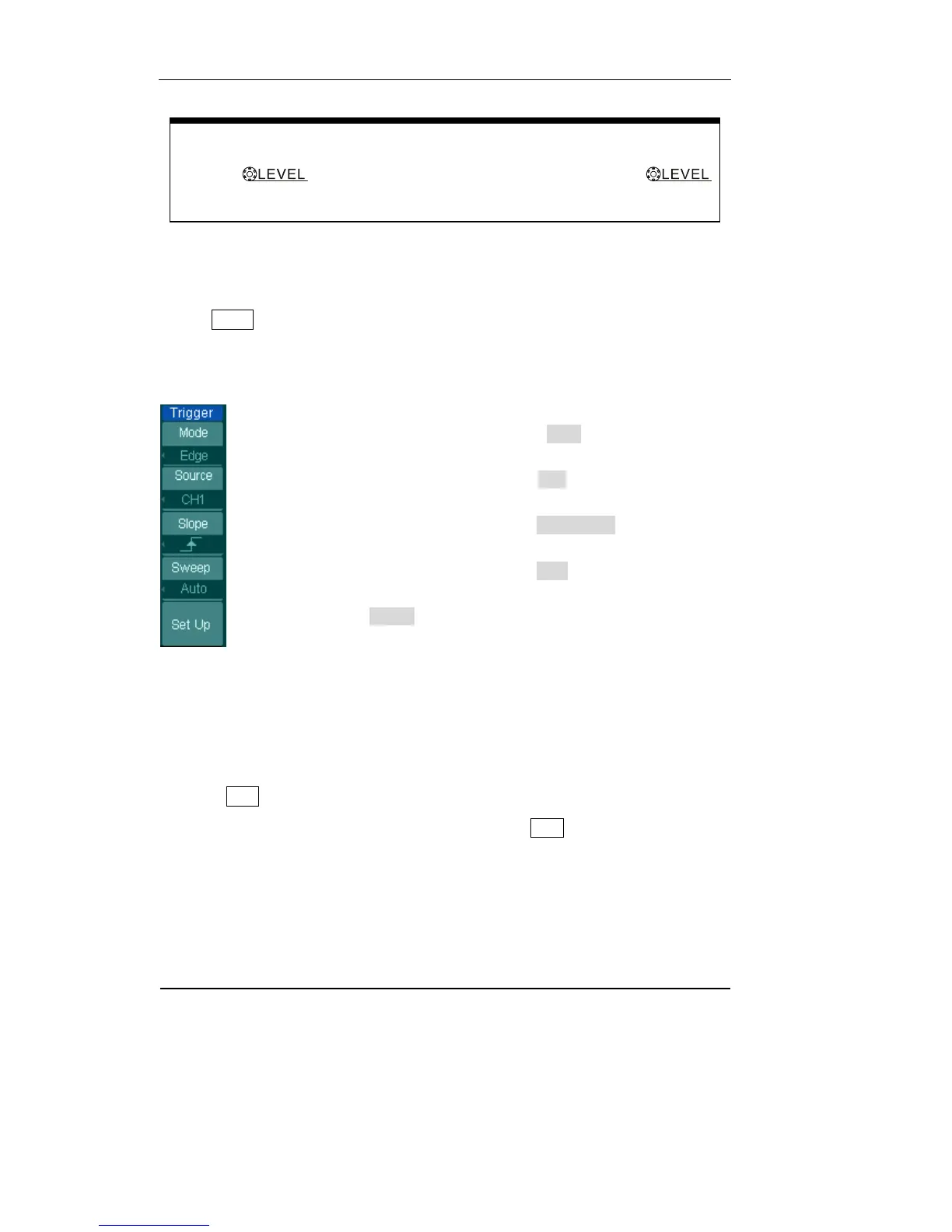
· Press MENU button in the trigger control area.
A soft button menu appears on the display showing the trigger setting choices.
Figure 1-17 displays this trigger menu.
· Press the trigger Mode button and choose Edge.
· Press the trigger Source button to select CH1.
· Press the trigger Slope button to choose Rising Edge.
· Press the trigger Sweep button to select Auto.
· Press the trigger Set Up button to enter secondary menu.
Figure 1-17
NOTE: The trigger type, slope and source change in conjunction with the status bar
on the top-right of the screen.
3. Press 50%
This key is an action button. Every time you press the 50% button, the oscilloscope
sets the trigger level to the center of the signal.
Trigger Level to 0 Shortcut key
Turn the
knob to change trigger level value and press the
knob to set trigger level back to 0 as a shortcut key.












 To Next Page